Among Us
Among Us

Among Us

Action

| Innersloth LLC

BlueStacks Verified

Play on PC with BlueStacks or from our cloud

  • Overview
  • Tips & Tricks
  • Game Features
  • How to Play

Page Modified On: October 27, 2026

Play Among Us on PC or Mac

Among Us is an action game developed by Innersloth LLC. BlueStacks app player is the best platform to play this Android game on your PC or Mac for an immersive gaming experience.

About the Game

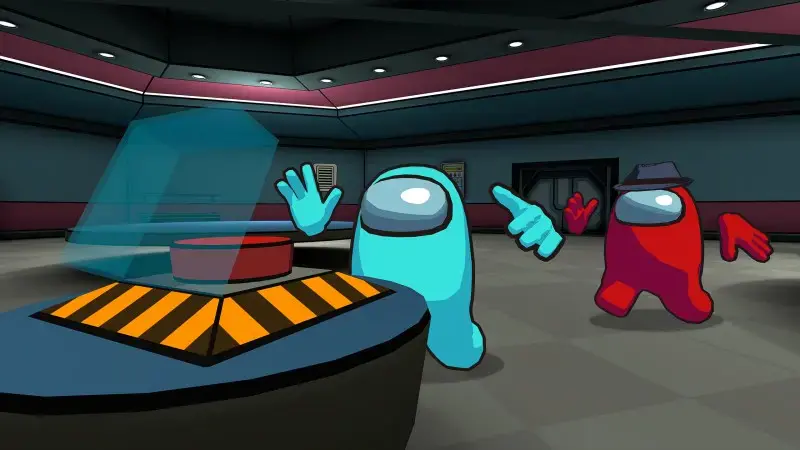
Among Us is a multiplayer game where 4–15 players work together to prepare their spaceship for departure. However, not everyone is who they claim to be. One or more players may be impostors whose mission is to eliminate the crew without getting caught.

As a crewmate, you must complete assigned tasks, observe suspicious behavior, and work with other players to identify the impostors. If you play as an impostor, your goal is to sabotage the mission, eliminate crewmates, and avoid suspicion. Can you figure out who to trust before it’s too late?

Game Features

  • Multiplayer Matches: Play online or over local Wi-Fi with 4–15 players. Team up with friends or compete against other players in thrilling rounds of deception and deduction.
  • Crewmate Tasks: Complete assigned tasks around the spaceship to help prepare it for departure. Work together with other crewmates to secure victory.
  • Impostor Gameplay: Deceive other players, eliminate crewmates, and create convincing alibis to avoid being exposed.
  • Sabotage and Strategy: Trigger sabotages to create chaos, distract crewmates, and make it easier to eliminate players without attracting attention.
  • Meetings and Voting: Discuss suspicious behavior, share information, and vote to eject suspected impostors before they eliminate the entire crew.

How to Play?

Download Among Us for free from the Google Play Store using the BlueStacks app player.

What’s New?

The new Influencer Ghost Role introduces a special camera and Message ability, allowing Influencers to send image-based hints to living Crewmates to help identify the Impostor, with the option to refresh the available images for better clues.
Game Features

Game controls

  • Movement
  • Other Moves

Enhancements

  • Macros
  • Multi Instance
  • Multi Instance Sync
  • Eco Mode
  • Game controls
  • Enhancements
Movement
Other Moves
Macros

Macros

Skip the boring parts of a game. Play Among Us with Macros and get the edge. Simply record a sequence of commands and execute them at any moment.
Multi Instance

Multi Instance

Why limit to one game on your phone when you can play many on your PC? Open multiple instances of Among Us at once with Multi-Instance. Leverage the power of different accounts by doing more.
Multi Instance Sync

Multi Instance Sync

Get the best out of Among Us with Multi-Instance Sync. Play the game from different accounts and build your own empire. Use Multi-instance sync to repeat the action in the main BlueStacks instance on all other instances.
Eco Mode

Eco Mode

Find the rarest heroes by making multiple summons in Among Us. And while you are at it, reduce your PC’s resource consumption with the Eco Mode. Farm efficiently. Get the best results.
Read More

How to Download and Play Among Us on PC or Mac

  • Download and install BlueStacks on your PC or Mac

  • Complete Google sign-in to access the Play Store, or do it later

  • Look for Among Us in the search bar at the top right corner

  • Click to install Among Us from the search results

  • Complete Google sign-in (if you skipped step 2) to install Among Us

  • Click the Among Us icon on the home screen to start playing

video
Watch Video

Minimum System Requirements

With BlueStacks 5, you can get started on a PC that fulfills the following requirements.

  • Operating System

    Microsoft Windows 7 or above, macOS 11 (Big Sur) or above

  • Processor

    Intel, AMD or Apple Silicon Processor

  • RAM

    at least 4GB

  • HDD

    10GB Free Disk Space

Note:

* You must be an Administrator on your PC. Up to date graphics drivers from Microsoft or the chipset vendor.

Among Us - FAQs

  • How to play Among Us on Windows PC & Mac?

    Play Among Us on your PC or Mac by following these simple steps.

    • Click on 'Play Among Us on PC’ to download BlueStacks
    • Install it and log-in to Google Play Store
    • Launch and play the game.
  • Why is BlueStacks the fastest and safest platform to play games on PC?

    BlueStacks respects your privacy and is always safe and secure to use. It does not carry any malware, spyware, or any sort of additional software that could harm your PC.

    It is engineered to optimize speed and performance for a seamless gaming experience.

  • What are Among Us PC requirements?

    Minimum requirement to run Among Us on your PC

    • OS: Microsoft Windows 7 or above MacOS 11 (Big Sur) or above
    • Processor: Intel, AMD or Apple Silicon Processor
    • RAM: Your PC must have at least 4GB of RAM. (Note that having 4GB or more disk space is not a substitute for RAM)
    • HDD: 10GB Free Disk Space.
    • You must be an Administrator on your PC.