Beyblade: PvP Battle Arena

Beyblade: PvP Battle Arena

Action

| BBXD

Play on PC with BlueStacks or from our cloud

  • Overview
  • Game Features
  • How to Play

Page Modified On: July 27, 2026

Play Beyblade: PvP Battle Arena on PC or Mac

Explore a whole new adventure with Beyblade: PvP Battle Arena, a Action game created by BBXD. Experience great gameplay with BlueStacks, the most popular gaming platform to play Android games on your PC or Mac.

About the Game

Beyblade: PvP Battle Arena is all about quick, face-to-face battles and the community that forms around them. It’s built for instant two-player matches on a single device and gives you tools to run real tournaments without spreadsheets or guesswork. As an Action game, it’s focused, fast, and made for people who want to battle, track results, and keep the hype going.

Game Features

  • One-Device Versus: Challenge a friend on the same phone or tablet and settle things right away. No setup drama—just pick up and play.
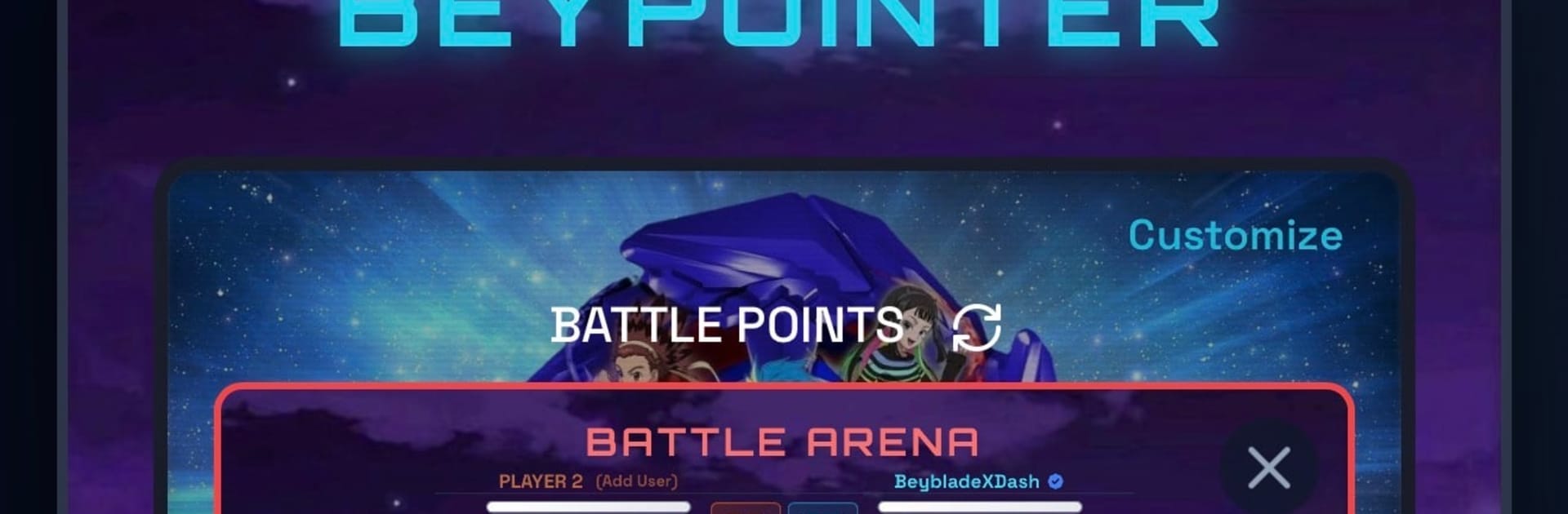
  • Battle Points System: Earn points from your matches and use the in-app exchange to keep competition moving. It’s an easy way to track momentum and bragging rights.
  • Live Tournament Brackets: Create, seed, and update brackets in real time. Great for club nights or weekend events without needing extra tools.
  • Chat and Posts: Talk strategy, plan matchups, and share updates with a built-in chat and posting feed that keeps everyone in the loop.
  • Event Creation: Set up battles or full tournaments, organize participants, and keep everything on schedule from one place.
  • Find Nearby Bladers: Discover players close to you and grow your local scene. Perfect for arranging casual meetups or serious showdowns.
  • Made for Battles: Everything centers on Beyblade matches and tournaments—clean layout, straightforward flow, and features that actually help you play more.
  • Optional PC Play: Prefer a bigger screen? You can run Beyblade: PvP Battle Arena on BlueStacks if you like playing on your PC.

Ready to top the leaderboard? We bet you do. Let precise controls and sharp visuals optimized on BlueStacks lead you to victory.


Game Features

Enhancements

  • Macros
  • Multi Instance
  • Multi Instance Sync
  • Eco Mode
  • Enhancements
Macros

Macros

Skip the boring parts of a game. Play Beyblade: PvP Battle Arena with Macros and get the edge. Simply record a sequence of commands and execute them at any moment.
Multi Instance

Multi Instance

Why limit to one game on your phone when you can play many on your PC? Open multiple instances of Beyblade: PvP Battle Arena at once with Multi-Instance. Leverage the power of different accounts by doing more.
Multi Instance Sync

Multi Instance Sync

Get the best out of Beyblade: PvP Battle Arena with Multi-Instance Sync. Play the game from different accounts and build your own empire. Use Multi-instance sync to repeat the action in the main BlueStacks instance on all other instances.
Eco Mode

Eco Mode

Find the rarest heroes by making multiple summons in Beyblade: PvP Battle Arena. And while you are at it, reduce your PC’s resource consumption with the Eco Mode. Farm efficiently. Get the best results.
Read More

How to Download and Play Beyblade: PvP Battle Arena on PC or Mac

  • Download and install BlueStacks on your PC or Mac

  • Complete Google sign-in to access the Play Store, or do it later

  • Look for Beyblade: PvP Battle Arena in the search bar at the top right corner

  • Click to install Beyblade: PvP Battle Arena from the search results

  • Complete Google sign-in (if you skipped step 2) to install Beyblade: PvP Battle Arena

  • Click the Beyblade: PvP Battle Arena icon on the home screen to start playing

video
Watch Video

Minimum System Requirements

With BlueStacks 5, you can get started on a PC that fulfills the following requirements.

  • Operating System

    Microsoft Windows 7 or above, macOS 11 (Big Sur) or above

  • Processor

    Intel, AMD or Apple Silicon Processor

  • RAM

    at least 4GB

  • HDD

    10GB Free Disk Space

Note:

* You must be an Administrator on your PC. Up to date graphics drivers from Microsoft or the chipset vendor.

Beyblade: PvP Battle Arena - FAQs

  • How to play Beyblade: PvP Battle Arena on Windows PC & Mac?

    Play Beyblade: PvP Battle Arena on your PC or Mac by following these simple steps.

    • Click on 'Play Beyblade: PvP Battle Arena on PC’ to download BlueStacks
    • Install it and log-in to Google Play Store
    • Launch and play the game.
  • Why is BlueStacks the fastest and safest platform to play games on PC?

    BlueStacks respects your privacy and is always safe and secure to use. It does not carry any malware, spyware, or any sort of additional software that could harm your PC.

    It is engineered to optimize speed and performance for a seamless gaming experience.

  • What are Beyblade: PvP Battle Arena PC requirements?

    Minimum requirement to run Beyblade: PvP Battle Arena on your PC

    • OS: Microsoft Windows 7 or above MacOS 11 (Big Sur) or above
    • Processor: Intel, AMD or Apple Silicon Processor
    • RAM: Your PC must have at least 4GB of RAM. (Note that having 4GB or more disk space is not a substitute for RAM)
    • HDD: 10GB Free Disk Space.
    • You must be an Administrator on your PC.