Rails Age
Rails Age

Rails Age

Action

| Hyperlab Games

Play on PC with BlueStacks or from our cloud

  • Overview
  • Game Features
  • How to Play

Page Modified On: July 27, 2026

Play Rails Age on PC or Mac

Bring your A-game to Rails Age, the Action game sensation from Hyperlab Games. Give your gameplay the much-needed boost with precise game controls, high FPS graphics, and top-tier features on your PC or Mac with BlueStacks.

About the Game

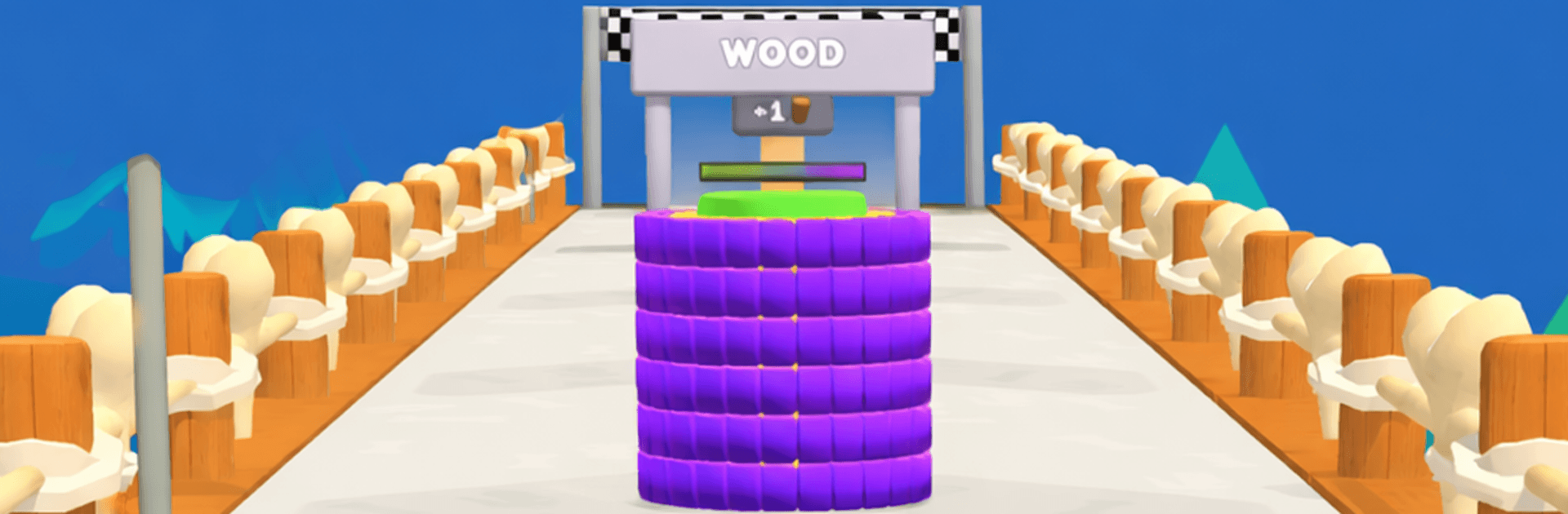
Rails Age is a fast, punchy Action runner where every sprint pushes you through history. You start in the ancient era, collect pieces to grow your reach, and keep charging forward as ages evolve around you. It’s simple to pick up, surprisingly strategic, and always nudging you toward the next big breakthrough. Want to play on a bigger screen? It runs smoothly on PC with BlueStacks, too.

Game Features

  • Era-Hopping Runs: Dash from early civilizations to high-tech futures, with each age changing the look, pace, and feel of your journey.
  • Grow Your Reach: Snag pieces mid-run to extend your reach—grab more, hit farther, and sweep wider paths without breaking stride.
  • Upgrade Core Skills: Pump up the essentials so you last longer, move smarter, and handle tougher layouts as eras get trickier.
  • Powerful Cards to Unlock: Go farther to earn cards that reshape your playstyle—stack clever combos, tweak stats, and tailor each attempt.
  • Momentum-Based Progression: Every run counts. The better you do, the faster you break into new ages with stronger tools waiting on the other side.
  • Pick-Up-and-Play Controls: Clean, responsive inputs let you focus on timing, angles, and quick decisions—not finger gymnastics.
  • Satisfying Feedback: Longer reach means bigger sweeps and cleaner routes, turning a good line into a great one as you master the flow.
  • Fresh Visual Shifts: Watch the world transform with each era, keeping runs lively and your goals clear as you push for that next milestone.

Start your journey now. Download the game on BlueStacks, invite your friends, and march on a new adventure.


Game Features

Enhancements

  • Macros
  • Multi Instance
  • Multi Instance Sync
  • Eco Mode
  • Enhancements
Macros

Macros

Skip the boring parts of a game. Play Rails Age with Macros and get the edge. Simply record a sequence of commands and execute them at any moment.
Multi Instance

Multi Instance

Why limit to one game on your phone when you can play many on your PC? Open multiple instances of Rails Age at once with Multi-Instance. Leverage the power of different accounts by doing more.
Multi Instance Sync

Multi Instance Sync

Get the best out of Rails Age with Multi-Instance Sync. Play the game from different accounts and build your own empire. Use Multi-instance sync to repeat the action in the main BlueStacks instance on all other instances.
Eco Mode

Eco Mode

Find the rarest heroes by making multiple summons in Rails Age. And while you are at it, reduce your PC’s resource consumption with the Eco Mode. Farm efficiently. Get the best results.
Read More

How to Download and Play Rails Age on PC or Mac

  • Download and install BlueStacks on your PC or Mac

  • Complete Google sign-in to access the Play Store, or do it later

  • Look for Rails Age in the search bar at the top right corner

  • Click to install Rails Age from the search results

  • Complete Google sign-in (if you skipped step 2) to install Rails Age

  • Click the Rails Age icon on the home screen to start playing

video
Watch Video

Minimum System Requirements

With BlueStacks 5, you can get started on a PC that fulfills the following requirements.

  • Operating System

    Microsoft Windows 7 or above, macOS 11 (Big Sur) or above

  • Processor

    Intel, AMD or Apple Silicon Processor

  • RAM

    at least 4GB

  • HDD

    10GB Free Disk Space

Note:

* You must be an Administrator on your PC. Up to date graphics drivers from Microsoft or the chipset vendor.

Rails Age - FAQs

  • How to play Rails Age on Windows PC & Mac?

    Play Rails Age on your PC or Mac by following these simple steps.

    • Click on 'Play Rails Age on PC’ to download BlueStacks
    • Install it and log-in to Google Play Store
    • Launch and play the game.
  • Why is BlueStacks the fastest and safest platform to play games on PC?

    BlueStacks respects your privacy and is always safe and secure to use. It does not carry any malware, spyware, or any sort of additional software that could harm your PC.

    It is engineered to optimize speed and performance for a seamless gaming experience.

  • What are Rails Age PC requirements?

    Minimum requirement to run Rails Age on your PC

    • OS: Microsoft Windows 7 or above MacOS 11 (Big Sur) or above
    • Processor: Intel, AMD or Apple Silicon Processor
    • RAM: Your PC must have at least 4GB of RAM. (Note that having 4GB or more disk space is not a substitute for RAM)
    • HDD: 10GB Free Disk Space.
    • You must be an Administrator on your PC.