
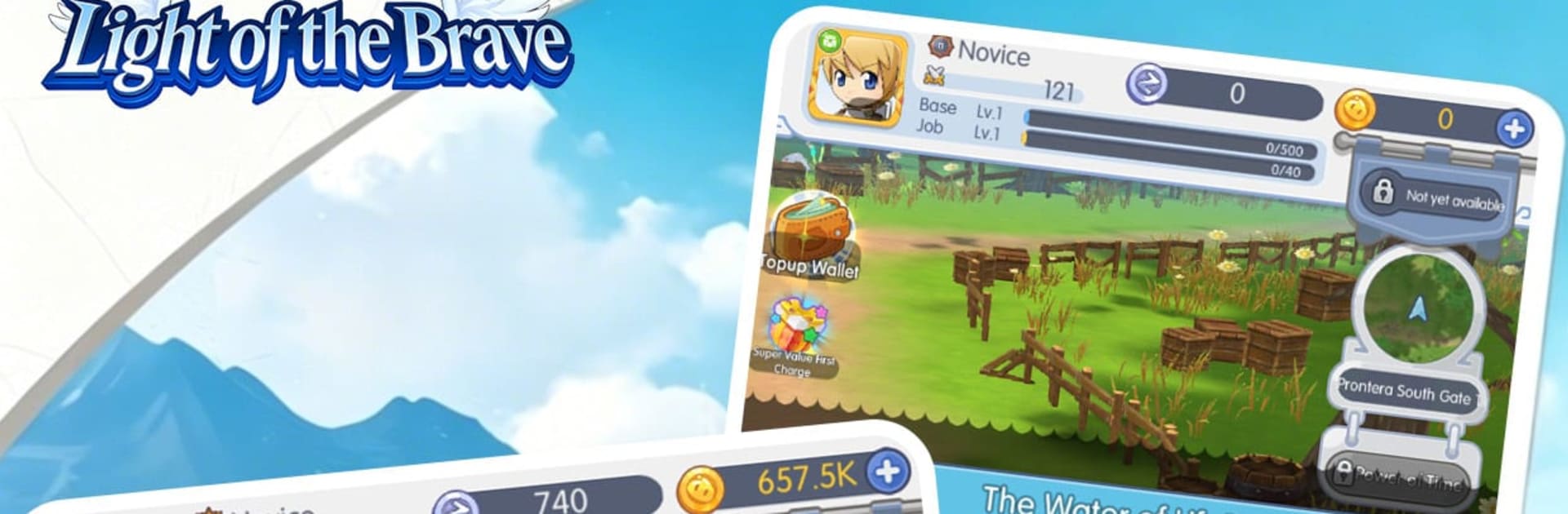
Light of the Brave
Light of the Brave

Light of the Brave

Adventure

| OEG CYBER HUB COMPANY LIMITED

Play on PC with BlueStacks or from our cloud

  • Overview
  • Game Features
  • How to Play

Page Modified On: April 21, 2026

Play Light of the Brave on PC or Mac

Light of the Brave brings the Adventure genre to life, and throws up exciting challenges for gamers. Developed by OEG CYBER HUB COMPANY LIMITED, this Android game is best experienced on BlueStacks, the World’s #1 app player for PC and Mac users.

About the Game

Light of the Brave is an Adventure from OEG CYBER HUB COMPANY LIMITED that mixes relaxed idle progression with a heartfelt, story-first vibe. You’re not born a hero—you stumble into a strange gift after touching an ancient Light Core, and that glow becomes your compass. It doesn’t cut down monsters so much as reveal paths, awaken friends, and slowly push back a world smothered by a long, starless night.

Your journey isn’t a straight line. You’ll wander through crumbling ruins, rally companions, and make choices that actually matter. Small kindnesses add up. Battles do, too. Piece by piece, you’ll help a fading world remember what hope feels like.

Game Features

  • Guiding Light, Not a Sword: Your power illuminates rather than destroys—use it to reveal hidden routes, cleanse corrupted zones, and help allies find their strength.
  • Idle Growth With Heart: Step away and your team keeps working. Come back to meaningful progress that feeds into both combat readiness and narrative beats.
  • Nonlinear Paths, Real Consequences: Explore at your own pace. Decisions ripple through the world, shaping encounters, relationships, and how the Eternal Night responds.
  • Companions Who Matter: Meet varied characters with their own reasons to fight. Build trust, unlock synergies, and watch one spark encourage another.
  • Strategy Over Brute Force: Battles reward timing and smart team setups. Lean on support, control, and purification effects as much as raw damage.
  • Ruins, Secrets, and Lore: Uncover fragments of what the world was before the darkness, then stitch them into a larger truth.
  • Play Anywhere Comfortably: Enjoy it on mobile, and if you want a bigger view or smoother controls, it runs nicely on BlueStacks.
  • A Quiet, Steady Redemption: Every choice, rescue, and victory nudges the gloom back—proof that even a small light can spread.

Slay your opponents with your epic moves. Play it your way on BlueStacks and dominate the battlefield.


Game Features

Enhancements

  • Macros
  • Multi Instance
  • Multi Instance Sync
  • Script
  • Enhancements
Macros

Macros

Automate the predictable in Light of the Brave and transform your gameplay with Macros. Get access to inventive Macros in the BlueStacks Macro Community
Multi Instance

Multi Instance

Play Light of the Brave on one window. And chat with your friend on the other. Press CTRL + Shift + 8 to open the Multi-Instance Manager. And start creating fresh instances or clone an existing one.
Multi Instance Sync

Multi Instance Sync

Play Light of the Brave with the power of Multi-Instance Sync. Replicate what you are doing on the main instance on all other instances. Level up faster, play more.
Script

Script

Script your way to gaming glory in Light of the Brave with BlueStacks Script. Write and run a set of commands to automate repeated tasks. Trigger the command by assigning it to any key.
Read More

How to Download and Play Light of the Brave on PC or Mac

  • Download and install BlueStacks on your PC or Mac

  • Complete Google sign-in to access the Play Store, or do it later

  • Look for Light of the Brave in the search bar at the top right corner

  • Click to install Light of the Brave from the search results

  • Complete Google sign-in (if you skipped step 2) to install Light of the Brave

  • Click the Light of the Brave icon on the home screen to start playing

video
Watch Video

Minimum System Requirements

With BlueStacks 5, you can get started on a PC that fulfills the following requirements.

  • Operating System

    Microsoft Windows 7 or above, macOS 11 (Big Sur) or above

  • Processor

    Intel, AMD or Apple Silicon Processor

  • RAM

    at least 4GB

  • HDD

    10GB Free Disk Space

Note:

* You must be an Administrator on your PC. Up to date graphics drivers from Microsoft or the chipset vendor.

Light of the Brave - FAQs

  • How to play Light of the Brave on Windows PC & Mac?

    Play Light of the Brave on your PC or Mac by following these simple steps.

    • Click on 'Play Light of the Brave on PC’ to download BlueStacks
    • Install it and log-in to Google Play Store
    • Launch and play the game.
  • Why is BlueStacks the fastest and safest platform to play games on PC?

    BlueStacks respects your privacy and is always safe and secure to use. It does not carry any malware, spyware, or any sort of additional software that could harm your PC.

    It is engineered to optimize speed and performance for a seamless gaming experience.

  • What are Light of the Brave PC requirements?

    Minimum requirement to run Light of the Brave on your PC

    • OS: Microsoft Windows 7 or above MacOS 11 (Big Sur) or above
    • Processor: Intel, AMD or Apple Silicon Processor
    • RAM: Your PC must have at least 4GB of RAM. (Note that having 4GB or more disk space is not a substitute for RAM)
    • HDD: 10GB Free Disk Space.
    • You must be an Administrator on your PC.







