Frontier War
Frontier War

Frontier War

Casual

| Nova Gameworks

Play on PC with BlueStacks or from our cloud

  • Overview
  • Game Features
  • How to Play

Page Modified On: October 23, 2026

Play Frontier War on PC or Mac

Frontier War by Nova Gameworks has plenty to keep you busy. BlueStacks lets you play it on PC or Mac with more screen space, better control, and fewer mobile limits.

About the Game

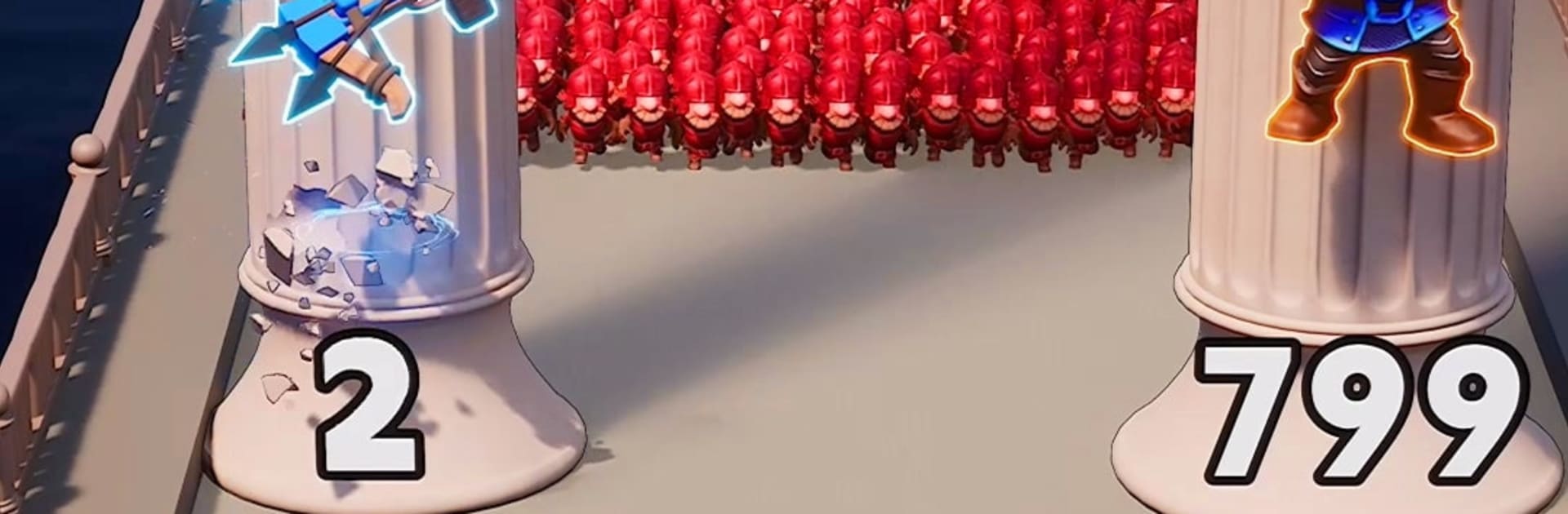
Frontier War blends quick, hands-on action with thoughtful base building, letting you switch from weaving through danger to planning the next upgrade for your stronghold. It’s a Casual experience with bite: short, intense runs feed into long-term progress as you defend a kingdom on the brink. Want a bigger view of the battlefield? It also plays smoothly on BlueStacks.

Game Features

  • Reactive survival runs: Thread your way through trap-filled lanes, time clean dodges, and choose safer or riskier routes on the fly.
  • Build a fortress that matters: Raise walls, place defenses, and upgrade structures—every improvement changes how your kingdom stands up to the next wave.
  • Recruit a cast of champions: Field knights, archers, and mages with distinct skills, then tailor squads that cover each other’s weaknesses.
  • Team synergies, real results: Combine hero abilities and timing to trigger satisfying combos that melt tough enemies and turn the tide.
  • Command-and-control combat: Issue quick orders, reposition units, and unleash skills at the perfect moment to outsmart larger forces.
  • Meaningful choices, different paths: Forge alliances to share the load or march alone and conquer—your decisions shape the battles that follow.
  • Risk-versus-reward exploration: Push deeper for better loot and resources, or play it safe and shore up your defenses for the next siege.
  • Siege showdowns and bosses: Hold the line against swarming assaults, then face hulking commanders that test your builds, reflexes, and strategy.

Start playing Frontier War on BlueStacks and get a smoother, more comfortable PC or Mac setup.

Game Features

Enhancements

  • Macros
  • Multi Instance
  • Script
  • Repeated Tap
  • Enhancements
Macros

Macros

Automate the predictable in Frontier War and transform your gameplay with Macros. Get access to inventive Macros in the BlueStacks Macro Community
Multi Instance

Multi Instance

Play Frontier War on one window. And chat with your friend on the other. Press CTRL + Shift + 8 to open the Multi-Instance Manager. And start creating fresh instances or clone an existing one.
Script

Script

Script your way to gaming glory in Frontier War with BlueStacks Script. Write and run a set of commands to automate repeated tasks. Trigger the command by assigning it to any key.
Repeated Tap

Repeated Tap

BlueStacks lets you master Frontier War with useful features like the Repeated Tap. Now you do not have to press the same key repeatedly to initiate an action. Just assign it to one key and you are good to go.
Read More

How to Download and Play Frontier War on PC or Mac

  • Download and install BlueStacks on your PC or Mac

  • Complete Google sign-in to access the Play Store, or do it later

  • Look for Frontier War in the search bar at the top right corner

  • Click to install Frontier War from the search results

  • Complete Google sign-in (if you skipped step 2) to install Frontier War

  • Click the Frontier War icon on the home screen to start playing

video
Watch Video

Minimum System Requirements

With BlueStacks 5, you can get started on a PC that fulfills the following requirements.

  • Operating System

    Microsoft Windows 7 or above, macOS 11 (Big Sur) or above

  • Processor

    Intel, AMD or Apple Silicon Processor

  • RAM

    at least 4GB

  • HDD

    10GB Free Disk Space

Note:

* You must be an Administrator on your PC. Up to date graphics drivers from Microsoft or the chipset vendor.

Frontier War - FAQs

  • How to play Frontier War on Windows PC & Mac?

    Play Frontier War on your PC or Mac by following these simple steps.

    • Click on 'Play Frontier War on PC’ to download BlueStacks
    • Install it and log-in to Google Play Store
    • Launch and play the game.
  • Why is BlueStacks the fastest and safest platform to play games on PC?

    BlueStacks respects your privacy and is always safe and secure to use. It does not carry any malware, spyware, or any sort of additional software that could harm your PC.

    It is engineered to optimize speed and performance for a seamless gaming experience.

  • What are Frontier War PC requirements?

    Minimum requirement to run Frontier War on your PC

    • OS: Microsoft Windows 7 or above MacOS 11 (Big Sur) or above
    • Processor: Intel, AMD or Apple Silicon Processor
    • RAM: Your PC must have at least 4GB of RAM. (Note that having 4GB or more disk space is not a substitute for RAM)
    • HDD: 10GB Free Disk Space.
    • You must be an Administrator on your PC.