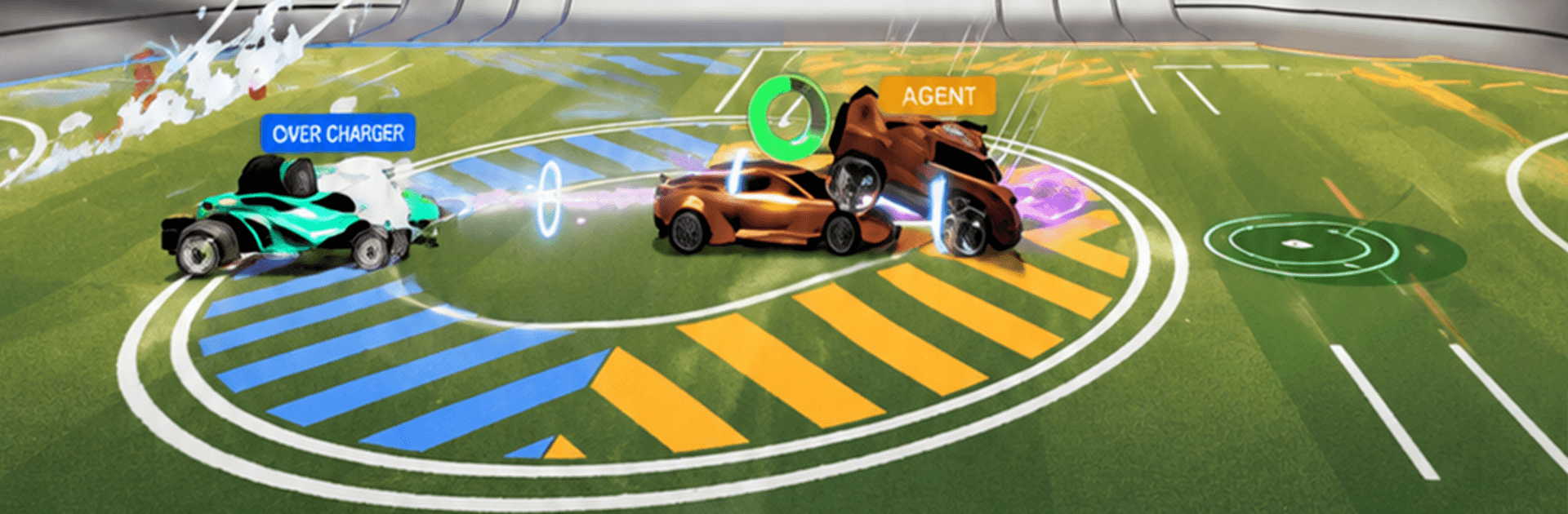
Rocket League Sideswipe

Rocket League Sideswipe

Casual

| Mr Usman

Play on PC with BlueStacks or from our cloud

  • Overview
  • Game Features
  • How to Play

Page Modified On: October 26, 2026

Play Rocket League Sideswipe on PC or Mac

Explore a whole new adventure with Rocket League Sideswipe, a Casual game created by Mr Usman. Experience great gameplay with BlueStacks, the most popular gaming platform to play Android games on your PC or Mac.

About the Game

Rocket-powered cars playing soccer in bite-size matches—yep, that’s Rocket League Sideswipe. It’s quick to learn, surprisingly deep once you get the hang of the aerial boosts, and always a blast whether you’ve got two minutes or twenty. This Casual take on car soccer keeps the action tight and the controls simple, and it’s just as fun solo as it is with friends. Prefer a bigger screen? It also feels great on BlueStacks.

Game Features

  • Rapid-fire matches: Jump into 1v1 or 2v2 games that wrap up in around two minutes, perfect for quick sessions or back-to-back showdowns.
  • Easy to pick up, hard to put down: Three main controls keep things approachable, while boosts and flips let you chase that “one more highlight” moment.
  • Aerial stunts on tap: Soar off the ground, chain boosts, and go for slick trick shots—including that satisfying flip reset if you’ve got the timing.
  • Ranked or relaxed queues: Grind your way up the leaderboard in competitive play, or hop into unranked matches when you just want to experiment without pressure.
  • Learn the ropes fast: A built-in tutorial covers the basics, and offline matches against bots help you warm up mechanics and test new ideas.
  • Party up with pals: Squad with friends for private lobbies, share clutch moments, and coordinate using Quick Chat Stickers.
  • Mutator Madness twists: Shake up the rules with playful modifiers in a special mode that keeps matches unpredictable and hilarious.
  • Seasonal progress and rewards: Climb Competitive Ranks, earn Player Titles, and chase new modes and content as each season rolls in.
  • Rocket Pass unlocks: Play matches to snag new cars and cosmetic items—no grindy fuss, just steady rewards as you go.
  • Make it your ride: Customize your car with bodies, wheels, decals, and more; mix thousands of combos and track your growing collection.

Get ready for a buttery smooth, high-performance gaming action only on BlueStacks.

Game Features

Enhancements

  • Macros
  • Multi Instance
  • Script
  • Repeated Tap
  • Enhancements
Macros

Macros

Automate the predictable in Rocket League Sideswipe and transform your gameplay with Macros. Get access to inventive Macros in the BlueStacks Macro Community
Multi Instance

Multi Instance

Play Rocket League Sideswipe on one window. And chat with your friend on the other. Press CTRL + Shift + 8 to open the Multi-Instance Manager. And start creating fresh instances or clone an existing one.
Script

Script

Script your way to gaming glory in Rocket League Sideswipe with BlueStacks Script. Write and run a set of commands to automate repeated tasks. Trigger the command by assigning it to any key.
Repeated Tap

Repeated Tap

BlueStacks lets you master Rocket League Sideswipe with useful features like the Repeated Tap. Now you do not have to press the same key repeatedly to initiate an action. Just assign it to one key and you are good to go.
Read More

How to Download and Play Rocket League Sideswipe on PC or Mac

  • Download and install BlueStacks on your PC or Mac

  • Complete Google sign-in to access the Play Store, or do it later

  • Look for Rocket League Sideswipe in the search bar at the top right corner

  • Click to install Rocket League Sideswipe from the search results

  • Complete Google sign-in (if you skipped step 2) to install Rocket League Sideswipe

  • Click the Rocket League Sideswipe icon on the home screen to start playing

video
Watch Video

Minimum System Requirements

With BlueStacks 5, you can get started on a PC that fulfills the following requirements.

  • Operating System

    Microsoft Windows 7 or above, macOS 11 (Big Sur) or above

  • Processor

    Intel, AMD or Apple Silicon Processor

  • RAM

    at least 4GB

  • HDD

    10GB Free Disk Space

Note:

* You must be an Administrator on your PC. Up to date graphics drivers from Microsoft or the chipset vendor.

Rocket League Sideswipe - FAQs

  • How to play Rocket League Sideswipe on Windows PC & Mac?

    Play Rocket League Sideswipe on your PC or Mac by following these simple steps.

    • Click on 'Play Rocket League Sideswipe on PC’ to download BlueStacks
    • Install it and log-in to Google Play Store
    • Launch and play the game.
  • Why is BlueStacks the fastest and safest platform to play games on PC?

    BlueStacks respects your privacy and is always safe and secure to use. It does not carry any malware, spyware, or any sort of additional software that could harm your PC.

    It is engineered to optimize speed and performance for a seamless gaming experience.

  • What are Rocket League Sideswipe PC requirements?

    Minimum requirement to run Rocket League Sideswipe on your PC

    • OS: Microsoft Windows 7 or above MacOS 11 (Big Sur) or above
    • Processor: Intel, AMD or Apple Silicon Processor
    • RAM: Your PC must have at least 4GB of RAM. (Note that having 4GB or more disk space is not a substitute for RAM)
    • HDD: 10GB Free Disk Space.
    • You must be an Administrator on your PC.