JioTV: Live TV, OTT & Catch-up

JioTV: Live TV, OTT & Catch-up

Entertainment

| Jio Platforms Limited

BlueStacks Verified

Play on PC with BlueStacks or from our cloud

  • Overview
  • Tips & Tricks
  • How to Download

Page Modified On: October 29, 2026

Run JioTV: Live TV, OTT & Catch-up on PC or Mac

Multitask effortlessly on your PC or Mac as you try out JioTV: Live TV, OTT & Catch-up, a Entertainment app by Jio Platforms Limited on BlueStacks.

About the App

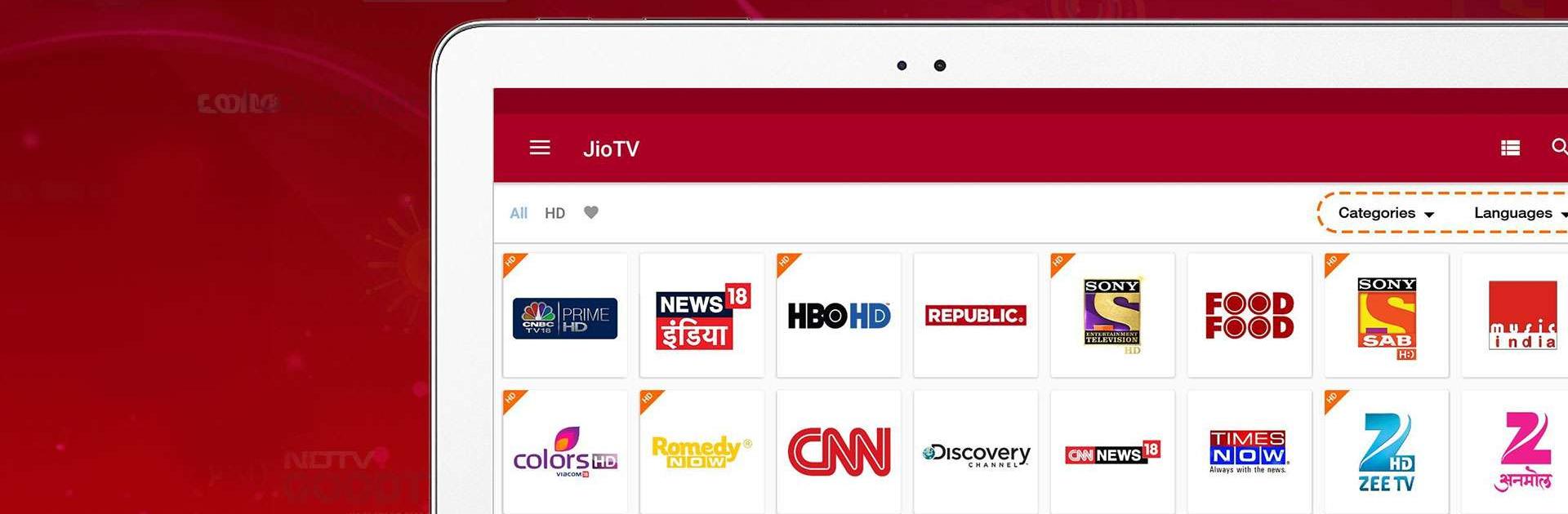
JioTV: Live TV, OTT & Catch-up brings a huge world of shows, movies, sports, and news together in one smooth place. This Entertainment app blends 1000+ live TV channels with content from 12+ OTT partners, so there’s always something worth watching—right now or later with catch-up. Prefer a bigger screen for the weekend match or a late-night series? You can also enjoy it on PC with BlueStacks.

App Features

  • All-in-one streaming hub: Browse 1000+ live channels plus premium libraries from 12+ OTT partners—think blockbuster films, buzzy originals, documentaries, and more, all in one app.
  • Live TV with 7-day catch-up: Missed last night’s episode or the big over? Roll back up to seven days and stream it when it suits you.
  • Multilingual lineup: Watch in 16+ languages with regional favorites, national hits, and niche picks that feel tailored to you.
  • Sports, news, and beyond: Grab live cricket, football, wrestling, motorsports, and daily headlines, alongside movies, kids’ shows, devotional programming, lifestyle, and infotainment.
  • Picture-in-Picture mode: Keep a floating player on-screen while you check messages or browse—multitasking made easy.
  • Watchlist and reminders: Save what you want to watch next and set gentle nudges so new episodes and live events don’t slip by.
  • Simple live TV guide: Jump through channels, see what’s on now and next, and hop straight into the action without digging around.
  • Premium made easy: Get access to partner catalogs like SonyLIV, Zee5, Lionsgate Play, Discovery+, Sun NXT, Hoichoi, and more with a single JioTV subscription.

Ready to experience JioTV: Live TV, OTT & Catch-up on a bigger screen, in all its glory? Download BlueStacks now.

How to Download and Run JioTV: Live TV, OTT & Catch-up on PC or Mac

  • Download and install BlueStacks on your PC or Mac

  • Complete Google sign-in to access the Play Store, or do it later

  • Look for JioTV: Live TV, OTT & Catch-up in the search bar at the top right corner

  • Click to install JioTV: Live TV, OTT & Catch-up from the search results

  • Complete Google sign-in (if you skipped step 2) to install JioTV: Live TV, OTT & Catch-up

  • Click the JioTV: Live TV, OTT & Catch-up icon on the home screen to start playing

video
Watch Video

Minimum System Requirements

With BlueStacks 5, you can get started on a PC that fulfills the following requirements.

  • Operating System

    Microsoft Windows 7 or above, macOS 11 (Big Sur) or above

  • Processor

    Intel, AMD or Apple Silicon Processor

  • RAM

    at least 4GB

  • HDD

    10GB Free Disk Space

Note:

* You must be an Administrator on your PC. Up to date graphics drivers from Microsoft or the chipset vendor.

JioTV: Live TV, OTT & Catch-up - FAQs

  • How to Run JioTV: Live TV, OTT & Catch-up on Windows PC & Mac?

    Run JioTV: Live TV, OTT & Catch-up on your PC or Mac by following these simple steps.

    • Click on ‘Download JioTV: Live TV, OTT & Catch-up on PC’ to download BlueStacks
    • Install it and log-in to Google Play Store
    • Launch and run the app.
  • Why is BlueStacks the fastest and safest platform to play games on PC?

    BlueStacks respects your privacy and is always safe and secure to use. It does not carry any malware, spyware, or any sort of additional software that could harm your PC.

    It is engineered to optimize speed and performance for a seamless gaming experience.

  • What are JioTV: Live TV, OTT & Catch-up PC requirements?

    Minimum requirement to run JioTV: Live TV, OTT & Catch-up on your PC

    • OS: Microsoft Windows 7 and above:
    • Processor: Intel or AMD Processor:
    • RAM: Your PC must have at least 2GB of RAM. (Note that having 2GB or more disk space is not a substitute for RAM):
    • HDD: 5GB Free Disk Space.
    • You must be an Administrator on your PC.