Merge Dragons!
Merge Dragons!

Merge Dragons!

Puzzle

| Gram Games Limited

BlueStacks Verified

Play on PC with BlueStacks or from our cloud

  • Overview
  • Tips & Tricks
  • Game Features
  • How to Play

Page Modified On: October 29, 2026

Play Merge Dragons! on PC or Mac

Merge Dragons! is a Puzzle game developed by Gram Games Limited. BlueStacks app player is the best platform to play this Android game on your PC or Mac for an immersive gaming experience.

About the Game

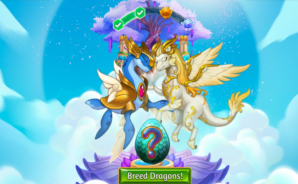
Merge Dragons! takes you to a magical world cursed by the evil Zomblins. Your mission is to restore the land by merging identical objects, hatching dragons, and discovering hidden treasures. 

Combine dragon eggs, magical flowers, ancient trees, and other mysterious items to unlock more powerful objects and heal the corrupted land. Explore challenging puzzle levels, complete quests, and build your dragon camp as you collect and evolve different dragon breeds. You can also visit friends’ camps, join a Den, and participate in group activities as you work to bring magic back to Dragonia.

Game Features

  • Merge and Evolve Objects: Combine three identical objects to create more advanced items. Discover hundreds of unique objects, including magical plants, ancient relics, dragon eggs, and valuable treasures.
  • Collect and Evolve Dragons: Hatch adorable dragons and evolve them through different growth stages. Your dragons can roam freely around your camp and automatically harvest resources to help you progress.
  • Build and Expand Your Camp: Restore cursed land, collect magical structures, and expand your camp as you earn Dragon Power and drive away the evil fog.
  • Explore a Magical World: Discover hidden levels, merge Gaia statues, and use Life Essence to heal corrupted lands as you uncover the secrets of Dragonia.
  • Special Events and Dragon Breeds: Participate in themed events to discover exclusive dragon breeds, collect rare items, and expand your growing collection of magical creatures.

How to Play?

Download Merge Dragons! from the Google Play Store using the BlueStacks app player.

Game Features

Game controls

  • Tap Spots

Enhancements

  • Macros
  • Multi Instance
  • Multi Instance Sync
  • Script
  • Game controls
  • Enhancements
Tap Spots
Macros

Macros

Automate the predictable in Merge Dragons! and transform your gameplay with Macros. Get access to inventive Macros in the BlueStacks Macro Community
Multi Instance

Multi Instance

Play Merge Dragons! on one window. And chat with your friend on the other. Press CTRL + Shift + 8 to open the Multi-Instance Manager. And start creating fresh instances or clone an existing one.
Multi Instance Sync

Multi Instance Sync

Play Merge Dragons! with the power of Multi-Instance Sync. Replicate what you are doing on the main instance on all other instances. Level up faster, play more.
Script

Script

Script your way to gaming glory in Merge Dragons! with BlueStacks Script. Write and run a set of commands to automate repeated tasks. Trigger the command by assigning it to any key.
Read More

How to Download and Play Merge Dragons! on PC or Mac

  • Download and install BlueStacks on your PC or Mac

  • Complete Google sign-in to access the Play Store, or do it later

  • Look for Merge Dragons! in the search bar at the top right corner

  • Click to install Merge Dragons! from the search results

  • Complete Google sign-in (if you skipped step 2) to install Merge Dragons!

  • Click the Merge Dragons! icon on the home screen to start playing

video
Watch Video

Minimum System Requirements

With BlueStacks 5, you can get started on a PC that fulfills the following requirements.

  • Operating System

    Microsoft Windows 7 or above, macOS 11 (Big Sur) or above

  • Processor

    Intel, AMD or Apple Silicon Processor

  • RAM

    at least 4GB

  • HDD

    10GB Free Disk Space

Note:

* You must be an Administrator on your PC. Up to date graphics drivers from Microsoft or the chipset vendor.

Merge Dragons! - FAQs

  • How to play Merge Dragons! on Windows PC & Mac?

    Play Merge Dragons! on your PC or Mac by following these simple steps.

    • Click on 'Play Merge Dragons! on PC’ to download BlueStacks
    • Install it and log-in to Google Play Store
    • Launch and play the game.
  • Why is BlueStacks the fastest and safest platform to play games on PC?

    BlueStacks respects your privacy and is always safe and secure to use. It does not carry any malware, spyware, or any sort of additional software that could harm your PC.

    It is engineered to optimize speed and performance for a seamless gaming experience.

  • What are Merge Dragons! PC requirements?

    Minimum requirement to run Merge Dragons! on your PC

    • OS: Microsoft Windows 7 or above MacOS 11 (Big Sur) or above
    • Processor: Intel, AMD or Apple Silicon Processor
    • RAM: Your PC must have at least 4GB of RAM. (Note that having 4GB or more disk space is not a substitute for RAM)
    • HDD: 10GB Free Disk Space.
    • You must be an Administrator on your PC.