FR Legends
FR Legends

FR Legends

Racing

| TWIN TURBO GAMES

Play on PC with BlueStacks or from our cloud

  • Overview
  • Game Features
  • How to Play

Page Modified On: November 27, 2025

Play FR Legends on PC or Mac

Bring your A-game to FR Legends, the Racing game sensation from TWIN TURBO GAMES. Give your gameplay the much-needed boost with precise game controls, high FPS graphics, and top-tier features on your PC or Mac with BlueStacks.

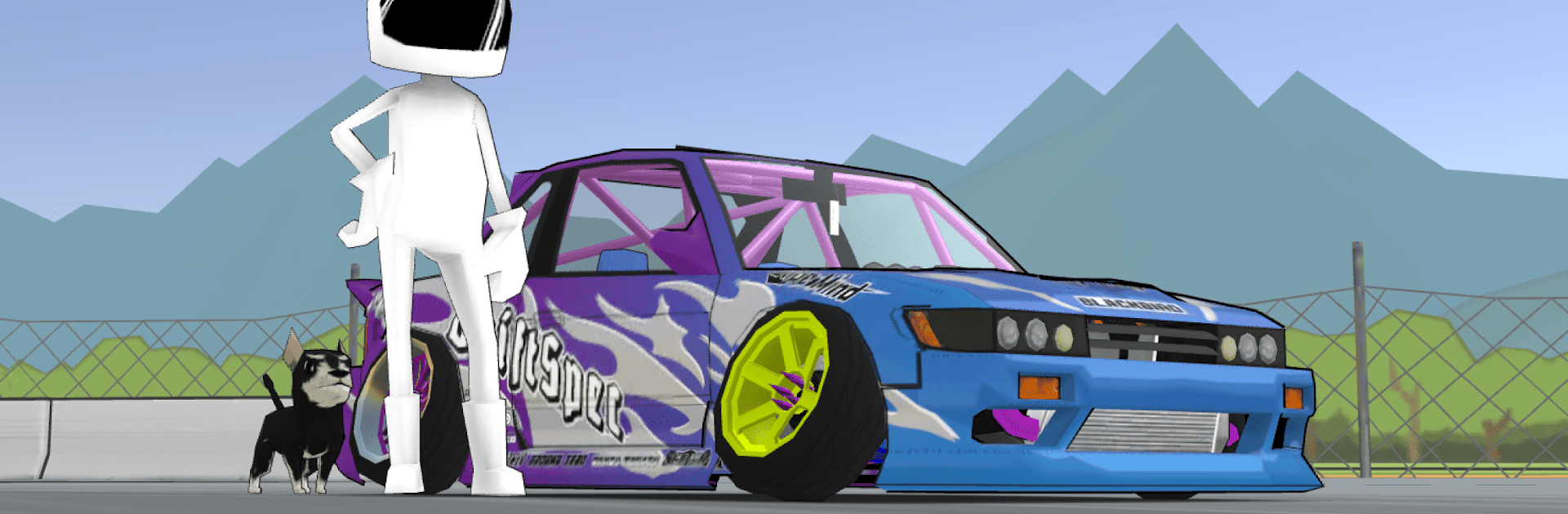
FR Legends is a pure drift game, the kind where everything revolves around sliding a front engine, rear wheel drive car clean through a set of clipping points. The handling is simple to pick up but there is a real skill curve, so the first few corners feel messy and then it clicks, and suddenly long linked drifts start happening. What stands out is the judging. Runs get scored like real competitions, with points for line, angle, and how smooth the transitions look. The tandem battles are the highlight. One run as lead, one as chase, and the AI actually pushes close enough to make it tense without being silly. Tap a wall and the car crumples a bit, and that damage and mistakes affect the score, so there is this nice risk and reward.

The garage is a rabbit hole. Body kits, liveries, wheels, exhausts, ride height, even engine swaps if someone wants to go wild. Tuning matters too, from gear ratios and tire pressure to alignment, so a car can be set up to feel snappy or super stable. The tracks are stylized versions of famous spots, clean visuals and lots of smoke, which fits the vibe. On PC with BlueStacks, keyboard or a controller mapping makes throttle and countersteer feel steady, plus the higher frame rate helps keep angle without those small stutters. It is focused, no fluff, just a satisfying loop of practice, tweak, retry, nail the line, then try to tandem closer without punting the door.

Slay your opponents with your epic moves. Play it your way on BlueStacks and dominate the battlefield.


Game Features

Enhancements

  • Macros
  • Multi Instance
  • Multi Instance Sync
  • Script
  • Enhancements
Macros

Macros

Automate the predictable in FR Legends and transform your gameplay with Macros. Get access to inventive Macros in the BlueStacks Macro Community
Multi Instance

Multi Instance

Play FR Legends on one window. And chat with your friend on the other. Press CTRL + Shift + 8 to open the Multi-Instance Manager. And start creating fresh instances or clone an existing one.
Multi Instance Sync

Multi Instance Sync

Play FR Legends with the power of Multi-Instance Sync. Replicate what you are doing on the main instance on all other instances. Level up faster, play more.
Script

Script

Script your way to gaming glory in FR Legends with BlueStacks Script. Write and run a set of commands to automate repeated tasks. Trigger the command by assigning it to any key.
Read More

How to Download and Play FR Legends on PC or Mac

  • Download and install BlueStacks on your PC or Mac

  • Complete Google sign-in to access the Play Store, or do it later

  • Look for FR Legends in the search bar at the top right corner

  • Click to install FR Legends from the search results

  • Complete Google sign-in (if you skipped step 2) to install FR Legends

  • Click the FR Legends icon on the home screen to start playing

video
Watch Video

Minimum System Requirements

With BlueStacks 5, you can get started on a PC that fulfills the following requirements.

  • Operating System

    Microsoft Windows 7 or above, macOS 11 (Big Sur) or above

  • Processor

    Intel, AMD or Apple Silicon Processor

  • RAM

    at least 4GB

  • HDD

    10GB Free Disk Space

Note:

* You must be an Administrator on your PC. Up to date graphics drivers from Microsoft or the chipset vendor.

FR Legends - FAQs

  • How to play FR Legends on Windows PC & Mac?

    Play FR Legends on your PC or Mac by following these simple steps.

    • Click on 'Play FR Legends on PC’ to download BlueStacks
    • Install it and log-in to Google Play Store
    • Launch and play the game.
  • Why is BlueStacks the fastest and safest platform to play games on PC?

    BlueStacks respects your privacy and is always safe and secure to use. It does not carry any malware, spyware, or any sort of additional software that could harm your PC.

    It is engineered to optimize speed and performance for a seamless gaming experience.

  • What are FR Legends PC requirements?

    Minimum requirement to run FR Legends on your PC

    • OS: Microsoft Windows 7 or above MacOS 11 (Big Sur) or above
    • Processor: Intel, AMD or Apple Silicon Processor
    • RAM: Your PC must have at least 4GB of RAM. (Note that having 4GB or more disk space is not a substitute for RAM)
    • HDD: 10GB Free Disk Space.
    • You must be an Administrator on your PC.