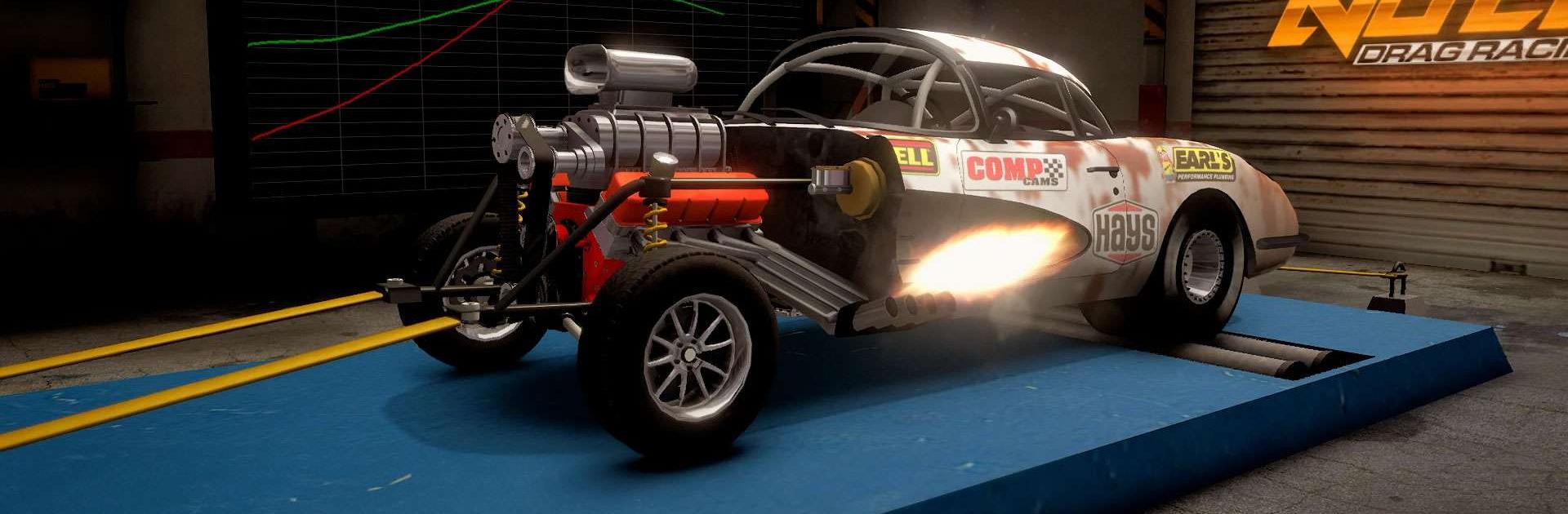
No Limit Drag Racing 2

No Limit Drag Racing 2

Racing

| Battle Creek Games, LLC

Play on PC with BlueStacks or from our cloud

  • Overview
  • Game Features
  • How to Play

Page Modified On: April 07, 2026

Play No Limit Drag Racing 2 on PC or Mac

Join millions to experience No Limit Drag Racing 2, an exciting Racing game from Battle Creek Games, LLC. With BlueStacks App Player, you are always a step ahead of your opponent, ready to outplay them with faster gameplay and better control with the mouse and keyboard on your PC or Mac.

About the Game

No Limit Drag Racing 2 is all about raw speed, tight timing, and the thrill of launching a perfectly tuned monster down a straight strip. Built by Battle Creek Games, LLC, this Racing title sticks close to real drag fundamentals—reaction time, grip, gearing, and power delivery—so every run feels earned. Want a quick burst of adrenaline or a deep garage-sesh with wrenches and spreadsheets? You can do both. It also plays smoothly on BlueStacks if you prefer dialing in tunes and racing on PC.

Game Features

  • Pure drag thrills: Line up, watch the lights, and chase the perfect pass with realistic physics that reward skill.
  • Deep tuning: Adjust gearing, suspension, timing, fuel, and boost, then verify your setup with in-game dyno pulls.
  • Real rivals online: Jump into head-to-head multiplayer and see how your build stacks up against players worldwide.
  • Build your garage: Collect classics, modern tuners, trucks, dedicated dragsters, and more—each with its own personality.
  • Style it your way: Custom paint, wraps, decals, wheels, and body kits. Mix and match until your ride looks exactly right.
  • Test, tweak, repeat: Use dedicated test tracks to feel how each change affects grip, launch, and top-end speed.
  • Climb the boards: Post your best times and chase global leaderboard spots, one hundredth at a time.
  • Car shows & bragging rights: Enter competitions to show off your build and earn prizes plus community respect.
  • Modes for every mood: Go all-in with career, jump into Quickplay, explore in Free Ride (yes, drifting earns bonuses), or focus on Test & Tune.
  • Upgrades that matter: From engine blocks and intakes to tires and beyond, the right parts turn a good car into a weekend terror.
  • Membership perks: Grab badges, discounts, and gold bonuses if you want a little extra edge.

Slay your opponents with your epic moves. Play it your way on BlueStacks and dominate the battlefield.


Game Features

Enhancements

  • Macros
  • Multi Instance
  • Multi Instance Sync
  • Script
  • Enhancements
Macros

Macros

Automate the predictable in No Limit Drag Racing 2 and transform your gameplay with Macros. Get access to inventive Macros in the BlueStacks Macro Community
Multi Instance

Multi Instance

Play No Limit Drag Racing 2 on one window. And chat with your friend on the other. Press CTRL + Shift + 8 to open the Multi-Instance Manager. And start creating fresh instances or clone an existing one.
Multi Instance Sync

Multi Instance Sync

Play No Limit Drag Racing 2 with the power of Multi-Instance Sync. Replicate what you are doing on the main instance on all other instances. Level up faster, play more.
Script

Script

Script your way to gaming glory in No Limit Drag Racing 2 with BlueStacks Script. Write and run a set of commands to automate repeated tasks. Trigger the command by assigning it to any key.
Read More

How to Download and Play No Limit Drag Racing 2 on PC or Mac

  • Download and install BlueStacks on your PC or Mac

  • Complete Google sign-in to access the Play Store, or do it later

  • Look for No Limit Drag Racing 2 in the search bar at the top right corner

  • Click to install No Limit Drag Racing 2 from the search results

  • Complete Google sign-in (if you skipped step 2) to install No Limit Drag Racing 2

  • Click the No Limit Drag Racing 2 icon on the home screen to start playing

video
Watch Video

Minimum System Requirements

With BlueStacks 5, you can get started on a PC that fulfills the following requirements.

  • Operating System

    Microsoft Windows 7 or above, macOS 11 (Big Sur) or above

  • Processor

    Intel, AMD or Apple Silicon Processor

  • RAM

    at least 4GB

  • HDD

    10GB Free Disk Space

Note:

* You must be an Administrator on your PC. Up to date graphics drivers from Microsoft or the chipset vendor.

No Limit Drag Racing 2 - FAQs

  • How to play No Limit Drag Racing 2 on Windows PC & Mac?

    Play No Limit Drag Racing 2 on your PC or Mac by following these simple steps.

    • Click on 'Play No Limit Drag Racing 2 on PC’ to download BlueStacks
    • Install it and log-in to Google Play Store
    • Launch and play the game.
  • Why is BlueStacks the fastest and safest platform to play games on PC?

    BlueStacks respects your privacy and is always safe and secure to use. It does not carry any malware, spyware, or any sort of additional software that could harm your PC.

    It is engineered to optimize speed and performance for a seamless gaming experience.

  • What are No Limit Drag Racing 2 PC requirements?

    Minimum requirement to run No Limit Drag Racing 2 on your PC

    • OS: Microsoft Windows 7 or above MacOS 11 (Big Sur) or above
    • Processor: Intel, AMD or Apple Silicon Processor
    • RAM: Your PC must have at least 4GB of RAM. (Note that having 4GB or more disk space is not a substitute for RAM)
    • HDD: 10GB Free Disk Space.
    • You must be an Administrator on your PC.