SUN: Origin
SUN: Origin

SUN: Origin

Role Playing

| chuang games

BlueStacks Verified

Play on PC with BlueStacks or from our cloud

  • Overview
  • Game Features
  • How to Play

Page Modified On: September 16, 2026

Play SUN: Origin on PC or Mac

Explore a whole new adventure with SUN: Origin, a Role Playing game created by chuang games. Experience great gameplay with BlueStacks, the most popular gaming platform to play Android games on your PC or Mac.

About the Game

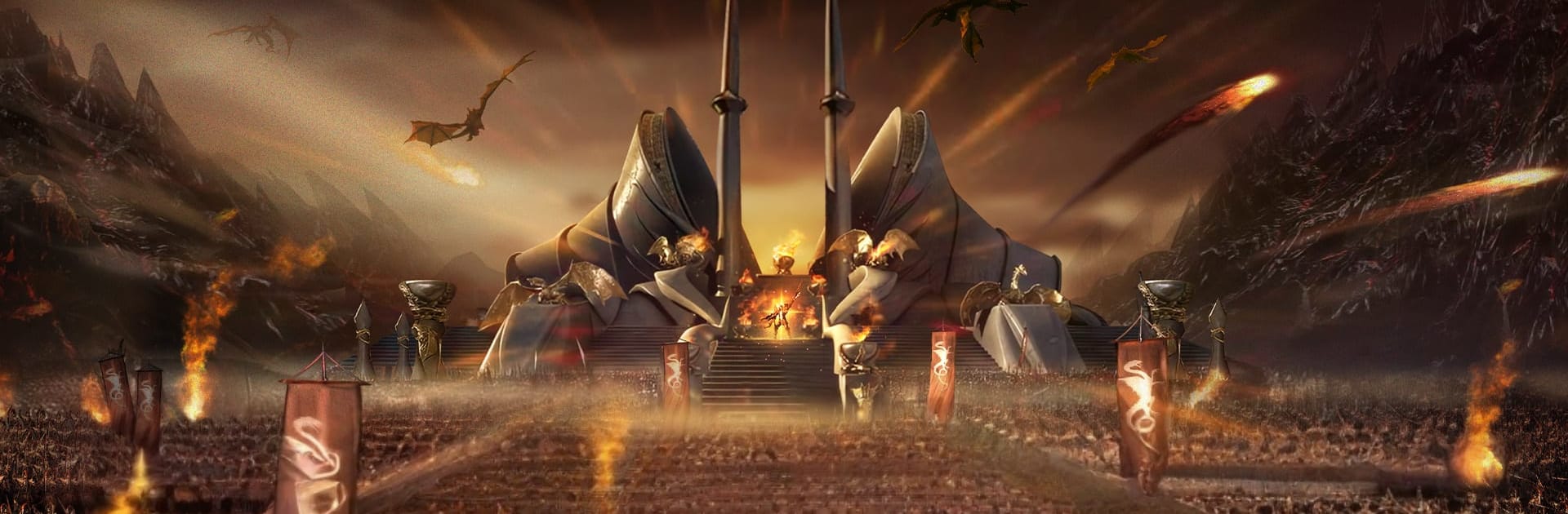
SUN: Origin is a Role Playing adventure set across a war-torn fantasy world where steel, sorcery, and big decisions shape your path. You’ll start small, gear up, and push from serene lakes to haunted tunnels and storied cities—solo or with a squad—taking on content that gets tougher (and more rewarding) as you go. Prefer a keyboard and mouse? It runs smoothly on BlueStacks, too.

Game Features

  • Four distinct classes: Pick your playstyle with a bruising Berserker, a steady and versatile Dragon Knight, a razor-sharp Valkyrie, or a Wizard who locks down the field with control and burst.
  • Gritty dungeon runs: Brave trap-laced waterways and shadowy caverns, topple nasty bosses, and walk out with high-tier loot plus slick cosmetics that actually show your progress.
  • Party or solo, your call: Clear story quests alone or team up for tougher instances where coordination, roles, and well-timed skills make all the difference.
  • Guild wars that matter: Rally your crew for territory battles, plan defenses and pushes, and fight for points and bragging rights in large-scale clashes.
  • Seasonal goals, lasting rewards: Work through rotating missions and themed shops that keep progression focused and fresh, whether you lean PVE, PVP, or a bit of both.
  • Set-it-and-forget-it tools: Auto-pathing and full auto-combat help you keep growing when life gets busy, so you don’t return to an underpowered character.
  • A world with secrets: Journey from Elven Lake to Iselin and beyond, uncovering hidden stories, ticking off regional objectives, and gradually claiming the land of Brakion as your own.

BlueStacks gives you more room to focus on the game and less time adjusting around mobile limitations.


Game Features

Enhancements

  • Macros
  • Rerolling
  • Eco Mode
  • Multi Instance Sync
  • Enhancements
Macros

Macros

Focus more on the fun part of the game, skip the tedious aspects. Master SUN: Origin with Macros. Record yourself completing the monotonous tasks you wish to automate and replay them later with just one keypress.
Rerolling

Rerolling

Speed up the rerolling process in SUN: Origin. Perform multiple summons and keep looking for the best Heroes. Use Multi-Instance sync to replicate the rerolling mechanism in all instances.
Eco Mode

Eco Mode

Farm in-game resources with ease in SUN: Origin. Enable the Eco Mode when running the game in multiple instances. And lower your PC's resource consumption.
Multi Instance Sync

Multi Instance Sync

With the Multi-instance Sync, you can do even more in SUN: Origin. Sync the action of the main instance and repeat them in real time for all other instances. Sync and sit back, let the game progress unfold.
Read More

How to Download and Play SUN: Origin on PC or Mac

  • Download and install BlueStacks on your PC or Mac

  • Complete Google sign-in to access the Play Store, or do it later

  • Look for SUN: Origin in the search bar at the top right corner

  • Click to install SUN: Origin from the search results

  • Complete Google sign-in (if you skipped step 2) to install SUN: Origin

  • Click the SUN: Origin icon on the home screen to start playing

video
Watch Video

Minimum System Requirements

With BlueStacks 5, you can get started on a PC that fulfills the following requirements.

  • Operating System

    Microsoft Windows 7 or above, macOS 11 (Big Sur) or above

  • Processor

    Intel, AMD or Apple Silicon Processor

  • RAM

    at least 4GB

  • HDD

    10GB Free Disk Space

Note:

* You must be an Administrator on your PC. Up to date graphics drivers from Microsoft or the chipset vendor.

SUN: Origin - FAQs

  • How to play SUN: Origin on Windows PC & Mac?

    Play SUN: Origin on your PC or Mac by following these simple steps.

    • Click on 'Play SUN: Origin on PC’ to download BlueStacks
    • Install it and log-in to Google Play Store
    • Launch and play the game.
  • Why is BlueStacks the fastest and safest platform to play games on PC?

    BlueStacks respects your privacy and is always safe and secure to use. It does not carry any malware, spyware, or any sort of additional software that could harm your PC.

    It is engineered to optimize speed and performance for a seamless gaming experience.

  • What are SUN: Origin PC requirements?

    Minimum requirement to run SUN: Origin on your PC

    • OS: Microsoft Windows 7 or above MacOS 11 (Big Sur) or above
    • Processor: Intel, AMD or Apple Silicon Processor
    • RAM: Your PC must have at least 4GB of RAM. (Note that having 4GB or more disk space is not a substitute for RAM)
    • HDD: 10GB Free Disk Space.
    • You must be an Administrator on your PC.