Doomsday:The Seven Deadly Sins

Doomsday:The Seven Deadly Sins

Strategy

| IGG.COM

BlueStacks Verified

Play on PC with BlueStacks or from our cloud

  • Overview
  • Tips & Tricks
  • Game Features
  • How to Play

Page Modified On: September 07, 2026

Play Doomsday:The Seven Deadly Sins on PC or Mac

Play Doomsday:The Seven Deadly Sins by IGG.COM on PC or Mac with BlueStacks. Use a bigger screen, mouse and keyboard controls, and smoother performance while you play.

About the Game

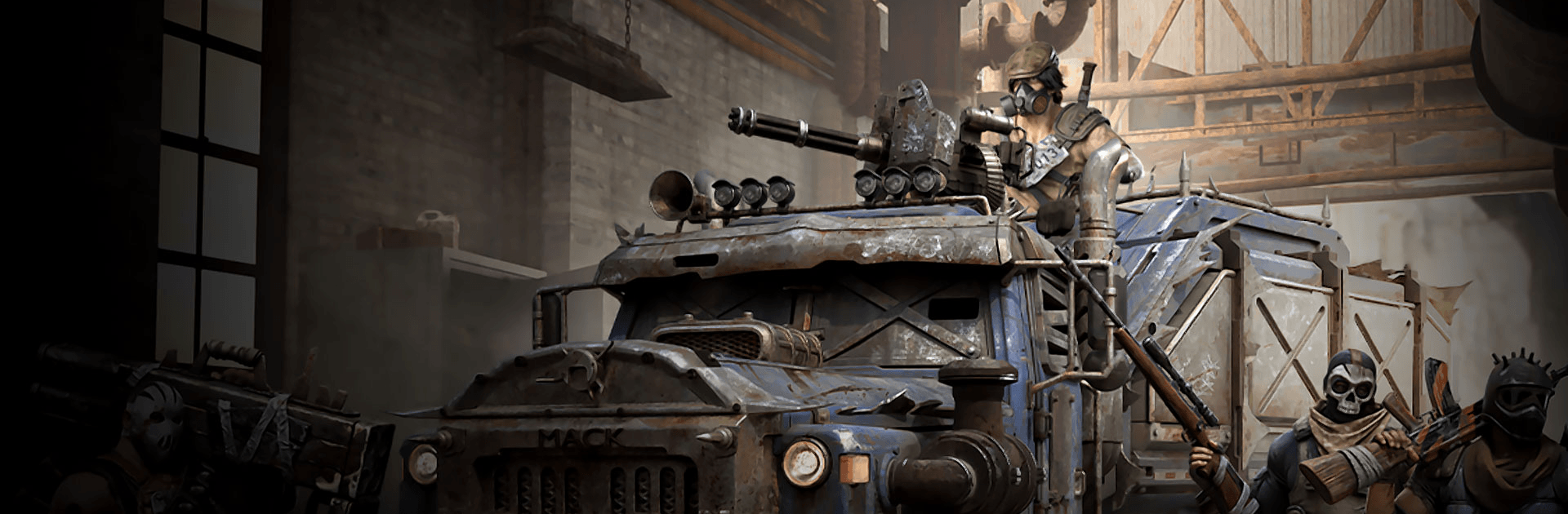
Doomsday:The Seven Deadly Sins drops you into a ruined world where your choices keep people alive—or don’t. This Strategy experience blends base building, real-time battles, and a hefty dose of undead pressure, then spices it up with familiar faces from The Seven Deadly Sins. Build a secure Shelter, rally unique Heroes, and outthink both zombies and rival commanders. Want a bigger view and smoother controls? It also plays nicely on PC with BlueStacks.

Game Features

  • Shelter Management: Expand and upgrade your base into a safe, efficient hub where survivors work, train, and gear up for the next threat.
  • Real-Time Command: Direct squads on the fly, time Hero skills, and react to ambushes and flanking maneuvers without pausing the action.
  • Z-Virus Runs: Start light, scavenge fast, and make snap calls in tense expeditions where every resource grab and route choice matters.
  • Foggy Wasteland Exploration: Clear the mist to uncover resources, events, and lurking dangers across a sprawling map that rewards curiosity.
  • Distinctive Heroes: Recruit a diverse cast—each with signature abilities—and find powerful team synergies that turn close calls into wins.
  • The Seven Deadly Sins Cameos: Fight alongside iconic characters whose flashy skills shake up battles and open fresh squad combinations.
  • PvE and PvP Threats: Crush zombie swarms, defend your walls, and raid rival Shelters when supplies run thin and nerves run thinner.
  • Troop Specialization: Train different unit types, exploit counters, and tailor formations to hit hard against exactly what you’re facing.
  • Alliance Warfare: Join forces, coordinate rallies, share intel, and hold territory together when the map gets heated.
  • Seamless World View: Zoom smoothly from your bustling Shelter to a globe-like overworld for clean scouting, planning, and quick deployments.

Start your journey now. Download the game on BlueStacks, invite your friends, and march on a new adventure.

What’s New?

The Seven Deadly Sins collaboration begins in Doomsday: Last Survivors, featuring the Deadly Sins Journey and Knightly Trials events along with exclusive collaboration rewards including the Meliodas Hero Skin, Boar Hat Shelter Skin, and Fraudrin Biochemical Beast.

Game Features

Game controls

  • Other Moves
  • Tap Spots

Enhancements

  • Macros
  • Multi Instance
  • Multi Instance Sync
  • Eco Mode
  • Game controls
  • Enhancements
Other Moves
Tap Spots
Macros

Macros

Skip the boring parts of a game. Play Doomsday:The Seven Deadly Sins with Macros and get the edge. Simply record a sequence of commands and execute them at any moment.
Multi Instance

Multi Instance

Why limit to one game on your phone when you can play many on your PC? Open multiple instances of Doomsday:The Seven Deadly Sins at once with Multi-Instance. Leverage the power of different accounts by doing more.
Multi Instance Sync

Multi Instance Sync

Get the best out of Doomsday:The Seven Deadly Sins with Multi-Instance Sync. Play the game from different accounts and build your own empire. Use Multi-instance sync to repeat the action in the main BlueStacks instance on all other instances.
Eco Mode

Eco Mode

Find the rarest heroes by making multiple summons in Doomsday:The Seven Deadly Sins. And while you are at it, reduce your PC’s resource consumption with the Eco Mode. Farm efficiently. Get the best results.
Read More

How to Download and Play Doomsday:The Seven Deadly Sins on PC or Mac

  • Download and install BlueStacks on your PC or Mac

  • Complete Google sign-in to access the Play Store, or do it later

  • Look for Doomsday:The Seven Deadly Sins in the search bar at the top right corner

  • Click to install Doomsday:The Seven Deadly Sins from the search results

  • Complete Google sign-in (if you skipped step 2) to install Doomsday:The Seven Deadly Sins

  • Click the Doomsday:The Seven Deadly Sins icon on the home screen to start playing

video
Watch Video

Minimum System Requirements

With BlueStacks 5, you can get started on a PC that fulfills the following requirements.

  • Operating System

    Microsoft Windows 7 or above, macOS 11 (Big Sur) or above

  • Processor

    Intel, AMD or Apple Silicon Processor

  • RAM

    at least 4GB

  • HDD

    10GB Free Disk Space

Note:

* You must be an Administrator on your PC. Up to date graphics drivers from Microsoft or the chipset vendor.

Doomsday:The Seven Deadly Sins - FAQs

  • How to play Doomsday:The Seven Deadly Sins on Windows PC & Mac?

    Play Doomsday:The Seven Deadly Sins on your PC or Mac by following these simple steps.

    • Click on 'Play Doomsday:The Seven Deadly Sins on PC’ to download BlueStacks
    • Install it and log-in to Google Play Store
    • Launch and play the game.
  • Why is BlueStacks the fastest and safest platform to play games on PC?

    BlueStacks respects your privacy and is always safe and secure to use. It does not carry any malware, spyware, or any sort of additional software that could harm your PC.

    It is engineered to optimize speed and performance for a seamless gaming experience.

  • What are Doomsday:The Seven Deadly Sins PC requirements?

    Minimum requirement to run Doomsday:The Seven Deadly Sins on your PC

    • OS: Microsoft Windows 7 or above MacOS 11 (Big Sur) or above
    • Processor: Intel, AMD or Apple Silicon Processor
    • RAM: Your PC must have at least 4GB of RAM. (Note that having 4GB or more disk space is not a substitute for RAM)
    • HDD: 10GB Free Disk Space.
    • You must be an Administrator on your PC.