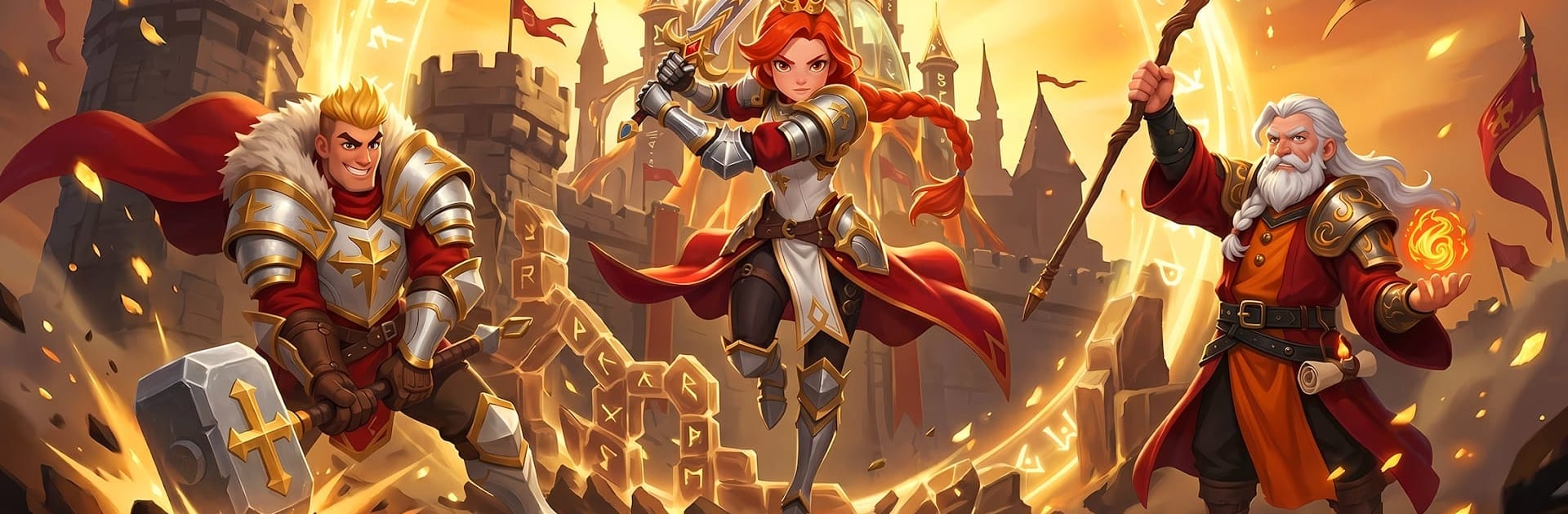
Dragonfall Kingdom
Dragonfall Kingdom

Dragonfall Kingdom

Strategy

| Game Hollywood Hong Kong Limited

Play on PC with BlueStacks or from our cloud

  • Overview
  • Game Features
  • How to Play

Page Modified On: June 09, 2026

Play Dragonfall Kingdom on PC or Mac

Step into the World of Dragonfall Kingdom, a thrilling Strategy game from the house of Game Hollywood Hong Kong Limited. Play this Android game on BlueStacks App Player and experience immersive gaming on PC or Mac.

About the Game

Dragonfall Kingdom is a fantasy Strategy game where you shape a growing realm, recruit standout heroes, and clash in smart, real-time battles. It blends classic 4X elements—build, expand, explore, and contest—with team-based combat and a big shared world that never feels static. Prefer a larger screen and keyboard controls? It plays comfortably on BlueStacks, too.

Game Features

  • Realm Building
    Grow a capital that actually feels alive. Upgrade structures, balance your resource flow, and push your borders outward one smart decision at a time.

  • Summon and Collect Heroes
    Call in heroes from distinct factions and roles, then build lineups that fit your style. Train, promote, and specialize them to unlock new tricks and stronger team synergies.

  • Strategic Real-Time Combat
    Battles are won by timing and placement, not just raw power. Arrange formations, trigger skills at the right moment, and counter enemy setups on the fly.

  • Flexible Playstyles
    Prefer a bruiser frontline? A nimble control squad? Something balanced? Experiment until you find a squad composition that clicks.

  • Alliances and Large-Scale Warfare
    Team up with others to share resources, coordinate strikes, and defend what matters. Group tactics shine when you’re contesting key points on the map.

  • Living World Map
    Scout, plan routes, and secure strategic locations across a broad, shared landscape. Territory control shifts constantly, so awareness matters.

  • PvP and Cooperative Paths
    Test your mettle against other players or focus on working with allies toward shared objectives. Both routes reward sharp planning and steady growth.

BlueStacks gives you more room to focus on the game and less time adjusting around mobile limitations.


Game Features

Enhancements

  • Macros
  • Multi Instance
  • Multi Instance Sync
  • Eco Mode
  • Enhancements
Macros

Macros

Skip the boring parts of a game. Play Dragonfall Kingdom with Macros and get the edge. Simply record a sequence of commands and execute them at any moment.
Multi Instance

Multi Instance

Why limit to one game on your phone when you can play many on your PC? Open multiple instances of Dragonfall Kingdom at once with Multi-Instance. Leverage the power of different accounts by doing more.
Multi Instance Sync

Multi Instance Sync

Get the best out of Dragonfall Kingdom with Multi-Instance Sync. Play the game from different accounts and build your own empire. Use Multi-instance sync to repeat the action in the main BlueStacks instance on all other instances.
Eco Mode

Eco Mode

Find the rarest heroes by making multiple summons in Dragonfall Kingdom. And while you are at it, reduce your PC’s resource consumption with the Eco Mode. Farm efficiently. Get the best results.
Read More

How to Download and Play Dragonfall Kingdom on PC or Mac

  • Download and install BlueStacks on your PC or Mac

  • Complete Google sign-in to access the Play Store, or do it later

  • Look for Dragonfall Kingdom in the search bar at the top right corner

  • Click to install Dragonfall Kingdom from the search results

  • Complete Google sign-in (if you skipped step 2) to install Dragonfall Kingdom

  • Click the Dragonfall Kingdom icon on the home screen to start playing

video
Watch Video

Minimum System Requirements

With BlueStacks 5, you can get started on a PC that fulfills the following requirements.

  • Operating System

    Microsoft Windows 7 or above, macOS 11 (Big Sur) or above

  • Processor

    Intel, AMD or Apple Silicon Processor

  • RAM

    at least 4GB

  • HDD

    10GB Free Disk Space

Note:

* You must be an Administrator on your PC. Up to date graphics drivers from Microsoft or the chipset vendor.

Dragonfall Kingdom - FAQs

  • How to play Dragonfall Kingdom on Windows PC & Mac?

    Play Dragonfall Kingdom on your PC or Mac by following these simple steps.

    • Click on 'Play Dragonfall Kingdom on PC’ to download BlueStacks
    • Install it and log-in to Google Play Store
    • Launch and play the game.
  • Why is BlueStacks the fastest and safest platform to play games on PC?

    BlueStacks respects your privacy and is always safe and secure to use. It does not carry any malware, spyware, or any sort of additional software that could harm your PC.

    It is engineered to optimize speed and performance for a seamless gaming experience.

  • What are Dragonfall Kingdom PC requirements?

    Minimum requirement to run Dragonfall Kingdom on your PC

    • OS: Microsoft Windows 7 or above MacOS 11 (Big Sur) or above
    • Processor: Intel, AMD or Apple Silicon Processor
    • RAM: Your PC must have at least 4GB of RAM. (Note that having 4GB or more disk space is not a substitute for RAM)
    • HDD: 10GB Free Disk Space.
    • You must be an Administrator on your PC.