Furry Defense: Paws Battle

Furry Defense: Paws Battle

Strategy

| Zinh Pixry

Play on PC with BlueStacks or from our cloud

  • Overview
  • Game Features
  • How to Play

Page Modified On: July 27, 2026

Play Furry Defense: Paws Battle on PC or Mac

Play Furry Defense: Paws Battle by Zinh Pixry on PC or Mac with BlueStacks. Use a bigger screen, mouse and keyboard controls, and smoother performance while you play.

About the Game

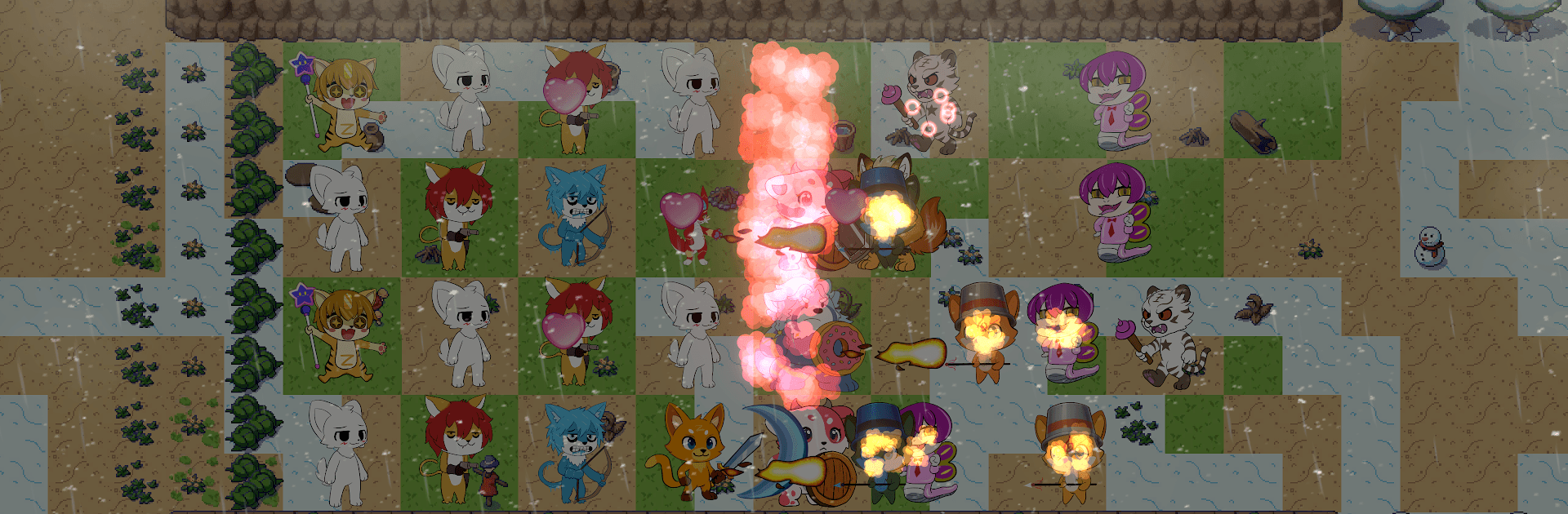
Furry Defense: Paws Battle is a cozy-but-tense tower defense romp where cute animal heroes hold the line against relentless raiders. You’ll build a squad, pick smart spots for each unit, and tweak your tactics as waves get trickier and boss fights crank up the pressure. It’s bright, fast, and surprisingly deep—the kind of Strategy experience that rewards clever placements and quick thinking.

Game Features

  • Build Your Furry Squad: Recruit fox archers, bear guardians, and other critters with distinct skills. Mix and match to create a team that fits your style.
  • Smart Placement, Big Payoffs: Position units to cover lanes, stack synergies, and react on the fly when enemies switch tactics or slip through gaps.
  • Upgrades That Matter: Power up your defenders to unlock stronger abilities and tighter combos. Tiny tweaks can flip a tough wave in your favor.
  • Hand-Crafted Stages: Battle across varied maps with different layouts and choke points, each nudging you to rethink your approach.
  • Boss Battles With Bite: Face oversized threats that demand timing and coordination—save those specials for the perfect moment.
  • Bright, Playful Art: Colorful, hand-drawn visuals and snappy animations make every clash feel lively, from victory cheers to last-second holds.
  • Quick Runs or Longer Sessions: Whether you’ve got five minutes or an evening, there’s always a satisfying challenge to tackle.
  • Play on a Bigger Screen: Prefer a wider view and comfy controls? You can also play on PC using BlueStacks without changing how the game feels.

Get ready for a buttery smooth, high-performance gaming action only on BlueStacks.

Game Features

Enhancements

  • Macros
  • Multi Instance
  • Multi Instance Sync
  • Eco Mode
  • Enhancements
Macros

Macros

Skip the boring parts of a game. Play Furry Defense: Paws Battle with Macros and get the edge. Simply record a sequence of commands and execute them at any moment.
Multi Instance

Multi Instance

Why limit to one game on your phone when you can play many on your PC? Open multiple instances of Furry Defense: Paws Battle at once with Multi-Instance. Leverage the power of different accounts by doing more.
Multi Instance Sync

Multi Instance Sync

Get the best out of Furry Defense: Paws Battle with Multi-Instance Sync. Play the game from different accounts and build your own empire. Use Multi-instance sync to repeat the action in the main BlueStacks instance on all other instances.
Eco Mode

Eco Mode

Find the rarest heroes by making multiple summons in Furry Defense: Paws Battle. And while you are at it, reduce your PC’s resource consumption with the Eco Mode. Farm efficiently. Get the best results.
Read More

How to Download and Play Furry Defense: Paws Battle on PC or Mac

  • Download and install BlueStacks on your PC or Mac

  • Complete Google sign-in to access the Play Store, or do it later

  • Look for Furry Defense: Paws Battle in the search bar at the top right corner

  • Click to install Furry Defense: Paws Battle from the search results

  • Complete Google sign-in (if you skipped step 2) to install Furry Defense: Paws Battle

  • Click the Furry Defense: Paws Battle icon on the home screen to start playing

video
Watch Video

Minimum System Requirements

With BlueStacks 5, you can get started on a PC that fulfills the following requirements.

  • Operating System

    Microsoft Windows 7 or above, macOS 11 (Big Sur) or above

  • Processor

    Intel, AMD or Apple Silicon Processor

  • RAM

    at least 4GB

  • HDD

    10GB Free Disk Space

Note:

* You must be an Administrator on your PC. Up to date graphics drivers from Microsoft or the chipset vendor.

Furry Defense: Paws Battle - FAQs

  • How to play Furry Defense: Paws Battle on Windows PC & Mac?

    Play Furry Defense: Paws Battle on your PC or Mac by following these simple steps.

    • Click on 'Play Furry Defense: Paws Battle on PC’ to download BlueStacks
    • Install it and log-in to Google Play Store
    • Launch and play the game.
  • Why is BlueStacks the fastest and safest platform to play games on PC?

    BlueStacks respects your privacy and is always safe and secure to use. It does not carry any malware, spyware, or any sort of additional software that could harm your PC.

    It is engineered to optimize speed and performance for a seamless gaming experience.

  • What are Furry Defense: Paws Battle PC requirements?

    Minimum requirement to run Furry Defense: Paws Battle on your PC

    • OS: Microsoft Windows 7 or above MacOS 11 (Big Sur) or above
    • Processor: Intel, AMD or Apple Silicon Processor
    • RAM: Your PC must have at least 4GB of RAM. (Note that having 4GB or more disk space is not a substitute for RAM)
    • HDD: 10GB Free Disk Space.
    • You must be an Administrator on your PC.