WW2 Defense - Merge Frontline

WW2 Defense - Merge Frontline

Strategy

| CSCMobi Publishing

Play on PC with BlueStacks or from our cloud

  • Overview
  • Game Features
  • How to Play

Page Modified On: June 09, 2026

Play WW2 Defense - Merge Frontline on PC or Mac

Step into the World of WW2 Defense – Merge Frontline, a thrilling Strategy game from the house of CSCMobi Publishing. Play this Android game on BlueStacks App Player and experience immersive gaming on PC or Mac.

About the Game

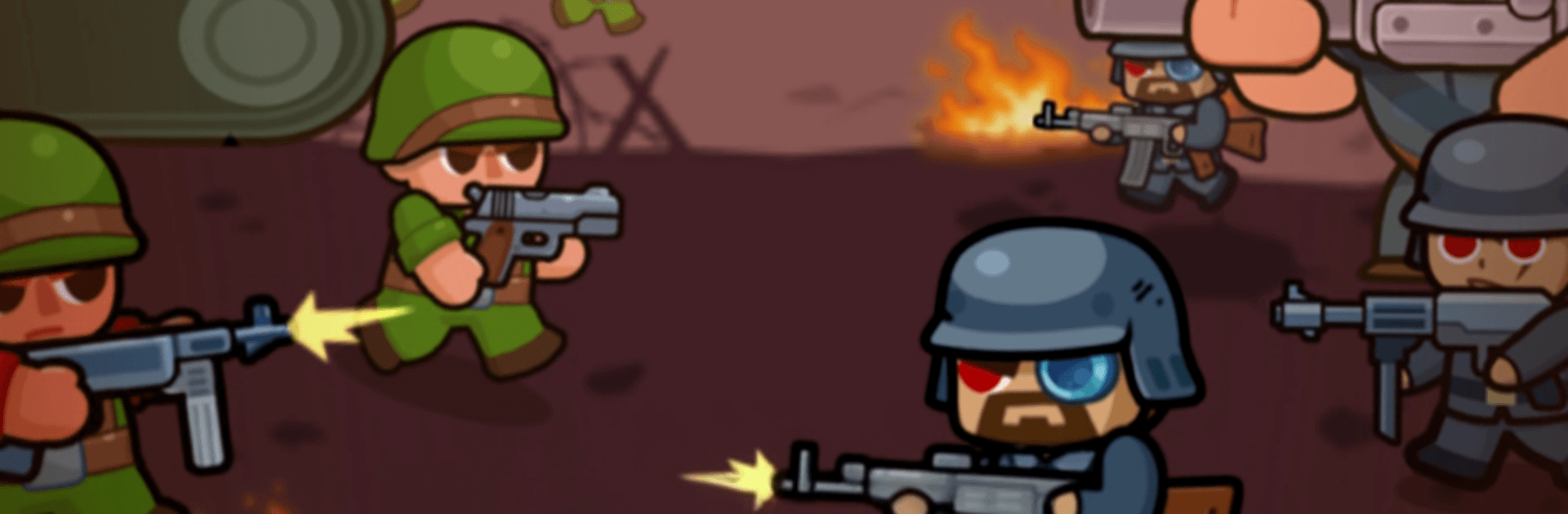
WW2 Defense – Merge Frontline is a Strategy take on classic tower defense with a smart twist: you merge units to build a tougher line and hold the front. You’ll organize squads, combine troops on the fly, and push back wave after wave across gritty, wartime battlefields. Prefer playing on a PC? It runs smoothly with BlueStacks.

Game Features

  • Squad Building: Recruit riflemen, gunners, and more, then shape a formation that fits your style—tight chokepoints, wide coverage, or a balanced mix.
  • Smart Merging: Combine matching units to create stronger versions, unlocking new tiers of firepower without cluttering the field.
  • Relentless Waves: Enemies roll in nonstop, each round ramping up the pressure with tougher types and trickier paths to crack your defense.
  • Positioning Matters: Place tanks to soak damage, keep your sharpshooters safe in the back, and use lanes and corners to control the fight.
  • Upgrades That Count: Train your troops, boost key stats, and invest in the units you actually rely on so every improvement feels meaningful.
  • WW2-Inspired Battles: Sandbags, trenches, heavy artillery—maps and enemy squads channel the era without getting bogged down in complex sim details.
  • Quick but Tactical: Hop in for short sessions, make a few clutch merges, and still feel that satisfying “we held the line” momentum.
  • Clear Progress: Advance through stages that steadily introduce new threats, pushing you to rethink layouts and switch tactics when things get heated.

Start your journey now. Download the game on BlueStacks, invite your friends, and march on a new adventure.


Game Features

Enhancements

  • Macros
  • Multi Instance
  • Multi Instance Sync
  • Eco Mode
  • Enhancements
Macros

Macros

Skip the boring parts of a game. Play WW2 Defense - Merge Frontline with Macros and get the edge. Simply record a sequence of commands and execute them at any moment.
Multi Instance

Multi Instance

Why limit to one game on your phone when you can play many on your PC? Open multiple instances of WW2 Defense - Merge Frontline at once with Multi-Instance. Leverage the power of different accounts by doing more.
Multi Instance Sync

Multi Instance Sync

Get the best out of WW2 Defense - Merge Frontline with Multi-Instance Sync. Play the game from different accounts and build your own empire. Use Multi-instance sync to repeat the action in the main BlueStacks instance on all other instances.
Eco Mode

Eco Mode

Find the rarest heroes by making multiple summons in WW2 Defense - Merge Frontline. And while you are at it, reduce your PC’s resource consumption with the Eco Mode. Farm efficiently. Get the best results.
Read More

How to Download and Play WW2 Defense - Merge Frontline on PC or Mac

  • Download and install BlueStacks on your PC or Mac

  • Complete Google sign-in to access the Play Store, or do it later

  • Look for WW2 Defense - Merge Frontline in the search bar at the top right corner

  • Click to install WW2 Defense - Merge Frontline from the search results

  • Complete Google sign-in (if you skipped step 2) to install WW2 Defense - Merge Frontline

  • Click the WW2 Defense - Merge Frontline icon on the home screen to start playing

video
Watch Video

Minimum System Requirements

With BlueStacks 5, you can get started on a PC that fulfills the following requirements.

  • Operating System

    Microsoft Windows 7 or above, macOS 11 (Big Sur) or above

  • Processor

    Intel, AMD or Apple Silicon Processor

  • RAM

    at least 4GB

  • HDD

    10GB Free Disk Space

Note:

* You must be an Administrator on your PC. Up to date graphics drivers from Microsoft or the chipset vendor.

WW2 Defense - Merge Frontline - FAQs

  • How to play WW2 Defense - Merge Frontline on Windows PC & Mac?

    Play WW2 Defense - Merge Frontline on your PC or Mac by following these simple steps.

    • Click on 'Play WW2 Defense - Merge Frontline on PC’ to download BlueStacks
    • Install it and log-in to Google Play Store
    • Launch and play the game.
  • Why is BlueStacks the fastest and safest platform to play games on PC?

    BlueStacks respects your privacy and is always safe and secure to use. It does not carry any malware, spyware, or any sort of additional software that could harm your PC.

    It is engineered to optimize speed and performance for a seamless gaming experience.

  • What are WW2 Defense - Merge Frontline PC requirements?

    Minimum requirement to run WW2 Defense - Merge Frontline on your PC

    • OS: Microsoft Windows 7 or above MacOS 11 (Big Sur) or above
    • Processor: Intel, AMD or Apple Silicon Processor
    • RAM: Your PC must have at least 4GB of RAM. (Note that having 4GB or more disk space is not a substitute for RAM)
    • HDD: 10GB Free Disk Space.
    • You must be an Administrator on your PC.