

Upgrade your experience. Try Alight Motion, the fantastic Video Players & Editors app from Alight Motion, from the comfort of your laptop, PC, or Mac, only on BlueStacks.
About the App
Alight Motion brings motion design, video editing, and eye‑catching effects to your phone or tablet without the clunky learning curve. Whether you’re shaping a quick social clip or crafting a full-on animation, you get the tools to make it look intentional and polished. Prefer a bigger canvas? It also runs smoothly on BlueStacks so you can work with more room.
App Features
- Multi-Layer Timeline: Stack and arrange video, graphics, and audio with precise control. Group layers, add masks, and keep complex scenes tidy.
- Vector and Bitmap Editing: Draw and tweak vector shapes right on your device, and mix them with photos or videos for sharp results at any size.
- Keyframes for Everything: Animate virtually any setting—position, color, effects, and more—frame by frame for detailed motion.
- Custom Easing & Curves: Choose from presets or shape your own timing curves to get movement that feels natural.
- Parenting & Rigging: Link parent and child layers, rig joints, and move complex characters or elements in sync.
- Camera Controls: Simulate pans and zooms with depth-of-field blur and atmospheric fog for cinematic shots.
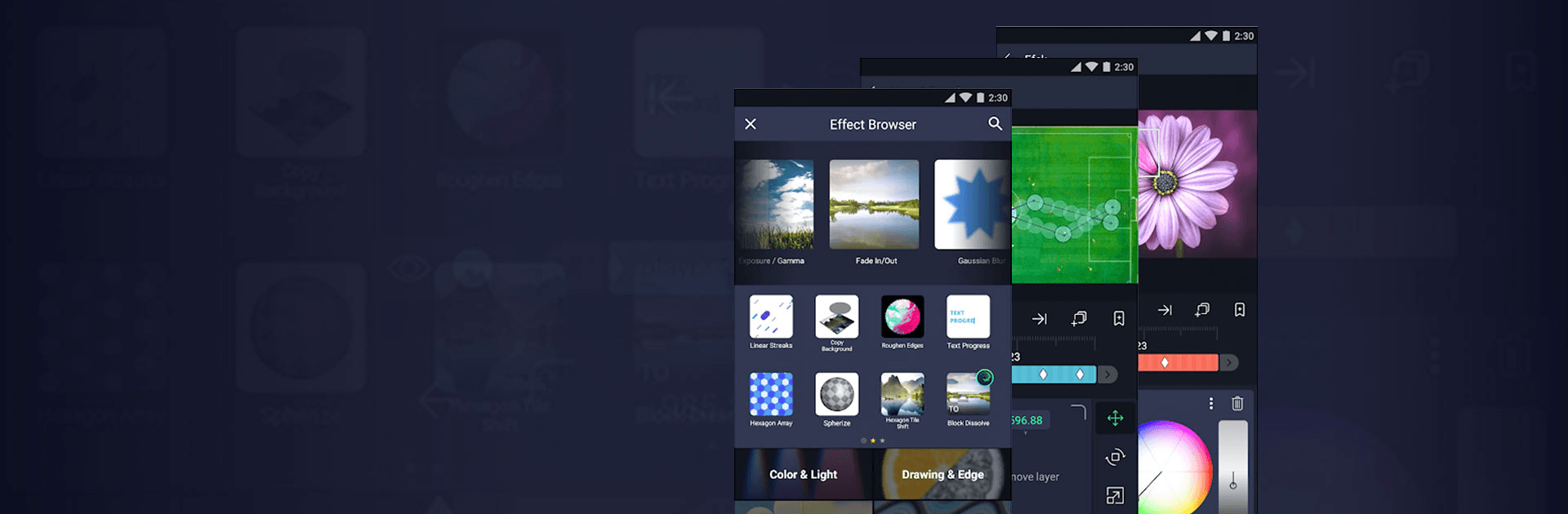
- Effects Library: Combine 160+ effect building blocks, then layer on borders, strokes, shadows, and velocity-based motion blur.
- Color Tools & Fills: Fine-tune color and lighting, or use solid and gradient fills to set the mood.
- Text with Custom Fonts: Drop in titles or captions using your own fonts, and style them to match the vibe.
- Reusable Elements: Copy and paste whole layers or just their styles, and save favorite components for future projects.
- Bookmarks & Workflow Aids: Mark key spots on your timeline so edits and revisions stay painless.
- Flexible Export: Output MP4 videos, GIFs, PNG sequences, or stills, and share project packages when you need to collaborate.
- Free and Membership Options: Use core tools for free (videos include a watermark), or choose a membership to remove the watermark and unlock premium features. Subscriptions auto-renew and are managed through Google Play.
- Performance Notes: Designed to run on devices with at least 1.5 GB of RAM, with ongoing updates focused on speed, stability, and fresh features.
BlueStacks gives you the much-needed freedom to experience your favorite apps on a bigger screen. Get it now.