How to Install and Play Clash of Critters on PC with BlueStacks


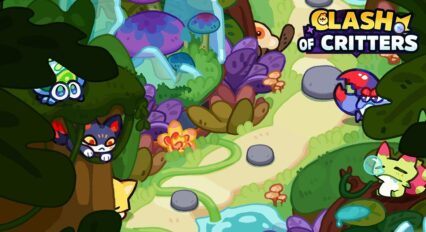
Clash of Critters is a casual game developed by FARLIGHT, where you train and evolve different Critters. With more than 100 unique Critters to collect and upgrade, the game offers exciting challenges such as strategic battles, camp building, and even competitive raids.
The pinball action adds a fun twist to the gameplay and keeps you entertained as you master combos and fend off zombie hordes. Also, you can build the ultimate squad or create your dream camp.
How to Install Clash of Critters on PC
- Go to the game’s page, and click on the “Play Clash of Critters on PC” button.
- Open the file from your browser’s downloads section.
- Install BlueStacks and launch it on your PC or Mac.
- Sign in to the Google Play Store, install the game, and start playing.
How to Install Clash of Critters on Mac with BlueStacks Air
- Download BlueStacks Air: Go to the game’s page and click on the “Play Clash of Critters on Mac” button to get the installer.
- Install BlueStacks Air: Double-click the BlueStacksInstaller.pkg file. Follow the wizard to complete the installation.
- Launch and Sign-In: Open BlueStacks Air from the Launchpad or Applications folder. Sign in with your Google account to access the Play Store.
- Install Clash of Critters: Search for Clash of Critters in the Play Store and install it.
- Enjoy Playing! Launch the game and start playing!
For Those Who Already Have BlueStacks Installed
- Go to the game’s page, and click on the “Clash of Critters on PC” button.
- Launch BlueStacks on your PC or Mac
- Install the game from the BlueStacks Store or Google Play Store.
- Start Playing!
Minimum System Requirements
BlueStacks offers the best performance and graphics for games like Clash of Critters, boasting highly accessible PC or Mac requirements:
- OS: Microsoft Windows 7 and above, macOS 11 (Big Sur) or above
- Processor: Intel, AMD Processor or Apple Silicon Processor (M1-M4)
- RAM: Your PC or Mac must have at least 4GB of RAM
- Storage: 10GB Free Disk Space
- Permissions: Administrator access on your PC or Mac.
- Graphics drivers: Up-to-date graphics drivers from Microsoft or the chipset vendor.
Clash of Critters combines simple gameplay with strategic challenges and exciting progression. As you play, you unlock new Critters, improve their abilities, and turn them into a strong team. The game is packed with fun activities to keep you engaged.
The pinball mechanics bring a fun arcade feel as you aim for high scores. Zombie battles challenge your strategy as you combine Critters to stop waves of enemies.
Also, building and upgrading your camp boosts your resources and strengthens your team. You can also compete against other players in raids and climb the ranks to show off your skills.
Playing Clash of Critters on PC with BlueStacks makes the game more fun and immersive. The larger screen allows you to appreciate the detailed visuals of the critters, and using a keyboard and mouse makes battles easier and pinball gameplay more precise.
BlueStacks also offers useful features to improve your experience. You can use Multi-instance Manager to play multiple accounts or games, High FPS Mode for smoother gameplay, and Macros to automate repetitive tasks. These tools make it simple to manage your camp, join raids, and try out new Critter combos, which makes the game even more enjoyable.