How to Install and Play Dream League Soccer 2026 on PC with BlueStacks


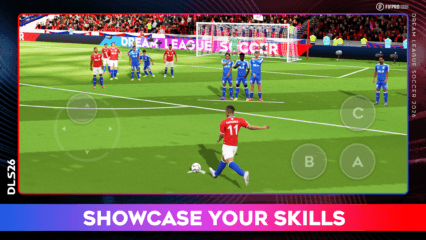
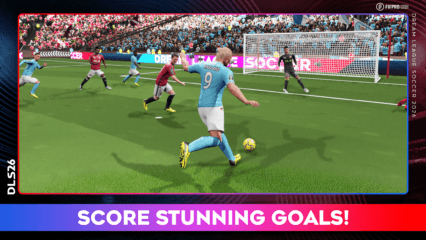
Dream League Soccer 2026 is a renewed football action-adventure RPG that see’s your favourite players compete in a new season! Expect more action in this immersive football maestro as the new 2026 season aims to facilitate the importance of team-building. Having just received the 4K FIFPro licensed players, a much larger roster of playable characters is expected. To add on to the playability and accessibility of the game, the AI (Artificial Intelligence) has seen a massive boost. Dream League Soccer 2026 is available as a free-to-play game, available on both the Google Play Store and iOS App Store.
Here’s a short description of the game, in the words of the developers of Dream League Soccer 2026 themselves – “Dream League Soccer 2026 puts you in the heart of the football action with a fresh look and brand-new features! Collect your dream team from over 4,000 FIFPRO™ licensed football players and take to the field against the world’s best soccer clubs! Rise through 8 divisions whilst enjoying full 3D motion-captured player moves, immersive in-game commentary, team customisations and much more. The beautiful game has never been so good!”
How to Install Dream League Soccer 2026 on PC
- Head over to the game’s page and press the “Play Dream League Soccer 2026 on PC” button.
- Once the installer downloads, open it from your browser’s downloads tab.
- Install BlueStacks on your computer and launch it after setup is complete.
- Log in to the Google Play Store, install Dream League Soccer 2026, and jump into your first match.
How to Install Dream League Soccer 2026 on Mac with BlueStacks Air
- Download BlueStacks Air: Visit the game’s page and click on the “Play Dream League Soccer 2026 on Mac” button to download BlueStacks Air.
- Install BlueStacks Air: Open the BlueStacksInstaller.pkg file and follow the on-screen steps to finish installation.
- Launch and Sign-In: Start BlueStacks Air from Launchpad or the Applications folder and sign in with your Google account.
- Install Dream League Soccer 2026: Look up Dream League Soccer 2026 in the Play Store and install it.
- Start Playing: Open the game and begin building your dream team.
Already Have BlueStacks? Here’s What To Do
- Visit the game’s page and click on the “Dream League Soccer 2026 on PC” button.
- Open BlueStacks on your PC or Mac.
- Download the game directly from the BlueStacks Store or Google Play Store.
- Launch Dream League Soccer 2026 and start competing.
Minimum System Requirements
To run Dream League Soccer 2026 smoothly on your computer, your system should meet these basic needs:
- Operating System: Microsoft Windows 7 or newer, macOS 11 (Big Sur) or newer
- Processor: Intel or AMD processor, or Apple Silicon (M1–M4)
- RAM: At least 4GB of memory
- Storage: Minimum 10GB of free disk space
- Permissions: Administrator access on your PC or Mac
- Graphics Drivers: Updated drivers from Microsoft or your hardware provider
Overall, Dream League Soccer 2026 has improved quite a lot for its newest season. More players, a new graphical engine, and lots of new managerial powers given to players are just some of the new features added. Savour realistic in-game commentary, team customizations, fully 3D motion-captured player movements, and much more. Never has football become more exciting! Players can even micro-manage the stadiums by upgrading the different facilities provided to the audience in order to generate more profits. Get to training as players require nutrition, exercise, and ample rest. Ready to dominate the leader boards in the latest season? We sure are!
For more information, players can take a look at the official google play page for Dream League Soccer 2026. Players can enjoy Dream League Soccer 2026 even more on a bigger screen with your keyboard and mouse via BlueStacks!