How to Install and Play Pepp Heroes: Relic Quest on PC with BlueStacks

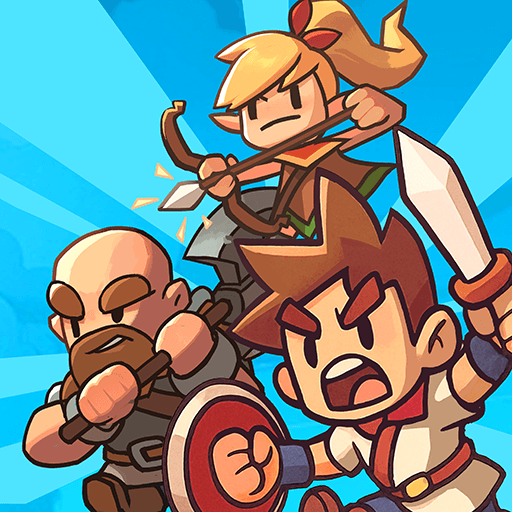
Pepp Heroes: Relic Quest is an action role-playing game where you jump into real-time battles on open fields filled with monsters and treasure. You collect and build a team of more than 50 heroes, each with special skills and jobs you can mix for team combos.
As you move through the story, you take on quests, side missions, boss fights, and raid battles with friends. The game uses smooth 2.5D visuals that give depth to the maps while keeping fights easy to follow. Combat happens live, so timing skills and movement matters.
You can choose different hero classes, swap team roles, and upgrade equipment to make your squad stronger. With support for team play, Pepp Heroes: Relic Quest lets you share raids and boss fights with friends while building your group of champions.
How to Install Pepp Heroes: Relic Quest on PC
- Visit the game’s page and select the “Play Pepp Heroes: Relic Quest on PC” button.
- Open the setup file found in your browser downloads folder.
- Install BlueStacks, then launch it on your PC or Mac.
- Log in to the Google Play Store, install the game, and begin playing.
How to Install Pepp Heroes: Relic Quest on Mac with BlueStacks Air
- Download BlueStacks Air: Head to the game’s page and click the “Play Pepp Heroes: Relic Quest on Mac” button to download the installer.
- Install BlueStacks Air: Double-click the BlueStacksInstaller.pkg file and follow the setup steps to complete installation.
- Launch and Sign-In: Open BlueStacks Air from Launchpad or Applications, then sign in with your Google account to open the Play Store.
- Install Pepp Heroes: Relic Quest: Look up the game in the Play Store and install it.
- Enjoy Playing!: Start the game and jump straight into the action.
Already Using BlueStacks?
- Open the game’s page and press the “Pepp Heroes: Relic Quest on PC” button.
- Start BlueStacks on your PC or Mac.
- Install the game from the BlueStacks Store or Google Play Store.
- Launch the game and play.
Minimum System Requirements
These general specs help your PC or Mac run Pepp Heroes: Relic Quest smoothly:
- OS: Microsoft Windows 7 or newer, macOS 11 (Big Sur) or newer
- Processor: Intel, AMD, or Apple Silicon (M1–M4)
- RAM: 4GB or more
- Storage: 10GB of free disk space
- Permissions: Administrator rights on your computer
- Graphics Drivers: Updated drivers from Microsoft or your chipset maker
This game suits players who enjoy team combat, fast battles, and hero building. You can play solo while completing quests or team up online for raids with friends. Short missions make it easy to jump in for quick sessions, while long raids give you something to focus on when you have more time. Because there are many heroes to unlock and customize, each player can build a squad that fits their play style.
Also, playing Pepp Heroes: Relic Quest on PC or Mac with BlueStacks gives you clear mouse and keyboard controls and a full-screen view that helps with movement and aiming during combat. A larger display makes maps and effects easier to see, and smoother performance keeps battles feeling steady during big team fights.