How to Install and Play Spirit Summoners on PC with BlueStacks


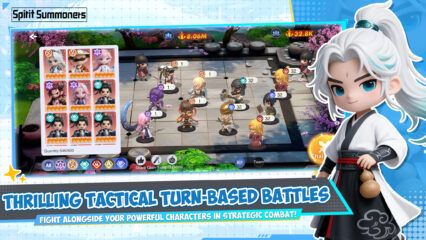
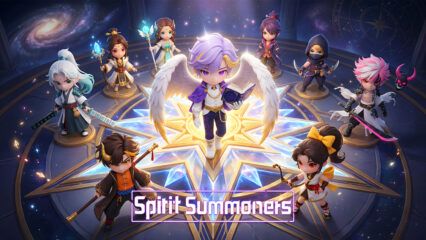
Spirit Summoners is an idle role-playing game by Proficient City Hong Kong that mixes team strategy, auto battles, and a big cast of 3D spirits inspired by Chinese mythology. You build a squad, set up your lineup, and let your team keep fighting even while you are away.
The game also includes world boss fights, real-time PvP, and a gacha system that gives you new spirits with different roles and skills. So if you like games where you can collect characters, make smart team setups, and keep making progress every day, Spirit Summoners has a lot to keep you busy.
How to Install Spirit Summoners on PC
- Go to the game’s page and click the “Play Spirit Summoners on PC” button.
- Open the installer from your browser’s downloads area.
- Install BlueStacks, then launch it on your PC or Mac.
- Sign in to the Google Play Store, install the game, and jump into your adventure.
How to Install Spirit Summoners on Mac with BlueStacks Air
- Download BlueStacks Air: Open the game’s page and click the “Play Spirit Summoners on Mac” button to get the installer.
- Install BlueStacks Air: Double-click the BlueStacksInstaller.pkg file, then follow the setup steps on your screen.
- Launch and Sign In: Open BlueStacks Air from Launchpad or the Applications folder and sign in with your Google account to use the Play Store.
- Install Spirit Summoners: Search for Spirit Summoners in the Play Store and install it.
- Start Playing: Open the game and begin building your spirit team.
Already Have BlueStacks? Start Here
- Head to the game’s page and click the “Spirit Summoners on PC” button.
- Open BlueStacks on your PC or Mac.
- Install Spirit Summoners from the BlueStacks Store or Google Play Store.
- Start playing right away.
Minimum System Requirements
BlueStacks runs games like Spirit Summoners on a wide range of computers, so you do not need a high-end setup to get started.
- OS: Microsoft Windows 7 and above, macOS 11 (Big Sur) or above
- Processor: Intel, AMD Processor, or Apple Silicon Processor (M1-M4)
- RAM: Your PC or Mac must have at least 4GB of RAM
- Storage: 10GB Free Disk Space
- Permissions: Administrator access on your PC or Mac
- Graphics Drivers: Up-to-date graphics drivers from Microsoft or the chipset vendor
Spirit Summoners is a good pick for players who like idle games but still want to make smart choices in battle. You can mix damage dealers, healers, and support units to build a team that fits your style. And because the game keeps collecting resources while you are offline, it works well whether you want to play for a few minutes after school or spend more time doing PvP and boss fights with friends.
Playing Spirit Summoners on PC or Mac with BlueStacks makes the whole game feel easier to enjoy. You get a bigger screen for battles, menus, and character details, and keyboard and mouse controls can feel more comfortable than tapping on a phone for long sessions. So whether you are sorting your team, checking rewards, or taking on bosses, playing on PC gives you more room to see what is happening and a smoother way to play.