


Enjoy - AI Town
Play on PC with BlueStacks – the Android Gaming Platform, trusted by 500M+ gamers.

Page Modified on: Sep 4, 2026
Run Enjoy - AI Town on PC or Mac
Why limit yourself to your small screen on the phone? Run Enjoy – AI Town, an app by Enjoy Global, Inc., best experienced on your PC or Mac with BlueStacks, the world’s #1 Android emulator.
About the App
Enjoy – AI Town drops you into a lively community where every resident thinks, remembers, and reacts like a real person. This Entertainment experience blends social simulation with natural conversation, letting you chat, roleplay, and shape stories that actually evolve. Want a bigger canvas for your adventures? You can jump in on PC or Mac with BlueStacks.
App Features
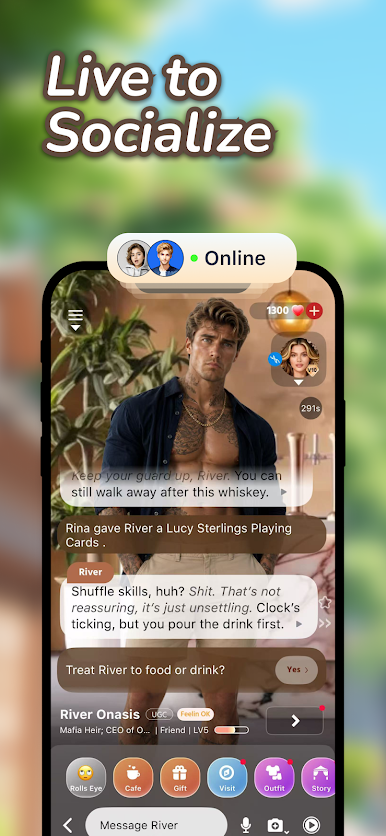
- Living residents, not scripts: Characters have memories, moods, and relationships that change over time, so no two encounters feel the same.
- Talk like you would with a friend: Chat, roleplay, joke around, or get serious—characters follow context and keep up with the conversation naturally.
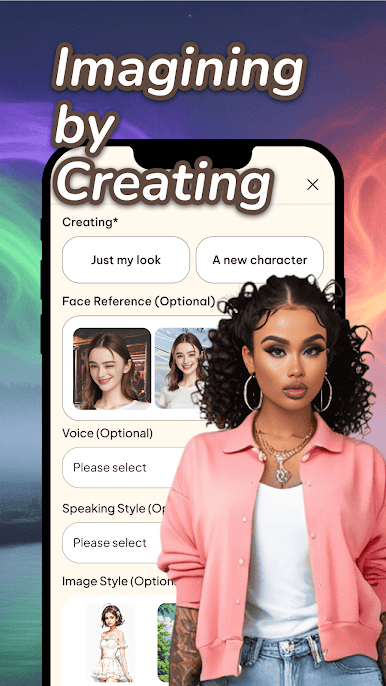
- Build places and personas: Use AI to whip up new locations, customize outfits, and sketch out fresh characters that fit your story.
- Stories that reshape themselves: Your choices ripple through the town, steering scenes, friendships, and plot twists in surprising directions.
- Create your own companions: Craft unique AI friends, rivals, or pets with tools that let you define quirks, goals, and backstories.
- A town that remembers you: Past chats, promises, and drama stick around, so long-term arcs feel earned—and sometimes a little messy.
- Play your way: Explore social dynamics, spin up cozy slice-of-life moments, or orchestrate big, dramatic set pieces—your pace, your vibe.
BlueStacks gives you the much-needed freedom to experience your favorite apps on a bigger screen. Get it now.











Play Enjoy - AI Town on PC. It’s easy to get started.
-
Download and install BlueStacks on your PC
-
Complete Google sign-in to access the Play Store, or do it later
-
Look for Enjoy - AI Town in the search bar at the top right corner
-
Click to install Enjoy - AI Town from the search results
-
Complete Google sign-in (if you skipped step 2) to install Enjoy - AI Town
-
Click the Enjoy - AI Town icon on the home screen to start playing

