


Bingo Banana
Play on PC with BlueStacks – the Android Gaming Platform, trusted by 500M+ gamers.

Page Modified on: Jul 20, 2026
Play Bingo Banana on PC
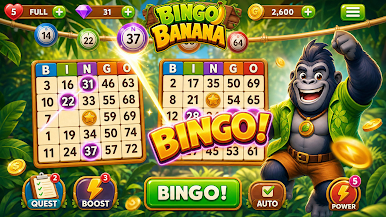
Welcome to Bingo Banana, the colorful bingo adventure where every match brings new excitement. Explore vibrant tropical locations, complete fun bingo challenges, collect amazing rewards, and become the ultimate bingo champion.
Whether you're a casual player or a bingo fan, Bingo Banana delivers relaxing gameplay packed with exciting objectives, daily surprises, and rewarding progression.
Features
• Play classic bingo with exciting modern twists.
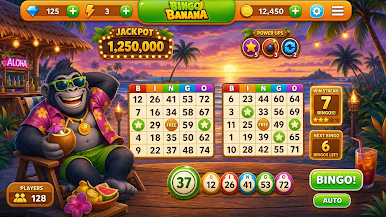
• Explore colorful tropical worlds and unique locations.
• Unlock new bingo rooms and fun challenges.
• Collect coins, boosters, and special rewards.
• Complete missions and earn exciting prizes.
• Use powerful boosters to improve your strategy.
• Enjoy smooth gameplay with vibrant visuals and animations.
• Play at your own pace—quick sessions or long adventures.
• New content and events keep the fun going.
Tropical Bingo Adventure
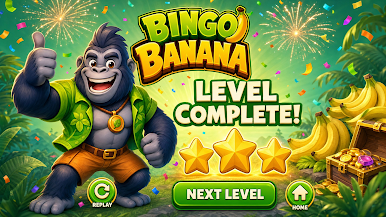
Meet your cheerful gorilla companion as you travel through lush jungles, ancient temples, and hidden tropical treasures. Every new destination offers fresh challenges and more opportunities to win.
Easy to Learn
Jump right into the action with simple controls and intuitive gameplay. Perfect for both newcomers and experienced bingo players.
Relax, Play & Win
Whether you have a few minutes or want to enjoy a longer session, Bingo Banana is designed to be fun, relaxing, and rewarding every time you play.
Download Bingo Banana today and start your tropical bingo adventure!
Play Bingo Banana on PC. It’s easy to get started.
-
Download and install BlueStacks on your PC
-
Complete Google sign-in to access the Play Store, or do it later
-
Look for Bingo Banana in the search bar at the top right corner
-
Click to install Bingo Banana from the search results
-
Complete Google sign-in (if you skipped step 2) to install Bingo Banana
-
Click the Bingo Banana icon on the home screen to start playing

