


Dragon Traveler
Play on PC with BlueStacks – the Android Gaming Platform, trusted by 500M+ gamers.

Page Modified on: Sep 3, 2026
Play Dragon Traveler on PC or Mac
Dragon Traveler is a Role Playing game developed by HongKong GameTree Limited. BlueStacks app player is the best platform to play this Android game on your PC or Mac for an immersive gaming experience.
About the Game
Dragon Traveler is focused on the thrilling tales of a crazy princess and a mighty dragon. It follows both characters roasting each other across various chapters, and you have to watch out for the thirsty hot waifus. The game lets you claim Poseidon, the Goddess of the Seas, when you log in to dominate your enemies and gain access to a vast ocean of exciting rewards.
Game Features
- Fast-Paced Chapters: The game immerses you in episodes that span from 3 to 5 minutes, allowing you to dive into the plot and move on swiftly.
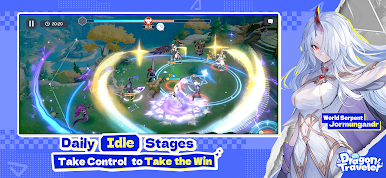
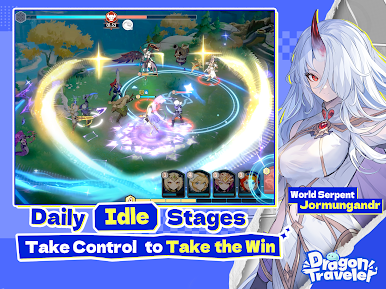
- Anime-Themed Graphics: The game is designed with anime-style graphics, from characters to landscapes and visual effects, that drive the adventure.
- AFK Mode: The game features an away-from-keyboard (AFK) system that allows players to step away while it takes control to keep your progress steady until you log in.
- Smooth Game Controls: Control and move your characters around and navigate the overall gameplay with your keyboard or gamepad.
How to Play?
Download Dragon Traveler for free from the Google Play Store using the BlueStacks app player.











Play Dragon Traveler on PC. It’s easy to get started.
-
Download and install BlueStacks on your PC
-
Complete Google sign-in to access the Play Store, or do it later
-
Look for Dragon Traveler in the search bar at the top right corner
-
Click to install Dragon Traveler from the search results
-
Complete Google sign-in (if you skipped step 2) to install Dragon Traveler
-
Click the Dragon Traveler icon on the home screen to start playing

