Brainrots vs Obby Karate

Brainrots vs Obby Karate

Action

| D one Games

Play on PC with BlueStacks or from our cloud

  • Overview
  • Game Features
  • How to Play

Page Modified On: August 24, 2026

Play Brainrots vs Obby Karate on PC or Mac

Play Brainrots vs Obby Karate by D one Games on PC or Mac with BlueStacks. Use a bigger screen, mouse and keyboard controls, and smoother performance while you play.

About the Game

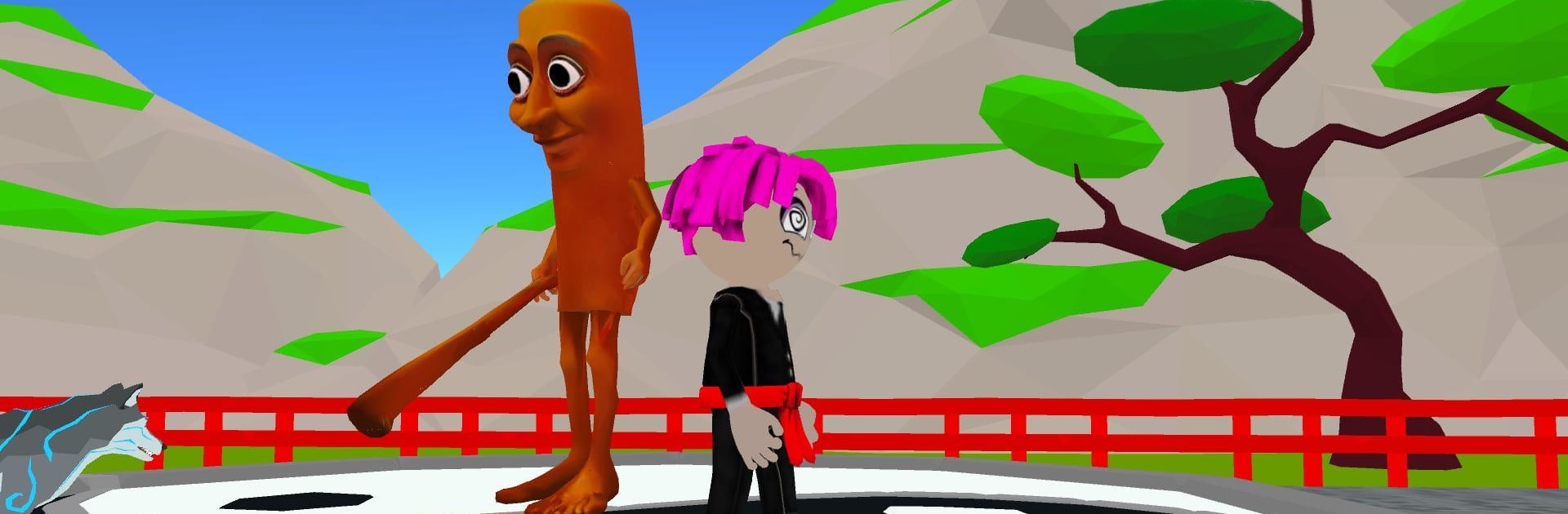
Brainrots vs Obby Karate drops you into a village under attack by chaotic brainrots and oddball meme foes, and you’re the karate ace everyone’s counting on. This Action game blends hands-on fighting with tap-happy training and steady character growth, so every session feels punchy and rewarding. Prefer a bigger screen? It plays nicely on BlueStacks, too.

Game Features

  • Karate combat with personality: Throw quick punches and clean kicks while a swarm of goofy troublemakers tries to overrun the village.
  • Click-to-strike intensity: Tap to unleash rapid combos, chain hits, and build momentum that snowballs through tougher waves.
  • Belt path from white to black: Earn new belts as you prove your skill, turning a humble beginner into a seasoned master.
  • Train stats that matter: Sharpen strength, speed, and reflexes to hit harder, move faster, and react in a flash.
  • Pet allies with perks: Collect quirky animal companions that grant handy boosts during battles and training.
  • Skins that pop: Unlock colorful outfits and gear to give your fighter a fresh look without sacrificing performance.
  • Meme-flavored boss fights: Square up against larger-than-life enemies with unique patterns that test timing and focus.
  • Tournaments and trials: Step into structured challenges for bragging rights and meaningful rewards that fuel progression.
  • Smooth and vibrant visuals: Enjoy bright effects and fluid animations that keep every punch, dodge, and finisher satisfying.
  • Built for short or long runs: Hop in for quick upgrades or settle in for extended grinding sessions—both feel great.

BlueStacks gives you more room to focus on the game and less time adjusting around mobile limitations.


Game Features

Enhancements

  • Macros
  • Multi Instance
  • Multi Instance Sync
  • Eco Mode
  • Enhancements
Macros

Macros

Skip the boring parts of a game. Play Brainrots vs Obby Karate with Macros and get the edge. Simply record a sequence of commands and execute them at any moment.
Multi Instance

Multi Instance

Why limit to one game on your phone when you can play many on your PC? Open multiple instances of Brainrots vs Obby Karate at once with Multi-Instance. Leverage the power of different accounts by doing more.
Multi Instance Sync

Multi Instance Sync

Get the best out of Brainrots vs Obby Karate with Multi-Instance Sync. Play the game from different accounts and build your own empire. Use Multi-instance sync to repeat the action in the main BlueStacks instance on all other instances.
Eco Mode

Eco Mode

Find the rarest heroes by making multiple summons in Brainrots vs Obby Karate. And while you are at it, reduce your PC’s resource consumption with the Eco Mode. Farm efficiently. Get the best results.
Read More

How to Download and Play Brainrots vs Obby Karate on PC or Mac

  • Download and install BlueStacks on your PC or Mac

  • Complete Google sign-in to access the Play Store, or do it later

  • Look for Brainrots vs Obby Karate in the search bar at the top right corner

  • Click to install Brainrots vs Obby Karate from the search results

  • Complete Google sign-in (if you skipped step 2) to install Brainrots vs Obby Karate

  • Click the Brainrots vs Obby Karate icon on the home screen to start playing

video
Watch Video

Minimum System Requirements

With BlueStacks 5, you can get started on a PC that fulfills the following requirements.

  • Operating System

    Microsoft Windows 7 or above, macOS 11 (Big Sur) or above

  • Processor

    Intel, AMD or Apple Silicon Processor

  • RAM

    at least 4GB

  • HDD

    10GB Free Disk Space

Note:

* You must be an Administrator on your PC. Up to date graphics drivers from Microsoft or the chipset vendor.

Brainrots vs Obby Karate - FAQs

  • How to play Brainrots vs Obby Karate on Windows PC & Mac?

    Play Brainrots vs Obby Karate on your PC or Mac by following these simple steps.

    • Click on 'Play Brainrots vs Obby Karate on PC’ to download BlueStacks
    • Install it and log-in to Google Play Store
    • Launch and play the game.
  • Why is BlueStacks the fastest and safest platform to play games on PC?

    BlueStacks respects your privacy and is always safe and secure to use. It does not carry any malware, spyware, or any sort of additional software that could harm your PC.

    It is engineered to optimize speed and performance for a seamless gaming experience.

  • What are Brainrots vs Obby Karate PC requirements?

    Minimum requirement to run Brainrots vs Obby Karate on your PC

    • OS: Microsoft Windows 7 or above MacOS 11 (Big Sur) or above
    • Processor: Intel, AMD or Apple Silicon Processor
    • RAM: Your PC must have at least 4GB of RAM. (Note that having 4GB or more disk space is not a substitute for RAM)
    • HDD: 10GB Free Disk Space.
    • You must be an Administrator on your PC.