Bufo Jump
Bufo Jump

Bufo Jump

Action

| NEUTRONIZED

Play on PC with BlueStacks or from our cloud

Click here to Pre-Register for Bufo Jump
  • Overview
  • Features
  • How to Play

Page Modified On: May 04, 2026

Play Bufo Jump on PC or Mac

Explore a whole new adventure with Bufo Jump, a Action game created by NEUTRONIZED. Experience great gameplay with BlueStacks, the most popular gaming platform to play Android games on your PC or Mac.

About the Game

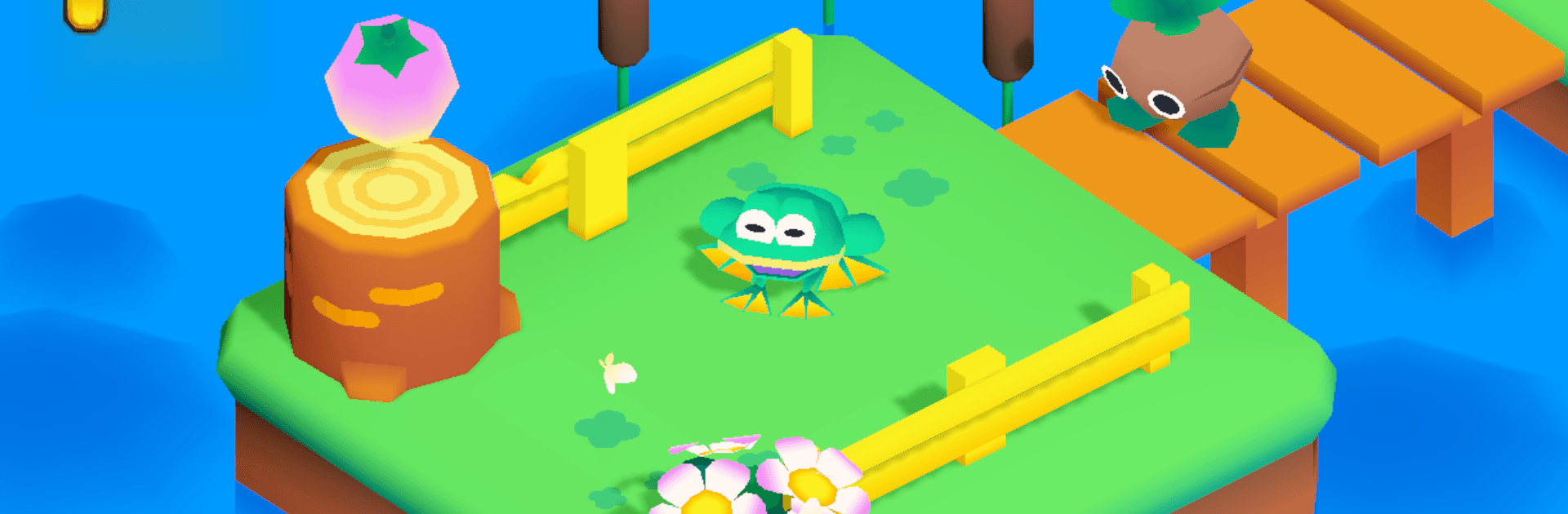
Bufo Jump is a breezy Action 3D platformer from NEUTRONIZED where you hop around as a plucky frog on a mission to snag hidden fruit. Expect comfy vibes with just enough challenge—tight jumps, sneaky traps, and a few pesky critters to outsmart as you move from peaceful ponds to echoing caves and a clunky industrial zone. Want a bigger view of those corners you keep missing? It also plays nicely on PC with BlueStacks.

Game Features

  • Cozy 3D Worlds: Wander through bright, isometric stages that feel hand-crafted, from lazy lily pads to shadowy caverns and a rumbling factory floor.
  • Simple, Snappy Controls: Easy to learn and smooth to handle, so you’re hopping confidently within minutes—no overthinking required.
  • Traps and Tricksters: Time your leaps, dodge hazards, and sidestep bothersome enemies that turn each area into a playful puzzle.
  • Hidden Fruit Hunt: Every level tucks collectibles in clever places; scout nooks, take side paths, and go for that last piece you swore wasn’t there.
  • Style Your Frog: Pop on hats, shades, and other fun bits to give your amphibian a little personality between runs.
  • Feel-Good Soundtrack: A warm, cheerful score keeps the mood light while you line up those precise jumps.
  • Play Your Own Pace: Knock out a quick session or methodically clear every secret—both approaches feel rewarding.

Slay your opponents with your epic moves. Play it your way on BlueStacks and dominate the battlefield.


Features

  • Macros

    Skip the boring parts of a game. Play Bufo Jump with Macros and get the edge. Simply record a sequence of commands and execute them at any moment.

  • Multi Instance

    Why limit to one game on your phone when you can play many on your PC? Open multiple instances of Bufo Jump at once with Multi-Instance. Leverage the power of different accounts by doing more.

  • Multi Instance Sync

    Get the best out of Bufo Jump with Multi-Instance Sync. Play the game from different accounts and build your own empire. Use Multi-instance sync to repeat the action in the main BlueStacks instance on all other instances.

  • Eco Mode

    Find the rarest heroes by making multiple summons in Bufo Jump. And while you are at it, reduce your PC’s resource consumption with the Eco Mode. Farm efficiently. Get the best results.

How to Download and Play Bufo Jump on PC or Mac

  • Download and install BlueStacks on your PC or Mac

  • Complete Google sign-in to access the Play Store, or do it later

  • Look for Bufo Jump in the search bar at the top right corner

  • Click to install Bufo Jump from the search results

  • Complete Google sign-in (if you skipped step 2) to install Bufo Jump

  • Click the Bufo Jump icon on the home screen to start playing

video
Watch Video

Minimum System Requirements

With BlueStacks 5, you can get started on a PC that fulfills the following requirements.

  • Operating System

    Microsoft Windows 7 or above, macOS 11 (Big Sur) or above

  • Processor

    Intel, AMD or Apple Silicon Processor

  • RAM

    at least 4GB

  • HDD

    10GB Free Disk Space

Note:

* You must be an Administrator on your PC. Up to date graphics drivers from Microsoft or the chipset vendor.

Exclusive Gaming Content. And More.

Get the latest updates on the BlueStacks Blog.

See More
Bufo Jump

Be among the first to play Bufo Jump on PC

Get notified when the Game launches

Bufo Jump - FAQs

  • How to play Bufo Jump on Windows PC & Mac?

    Play Bufo Jump on your PC or Mac by following these simple steps.

    • Click on 'Play Bufo Jump on PC’ to download BlueStacks
    • Install it and log-in to Google Play Store
    • Launch and play the game.
  • Why is BlueStacks the fastest and safest platform to play games on PC?

    BlueStacks respects your privacy and is always safe and secure to use. It does not carry any malware, spyware, or any sort of additional software that could harm your PC.

    It is engineered to optimize speed and performance for a seamless gaming experience.

  • What are Bufo Jump PC requirements?

    Minimum requirement to run Bufo Jump on your PC

    • OS: Microsoft Windows 7 or above MacOS 11 (Big Sur) or above
    • Processor: Intel, AMD or Apple Silicon Processor
    • RAM: Your PC must have at least 4GB of RAM. (Note that having 4GB or more disk space is not a substitute for RAM)
    • HDD: 10GB Free Disk Space.
    • You must be an Administrator on your PC.