Kamla - Horror Exorcism Escape

Kamla - Horror Exorcism Escape

Action

| MadMantra

Play on PC with BlueStacks or from our cloud

  • Overview
  • Tips & Tricks
  • Game Features
  • How to Play

Page Modified On: November 27, 2025

Play Kamla - Horror Exorcism Escape on PC or Mac

Step into the World of Kamla – Horror Exorcism Escape, a thrilling Action game from the house of MadMantra. Play this Android game on BlueStacks App Player and experience immersive gaming on PC or Mac.

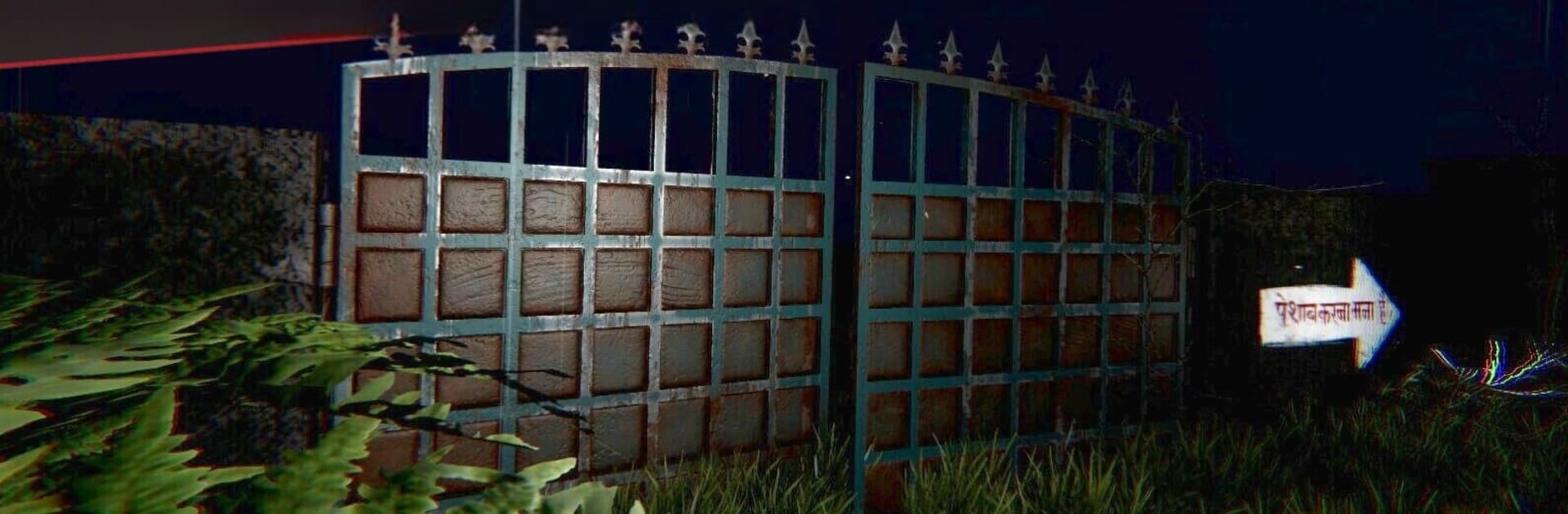
Kamla – Horror Exorcism Escape is a tense, sneak-and-search horror set in a creaky mansion in 1980s India. Players step into the role of a Tantrik priest trying to free a newlywed, Kamla, from a demon that absolutely does not want to leave. Most of the time is spent scouting dim rooms for ritual items, reading clues, and solving old style puzzles that make sense if attention is on symbols and notes. The mansion layout is tight, doors complain, and every footstep feels loud, so moving slow pays off. When Kamla switches to hostile, it turns into a proper survival moment where hiding spots and quick paths matter. Getting spotted is messy and usually costs time and items.

The atmosphere really leans on sound. Distant chanting, wind through the halls, that sudden thump when she is close. Headphones help, even more on PC. On BlueStacks, mouse look and keyboard mapping make peeking, crouching, and inventory shuffling feel cleaner, plus the bigger screen makes it easier to catch tiny details on walls or tucked behind furniture. The 80s setting shows up in small ways, like the lighting, old decor, and the general stillness of a rural house after dark. Exorcism rituals feel methodical rather than button mashy, which suits the theme, and decisions have weight because grabbing one item often means risking a run through a part of the house where she patrols. Nightmare Mode is there for anyone who wants sharper AI and less room for mistakes, and it really does raise the blood pressure. If someone likes folklore flavored horror with stealth, puzzle solving, and those hold-your-breath chases, this lands right in that lane.

Get ready for a buttery smooth, high-performance gaming action only on BlueStacks.

Game Features

Enhancements

  • Macros
  • Multi Instance
  • Multi Instance Sync
  • Eco Mode
  • Enhancements
Macros

Macros

Skip the boring parts of a game. Play Kamla - Horror Exorcism Escape with Macros and get the edge. Simply record a sequence of commands and execute them at any moment.
Multi Instance

Multi Instance

Why limit to one game on your phone when you can play many on your PC? Open multiple instances of Kamla - Horror Exorcism Escape at once with Multi-Instance. Leverage the power of different accounts by doing more.
Multi Instance Sync

Multi Instance Sync

Get the best out of Kamla - Horror Exorcism Escape with Multi-Instance Sync. Play the game from different accounts and build your own empire. Use Multi-instance sync to repeat the action in the main BlueStacks instance on all other instances.
Eco Mode

Eco Mode

Find the rarest heroes by making multiple summons in Kamla - Horror Exorcism Escape. And while you are at it, reduce your PC’s resource consumption with the Eco Mode. Farm efficiently. Get the best results.
Read More

How to Download and Play Kamla - Horror Exorcism Escape on PC or Mac

  • Download and install BlueStacks on your PC or Mac

  • Complete Google sign-in to access the Play Store, or do it later

  • Look for Kamla - Horror Exorcism Escape in the search bar at the top right corner

  • Click to install Kamla - Horror Exorcism Escape from the search results

  • Complete Google sign-in (if you skipped step 2) to install Kamla - Horror Exorcism Escape

  • Click the Kamla - Horror Exorcism Escape icon on the home screen to start playing

video
Watch Video

Minimum System Requirements

With BlueStacks 5, you can get started on a PC that fulfills the following requirements.

  • Operating System

    Microsoft Windows 7 or above, macOS 11 (Big Sur) or above

  • Processor

    Intel, AMD or Apple Silicon Processor

  • RAM

    at least 4GB

  • HDD

    10GB Free Disk Space

Note:

* You must be an Administrator on your PC. Up to date graphics drivers from Microsoft or the chipset vendor.

Kamla - Horror Exorcism Escape - FAQs

  • How to play Kamla - Horror Exorcism Escape on Windows PC & Mac?

    Play Kamla - Horror Exorcism Escape on your PC or Mac by following these simple steps.

    • Click on 'Play Kamla - Horror Exorcism Escape on PC’ to download BlueStacks
    • Install it and log-in to Google Play Store
    • Launch and play the game.
  • Why is BlueStacks the fastest and safest platform to play games on PC?

    BlueStacks respects your privacy and is always safe and secure to use. It does not carry any malware, spyware, or any sort of additional software that could harm your PC.

    It is engineered to optimize speed and performance for a seamless gaming experience.

  • What are Kamla - Horror Exorcism Escape PC requirements?

    Minimum requirement to run Kamla - Horror Exorcism Escape on your PC

    • OS: Microsoft Windows 7 or above MacOS 11 (Big Sur) or above
    • Processor: Intel, AMD or Apple Silicon Processor
    • RAM: Your PC must have at least 4GB of RAM. (Note that having 4GB or more disk space is not a substitute for RAM)
    • HDD: 10GB Free Disk Space.
    • You must be an Administrator on your PC.