Mortal Kombat
Mortal Kombat

Mortal Kombat

Action

| Warner Bros. International Enterprises

Play on PC with BlueStacks or from our cloud

  • Overview
  • Game Features
  • How to Play

Page Modified On: April 13, 2026

Play Mortal Kombat on PC or Mac

Step into the World of Mortal Kombat, a thrilling Action game from the house of Warner Bros. International Enterprises. Play this Android game on BlueStacks App Player and experience immersive gaming on PC or Mac.

About the Game

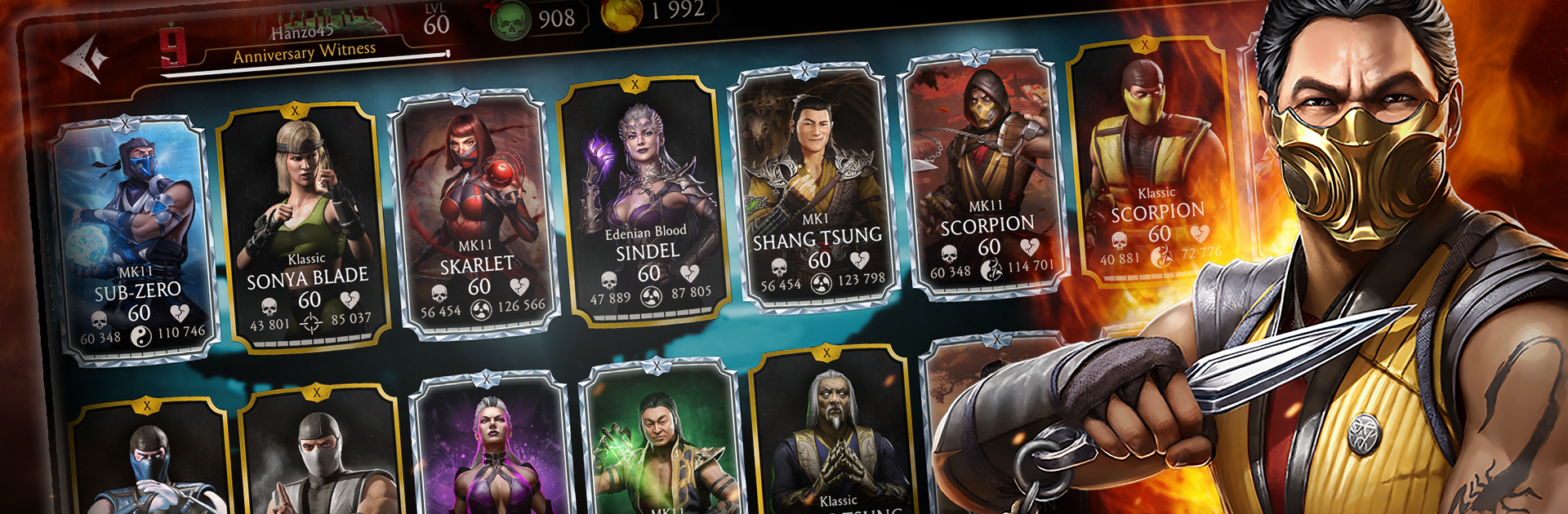
Mortal Kombat brings the series’ bone-crunching combat to your phone with fast, team-based fights and a deep roster of legends. It mixes slick touchscreen brawling with card-style collecting, so you’re always unlocking, upgrading, and experimenting with new squads. Want to play on a bigger screen? It also runs smoothly on PC with BlueStacks.

Game Features

  • Giant roster of icons: Build a collection that spans decades of Mortal Kombat history, from arcade classics to modern reimaginings. Expect fan favorites like Scorpion, Sub-Zero, Raiden, and Kitana, plus mobile-only variants and notorious guests such as Freddy Krueger, Jason Voorhees, and the Terminator.

  • Strategic 3v3 battles: Form trios, sync up specials, and swap fighters mid-fight to keep momentum. Synergy-focused teams—like MK11 or Day of the Dead lineups—can turn a close match into a clean sweep.

  • Finishers that hit hard: Equip and power up your best characters to unlock over-the-top Friendships and Brutalities. They’re flashy, brutal, and wildly satisfying to land at the perfect moment.

  • Tower events with story flavor: Climb themed, single-player Towers tied to Mortal Kombat lore. Face boss encounters—think Scorpion, Sub-Zero, or Johnny Cage—and tackle tougher Fatal versions for bigger rewards.

  • The Krypt returns: Pick your route through Shang Tsung’s domain, crack open hidden treasures, and stock up on hearts and consumables to chase Diamond fighters and rare gear.

  • Faction Wars multiplayer: Test your squads against other players’ teams, climb your Faction’s leaderboard, and snag seasonal prizes for consistent wins.

  • Weekly character Challenges: Rotate through limited-time trials to recruit new warriors and expand your lineup. Great for rounding out teams or hunting specific roles.

  • Kombat Pass seasons: Complete objectives to earn Souls, Dragon Krystals, and upgrade materials. Ascend select Gold fighters to unlock new power spikes—including access to Brutalities.

  • Feats of Strength customizations: Clear character goals to earn profile flair, victory poses, and War Banner pieces—handy for style and small stat boosts.

  • Play your way: Quick taps on mobile feel tight and responsive, and if you prefer keyboard and mouse, BlueStacks makes PC play straightforward.

Ready to top the leaderboard? We bet you do. Let precise controls and sharp visuals optimized on BlueStacks lead you to victory.

Game Features

Enhancements

  • Macros
  • Multi Instance
  • Multi Instance Sync
  • Eco Mode
  • Enhancements
Macros

Macros

Skip the boring parts of a game. Play Mortal Kombat with Macros and get the edge. Simply record a sequence of commands and execute them at any moment.
Multi Instance

Multi Instance

Why limit to one game on your phone when you can play many on your PC? Open multiple instances of Mortal Kombat at once with Multi-Instance. Leverage the power of different accounts by doing more.
Multi Instance Sync

Multi Instance Sync

Get the best out of Mortal Kombat with Multi-Instance Sync. Play the game from different accounts and build your own empire. Use Multi-instance sync to repeat the action in the main BlueStacks instance on all other instances.
Eco Mode

Eco Mode

Find the rarest heroes by making multiple summons in Mortal Kombat. And while you are at it, reduce your PC’s resource consumption with the Eco Mode. Farm efficiently. Get the best results.
Read More

How to Download and Play Mortal Kombat on PC or Mac

  • Download and install BlueStacks on your PC or Mac

  • Complete Google sign-in to access the Play Store, or do it later

  • Look for Mortal Kombat in the search bar at the top right corner

  • Click to install Mortal Kombat from the search results

  • Complete Google sign-in (if you skipped step 2) to install Mortal Kombat

  • Click the Mortal Kombat icon on the home screen to start playing

video
Watch Video

Minimum System Requirements

With BlueStacks 5, you can get started on a PC that fulfills the following requirements.

  • Operating System

    Microsoft Windows 7 or above, macOS 11 (Big Sur) or above

  • Processor

    Intel, AMD or Apple Silicon Processor

  • RAM

    at least 4GB

  • HDD

    10GB Free Disk Space

Note:

* You must be an Administrator on your PC. Up to date graphics drivers from Microsoft or the chipset vendor.

Mortal Kombat - FAQs

  • How to play Mortal Kombat on Windows PC & Mac?

    Play Mortal Kombat on your PC or Mac by following these simple steps.

    • Click on 'Play Mortal Kombat on PC’ to download BlueStacks
    • Install it and log-in to Google Play Store
    • Launch and play the game.
  • Why is BlueStacks the fastest and safest platform to play games on PC?

    BlueStacks respects your privacy and is always safe and secure to use. It does not carry any malware, spyware, or any sort of additional software that could harm your PC.

    It is engineered to optimize speed and performance for a seamless gaming experience.

  • What are Mortal Kombat PC requirements?

    Minimum requirement to run Mortal Kombat on your PC

    • OS: Microsoft Windows 7 or above MacOS 11 (Big Sur) or above
    • Processor: Intel, AMD or Apple Silicon Processor
    • RAM: Your PC must have at least 4GB of RAM. (Note that having 4GB or more disk space is not a substitute for RAM)
    • HDD: 10GB Free Disk Space.
    • You must be an Administrator on your PC.