Ratchet & Clank: Ranger Rumble

Ratchet & Clank: Ranger Rumble

Action

| PlayStation Mobile Inc.

Play on PC with BlueStacks or from our cloud

  • Overview
  • Tips & Tricks
  • Game Features
  • How to Play

Page Modified On: October 06, 2026

Play Ratchet & Clank: Ranger Rumble on PC or Mac

Step into the World of Ratchet & Clank: Ranger Rumble, a thrilling Action game from the house of PlayStation Mobile Inc.. Play this Android game on BlueStacks App Player and experience immersive gaming on PC or Mac.

About the Game

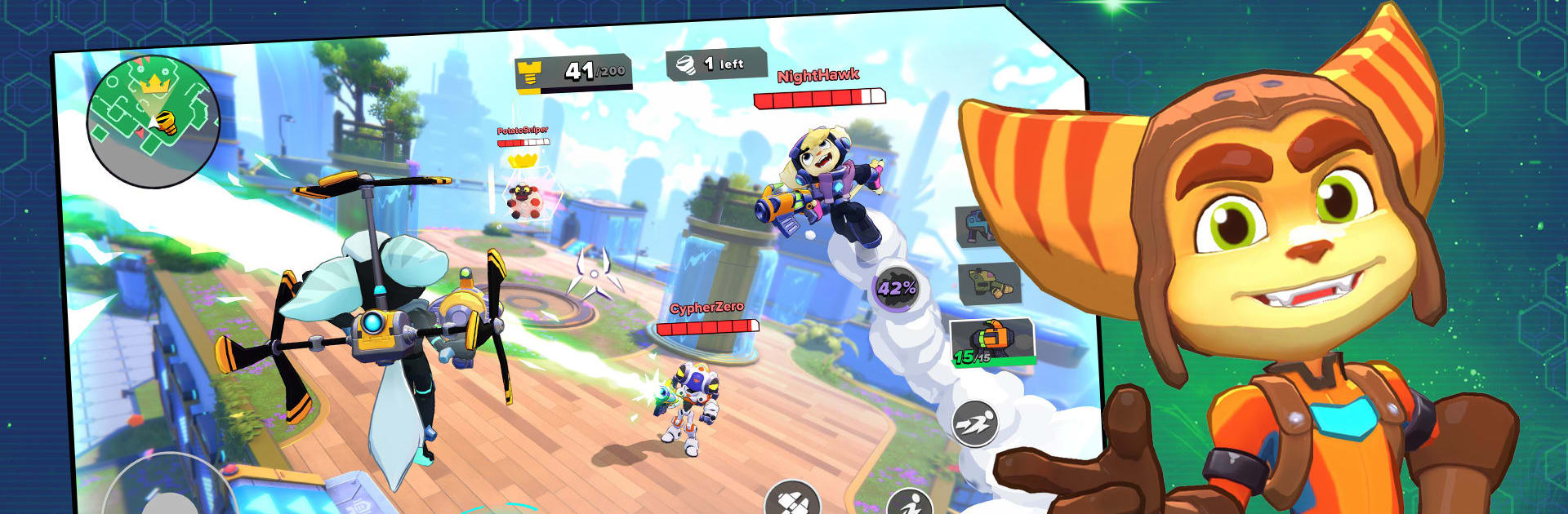
Ratchet & Clank: Ranger Rumble is a fast, funny, and chaotic Action shooter that turns every match into a highlight reel of gadgets and mayhem. Jump into quick, real-time battles where movement matters, weapons get weird (in the best way), and every hero brings a wild ultimate to the fight. Prefer a bigger screen and crisp controls? It runs nicely on BlueStacks, too.

Game Features

  • Iconic Rangers, distinct playstyles: Build a roster of heroes from across the galaxy, each packing a signature weapon, a handy gadget, and a clutch ultimate that can flip a match on its head.
  • Outrageous arsenal, classic callbacks: Spin up the Buzz Blades, unleash the Glove of Doom, roast with flamethrowers, or rain down rockets—every tool feels different, so your loadout really shapes your strategy.
  • Movement-first combat that’s pure chaos: Dash, double jump, grind rails, and wall-run while trading shots in tight, vertical arenas that reward smart positioning and sharp timing.
  • Famous worlds reimagined for brawls: Fight across recognizable hotspots like the glittering towers of Megalopolis or the rusted canyons of Torren IV, each with routes and sightlines worth mastering.
  • Modes for every mood, solo or squad: Drop into Last Stand for a shrinking-circle showdown, race for riches in Bolt Race, hold the line in Mob Rush, or throw down in Total Rumble, Team Total Rumble, and the explosive sport of Blast Ball.
  • Team synergy and smart upgrades: Power up your Rangers, fine-tune builds, and discover combos that make your squad punch way above its weight.
  • Style it your way with cosmetics: Hit Ms. Zurkon’s shop for themed sets—think Nefarious, Marauder, Q-Force, and slick Megacorp looks—and mix skins to match your vibe.
  • Always something new on the horizon: Expect fresh heroes, weapons, maps, seasonal rewards, and competitive rankings that keep matches feeling lively and worth returning to.

Ready to top the leaderboard? We bet you do. Let precise controls and sharp visuals optimized on BlueStacks lead you to victory.


Game Features

Enhancements

  • Macros
  • Multi Instance
  • Multi Instance Sync
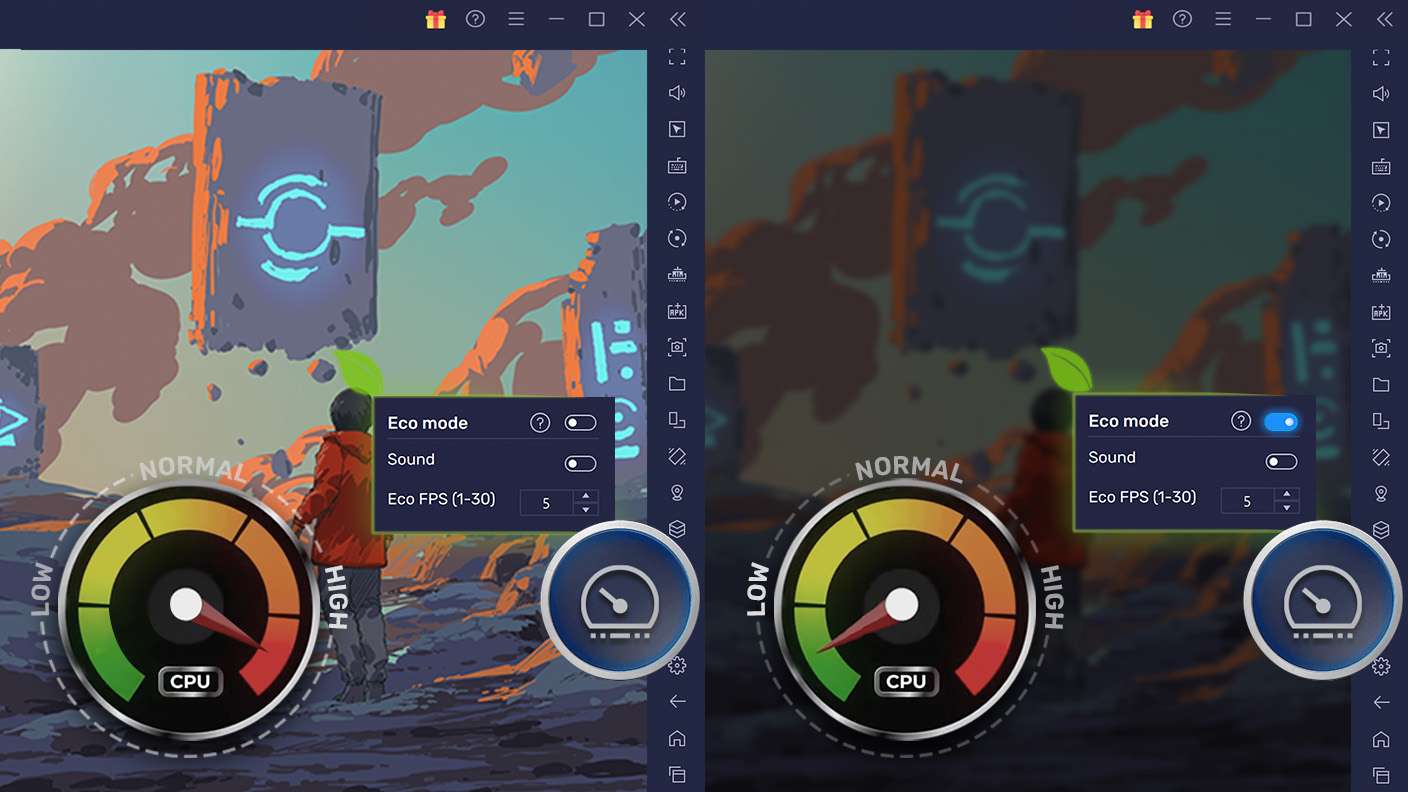
  • Eco Mode
  • Enhancements
Macros

Macros

Skip the boring parts of a game. Play Ratchet & Clank: Ranger Rumble with Macros and get the edge. Simply record a sequence of commands and execute them at any moment.
Multi Instance

Multi Instance

Why limit to one game on your phone when you can play many on your PC? Open multiple instances of Ratchet & Clank: Ranger Rumble at once with Multi-Instance. Leverage the power of different accounts by doing more.
Multi Instance Sync

Multi Instance Sync

Get the best out of Ratchet & Clank: Ranger Rumble with Multi-Instance Sync. Play the game from different accounts and build your own empire. Use Multi-instance sync to repeat the action in the main BlueStacks instance on all other instances.
Eco Mode

Eco Mode

Find the rarest heroes by making multiple summons in Ratchet & Clank: Ranger Rumble. And while you are at it, reduce your PC’s resource consumption with the Eco Mode. Farm efficiently. Get the best results.
Read More

How to Download and Play Ratchet & Clank: Ranger Rumble on PC or Mac

  • Download and install BlueStacks on your PC or Mac

  • Complete Google sign-in to access the Play Store, or do it later

  • Look for Ratchet & Clank: Ranger Rumble in the search bar at the top right corner

  • Click to install Ratchet & Clank: Ranger Rumble from the search results

  • Complete Google sign-in (if you skipped step 2) to install Ratchet & Clank: Ranger Rumble

  • Click the Ratchet & Clank: Ranger Rumble icon on the home screen to start playing

video
Watch Video

Minimum System Requirements

With BlueStacks 5, you can get started on a PC that fulfills the following requirements.

  • Operating System

    Microsoft Windows 7 or above, macOS 11 (Big Sur) or above

  • Processor

    Intel, AMD or Apple Silicon Processor

  • RAM

    at least 4GB

  • HDD

    10GB Free Disk Space

Note:

* You must be an Administrator on your PC. Up to date graphics drivers from Microsoft or the chipset vendor.

Ratchet & Clank: Ranger Rumble - FAQs

  • How to play Ratchet & Clank: Ranger Rumble on Windows PC & Mac?

    Play Ratchet & Clank: Ranger Rumble on your PC or Mac by following these simple steps.

    • Click on 'Play Ratchet & Clank: Ranger Rumble on PC’ to download BlueStacks
    • Install it and log-in to Google Play Store
    • Launch and play the game.
  • Why is BlueStacks the fastest and safest platform to play games on PC?

    BlueStacks respects your privacy and is always safe and secure to use. It does not carry any malware, spyware, or any sort of additional software that could harm your PC.

    It is engineered to optimize speed and performance for a seamless gaming experience.

  • What are Ratchet & Clank: Ranger Rumble PC requirements?

    Minimum requirement to run Ratchet & Clank: Ranger Rumble on your PC

    • OS: Microsoft Windows 7 or above MacOS 11 (Big Sur) or above
    • Processor: Intel, AMD or Apple Silicon Processor
    • RAM: Your PC must have at least 4GB of RAM. (Note that having 4GB or more disk space is not a substitute for RAM)
    • HDD: 10GB Free Disk Space.
    • You must be an Administrator on your PC.