
Exclusive Gaming Content. And More.
Get the latest updates on the BlueStacks Blog.
See More

Play on PC with BlueStacks or from our cloud
Page Modified On: June 18, 2026
Play Warhammer 40,000: Boltgun Boom by Nitro Games Oyj on PC or Mac with BlueStacks. Use a bigger screen, mouse and keyboard controls, and smoother performance while you play.
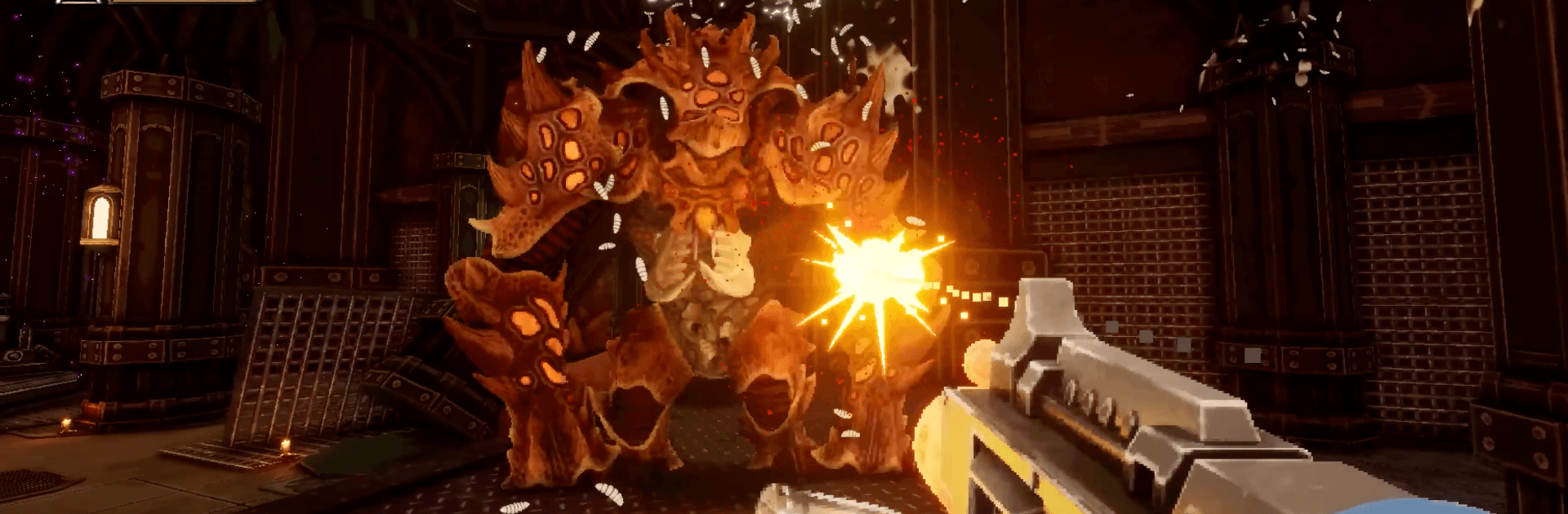
Warhammer 40,000: Boltgun Boom is a punchy, retro-flavored first-person shooter that throws you into the ceramite boots of a Space Marine. Expect frantic firefights, loud weapons, and an endless tide of heretics and horrors standing between you and victory. It’s fast, brutal, and purpose-built for quick, satisfying Action sessions on mobile.
Get ready for a buttery smooth, high-performance gaming action only on BlueStacks.
Skip the boring parts of a game. Play Warhammer 40,000: Boltgun Boom with Macros and get the edge. Simply record a sequence of commands and execute them at any moment.
Why limit to one game on your phone when you can play many on your PC? Open multiple instances of Warhammer 40,000: Boltgun Boom at once with Multi-Instance. Leverage the power of different accounts by doing more.
Get the best out of Warhammer 40,000: Boltgun Boom with Multi-Instance Sync. Play the game from different accounts and build your own empire. Use Multi-instance sync to repeat the action in the main BlueStacks instance on all other instances.
Find the rarest heroes by making multiple summons in Warhammer 40,000: Boltgun Boom. And while you are at it, reduce your PC’s resource consumption with the Eco Mode. Farm efficiently. Get the best results.
Download and install BlueStacks on your PC or Mac
Complete Google sign-in to access the Play Store, or do it later
Look for Warhammer 40,000: Boltgun Boom in the search bar at the top right corner
Click to install Warhammer 40,000: Boltgun Boom from the search results
Complete Google sign-in (if you skipped step 2) to install Warhammer 40,000: Boltgun Boom
Click the Warhammer 40,000: Boltgun Boom icon on the home screen to start playing
With BlueStacks 5, you can get started on a PC that fulfills the following requirements.
Microsoft Windows 7 or above, macOS 11 (Big Sur) or above
Intel, AMD or Apple Silicon Processor
at least 4GB
10GB Free Disk Space
* You must be an Administrator on your PC. Up to date graphics drivers from Microsoft or the chipset vendor.

Leave your email and we will notify
you when the game launches
Play Warhammer 40,000: Boltgun Boom on your PC or Mac by following these simple steps.
BlueStacks respects your privacy and is always safe and secure to use. It does not carry any malware, spyware, or any sort of additional software that could harm your PC.
It is engineered to optimize speed and performance for a seamless gaming experience.
Minimum requirement to run Warhammer 40,000: Boltgun Boom on your PC

Since you are on your phone, we are going to send you to the Google Play page.
In some cases BlueStacks uses affiliate links when linking to Google Play
BlueStacks 4 is not available on Windows XP. You must have Windows 7 or higher. Windows 10 is recommended.