
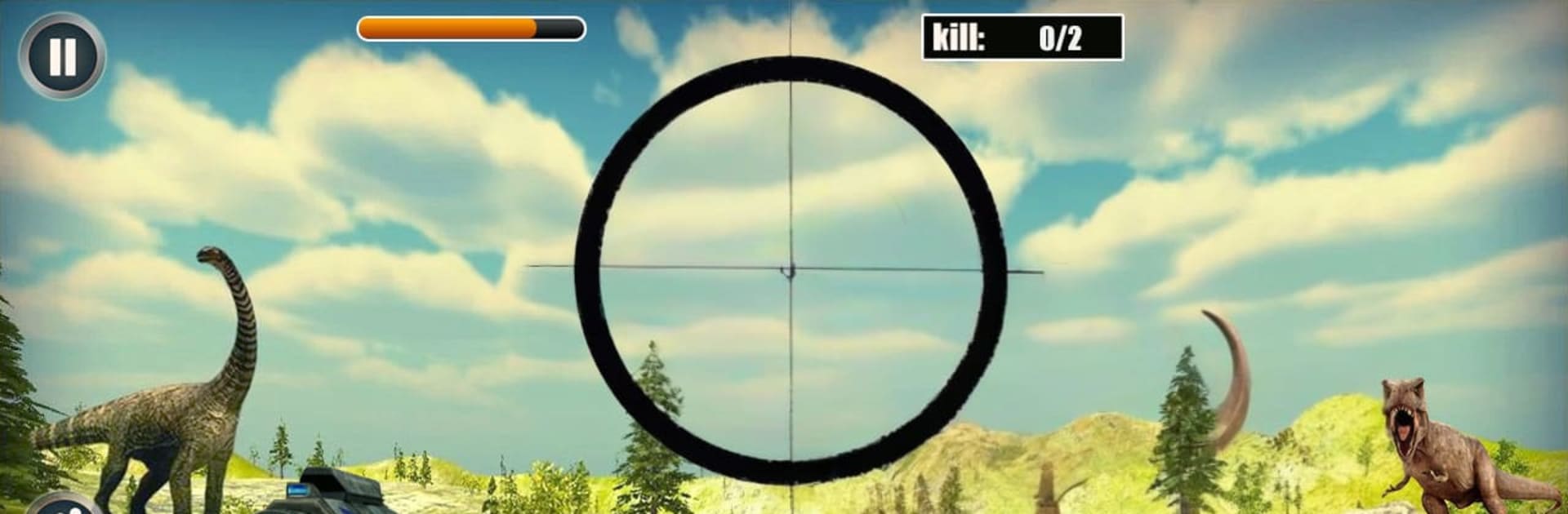
Dinosaur Hunter Deadly Hunt

Dinosaur Hunter Deadly Hunt

Adventure

| MadStream Media Network

Play on PC with BlueStacks or from our cloud

  • Overview
  • Game Features
  • How to Play

Page Modified On: October 30, 2026

Play Dinosaur Hunter Deadly Hunt on PC or Mac

Play Dinosaur Hunter Deadly Hunt by MadStream Media Network on PC or Mac with BlueStacks. Use a bigger screen, mouse and keyboard controls, and smoother performance while you play.

About the Game

Dinosaur Hunter Deadly Hunt drops you into wild, untamed terrain where you’re both the tracker and the prey. It’s an Adventure built around tense hunts, careful stealth, and those hold-your-breath moments before you pull the trigger. Prefer a bigger view and steadier aim? You can also play it on BlueStacks for a smoother, more comfortable setup.

Game Features

  • Realistic Environments: Stalk dinosaurs across dense forests, foggy wetlands, and rocky valleys, each with different sightlines, cover, and ambush spots.
  • Stealth Tracking: Hide in bushes, study patrol paths, and wait for the clean shot—charging in loud usually ends the same way.
  • Dynamic Weather: Rain and thunderstorms change visibility and sound, forcing you to adjust your approach on the fly.
  • Mission-Based Progression: Complete strategic objectives to unlock tougher hunts, new areas, and fresh challenges that test your aim and nerve.
  • Multiple Offline Modes: Jump into focused solo hunts or try special challenge runs that push your timing, accuracy, and patience.
  • Modern Weapons: Bring a reliable loadout with scoped rifles and other precision tools, then swap gear to match your target and terrain.
  • City Incursions: Take the fight out of the forest in dedicated urban scenarios where tight streets and rooftops flip your tactics.
  • Tense Audio and 3D Visuals: Loud roars, heavy footsteps, and sharp, HD visuals ramp up the pressure so you feel every step of the chase.
  • Smooth Controls: Snappy aiming and responsive movement keep the focus on planning your shot—not wrestling with the interface.

Start your journey now. Download the game on BlueStacks, invite your friends, and march on a new adventure.


Game Features

Enhancements

  • Macros
  • Multi Instance
  • Multi Instance Sync
  • Script
  • Enhancements
Macros

Macros

Automate the predictable in Dinosaur Hunter Deadly Hunt and transform your gameplay with Macros. Get access to inventive Macros in the BlueStacks Macro Community
Multi Instance

Multi Instance

Play Dinosaur Hunter Deadly Hunt on one window. And chat with your friend on the other. Press CTRL + Shift + 8 to open the Multi-Instance Manager. And start creating fresh instances or clone an existing one.
Multi Instance Sync

Multi Instance Sync

Play Dinosaur Hunter Deadly Hunt with the power of Multi-Instance Sync. Replicate what you are doing on the main instance on all other instances. Level up faster, play more.
Script

Script

Script your way to gaming glory in Dinosaur Hunter Deadly Hunt with BlueStacks Script. Write and run a set of commands to automate repeated tasks. Trigger the command by assigning it to any key.
Read More

How to Download and Play Dinosaur Hunter Deadly Hunt on PC or Mac

  • Download and install BlueStacks on your PC or Mac

  • Complete Google sign-in to access the Play Store, or do it later

  • Look for Dinosaur Hunter Deadly Hunt in the search bar at the top right corner

  • Click to install Dinosaur Hunter Deadly Hunt from the search results

  • Complete Google sign-in (if you skipped step 2) to install Dinosaur Hunter Deadly Hunt

  • Click the Dinosaur Hunter Deadly Hunt icon on the home screen to start playing

video
Watch Video

Minimum System Requirements

With BlueStacks 5, you can get started on a PC that fulfills the following requirements.

  • Operating System

    Microsoft Windows 7 or above, macOS 11 (Big Sur) or above

  • Processor

    Intel, AMD or Apple Silicon Processor

  • RAM

    at least 4GB

  • HDD

    10GB Free Disk Space

Note:

* You must be an Administrator on your PC. Up to date graphics drivers from Microsoft or the chipset vendor.

Dinosaur Hunter Deadly Hunt - FAQs

  • How to play Dinosaur Hunter Deadly Hunt on Windows PC & Mac?

    Play Dinosaur Hunter Deadly Hunt on your PC or Mac by following these simple steps.

    • Click on 'Play Dinosaur Hunter Deadly Hunt on PC’ to download BlueStacks
    • Install it and log-in to Google Play Store
    • Launch and play the game.
  • Why is BlueStacks the fastest and safest platform to play games on PC?

    BlueStacks respects your privacy and is always safe and secure to use. It does not carry any malware, spyware, or any sort of additional software that could harm your PC.

    It is engineered to optimize speed and performance for a seamless gaming experience.

  • What are Dinosaur Hunter Deadly Hunt PC requirements?

    Minimum requirement to run Dinosaur Hunter Deadly Hunt on your PC

    • OS: Microsoft Windows 7 or above MacOS 11 (Big Sur) or above
    • Processor: Intel, AMD or Apple Silicon Processor
    • RAM: Your PC must have at least 4GB of RAM. (Note that having 4GB or more disk space is not a substitute for RAM)
    • HDD: 10GB Free Disk Space.
    • You must be an Administrator on your PC.







