Discounty: Supermarket Manager

Discounty: Supermarket Manager

Adventure

| Snapbreak

Play on PC with BlueStacks or from our cloud

Click here to Pre-Register for Discounty: Supermarket Manager
  • Overview
  • Features
  • How to Play

Page Modified On: June 18, 2026

Play Discounty: Supermarket Manager on PC or Mac

Explore a whole new adventure with Discounty: Supermarket Manager, a Adventure game created by Snapbreak. Experience great gameplay with BlueStacks, the most popular gaming platform to play Android games on your PC or Mac.

About the Game

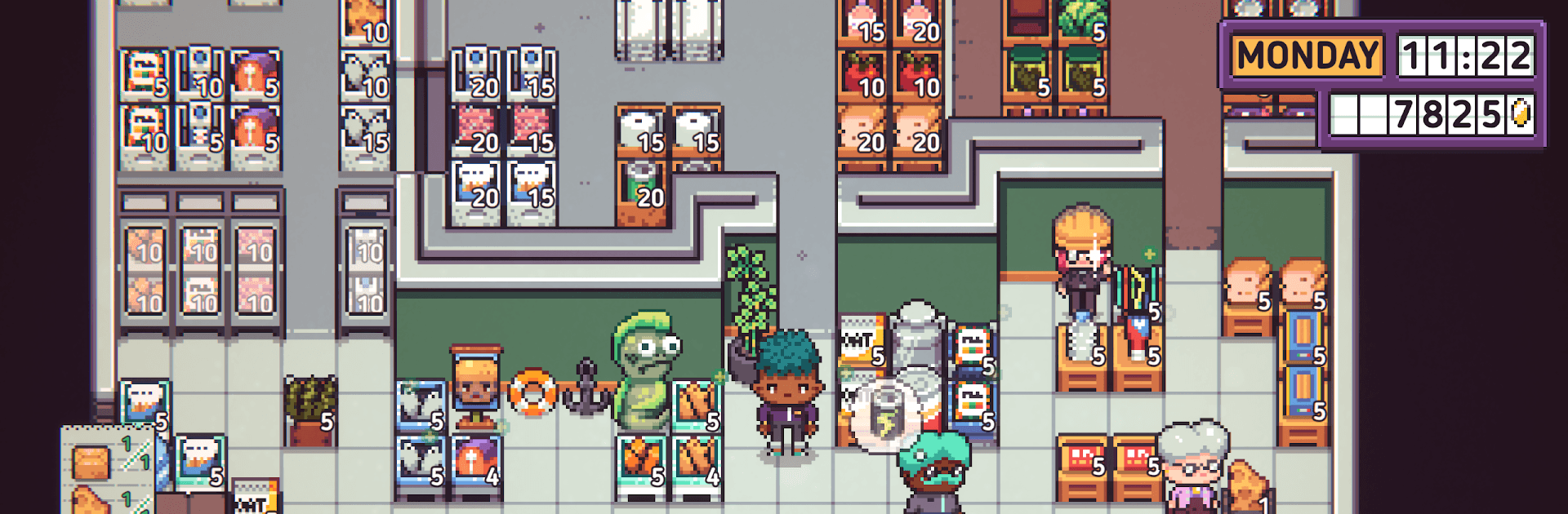
Discounty: Supermarket Manager is a story-forward management game about running a scrappy neighborhood grocery store in the harbor town of Blomkest. You’re stepping in for your mysterious aunt, balancing day-to-day shopkeeping with small-town drama, prickly personalities, and choices that actually matter. Prefer a bigger screen and sharper clicks? It plays smoothly on BlueStacks.

Game Features

  • A town with opinions: Blomkest is packed with colorful locals—some friendly, some… not yet. Earn trust, build regulars, and watch how every interaction nudges the community in one direction or another.
  • Hands-on shopkeeping: Stock shelves, keep the floor spotless, manage the back room, and work the register. Quick service keeps carts full and tempers cool.
  • Layout that sells: Move shelves, plan aisles, and dress up the space to guide foot traffic and nudge impulse buys. A tidy, clever layout pays for itself.
  • Local supply deals: Track down manufacturers, win them over, and lock in specialty goods that make your store stand out from the chain down the road.
  • After-hours exploring: Walk the docks, chat with townsfolk, and uncover rumors and favors that open new opportunities for your shop.
  • Grow the business (carefully): Expand floor space, add new product lines, and spread the word around town—just be ready for the ripple effects your success can cause.
  • Character your way: Pick a look, throw on an outfit that fits your vibe, and name your manager however you like.
  • A meaty single-player arc: Settle in for a thoughtful, choice-driven campaign where profits, people, and personal values don’t always point in the same direction.

Start playing Discounty: Supermarket Manager on BlueStacks and get a smoother, more comfortable PC or Mac setup.


Features

  • Macros

    Automate the predictable in Discounty: Supermarket Manager and transform your gameplay with Macros. Get access to inventive Macros in the BlueStacks Macro Community

  • Multi Instance

    Play Discounty: Supermarket Manager on one window. And chat with your friend on the other. Press CTRL + Shift + 8 to open the Multi-Instance Manager. And start creating fresh instances or clone an existing one.

  • Multi Instance Sync

    Play Discounty: Supermarket Manager with the power of Multi-Instance Sync. Replicate what you are doing on the main instance on all other instances. Level up faster, play more.

  • Script

    Script your way to gaming glory in Discounty: Supermarket Manager with BlueStacks Script. Write and run a set of commands to automate repeated tasks. Trigger the command by assigning it to any key.

How to Download and Play Discounty: Supermarket Manager on PC or Mac

  • Download and install BlueStacks on your PC or Mac

  • Complete Google sign-in to access the Play Store, or do it later

  • Look for Discounty: Supermarket Manager in the search bar at the top right corner

  • Click to install Discounty: Supermarket Manager from the search results

  • Complete Google sign-in (if you skipped step 2) to install Discounty: Supermarket Manager

  • Click the Discounty: Supermarket Manager icon on the home screen to start playing

video
Watch Video

Minimum System Requirements

With BlueStacks 5, you can get started on a PC that fulfills the following requirements.

  • Operating System

    Microsoft Windows 7 or above, macOS 11 (Big Sur) or above

  • Processor

    Intel, AMD or Apple Silicon Processor

  • RAM

    at least 4GB

  • HDD

    10GB Free Disk Space

Note:

* You must be an Administrator on your PC. Up to date graphics drivers from Microsoft or the chipset vendor.

Exclusive Gaming Content. And More.

Get the latest updates on the BlueStacks Blog.

See More
Discounty: Supermarket Manager

Be among the first to play Discounty: Supermarket Manager on PC

Get notified when the Game launches

Discounty: Supermarket Manager - FAQs

  • How to play Discounty: Supermarket Manager on Windows PC & Mac?

    Play Discounty: Supermarket Manager on your PC or Mac by following these simple steps.

    • Click on 'Play Discounty: Supermarket Manager on PC’ to download BlueStacks
    • Install it and log-in to Google Play Store
    • Launch and play the game.
  • Why is BlueStacks the fastest and safest platform to play games on PC?

    BlueStacks respects your privacy and is always safe and secure to use. It does not carry any malware, spyware, or any sort of additional software that could harm your PC.

    It is engineered to optimize speed and performance for a seamless gaming experience.

  • What are Discounty: Supermarket Manager PC requirements?

    Minimum requirement to run Discounty: Supermarket Manager on your PC

    • OS: Microsoft Windows 7 or above MacOS 11 (Big Sur) or above
    • Processor: Intel, AMD or Apple Silicon Processor
    • RAM: Your PC must have at least 4GB of RAM. (Note that having 4GB or more disk space is not a substitute for RAM)
    • HDD: 10GB Free Disk Space.
    • You must be an Administrator on your PC.