Ranch Life: Animal Farm Sim

Ranch Life: Animal Farm Sim

Adventure

| Apex Bound Studio Private Limited

Play on PC with BlueStacks or from our cloud

  • Overview
  • Game Features
  • How to Play

Page Modified On: July 20, 2026

Play Ranch Life: Animal Farm Sim on PC or Mac

Step into the World of Ranch Life: Animal Farm Sim, a thrilling Adventure game from the house of Apex Bound Studio Private Limited. Play this Android game on BlueStacks App Player and experience immersive gaming on PC or Mac.

About the Game

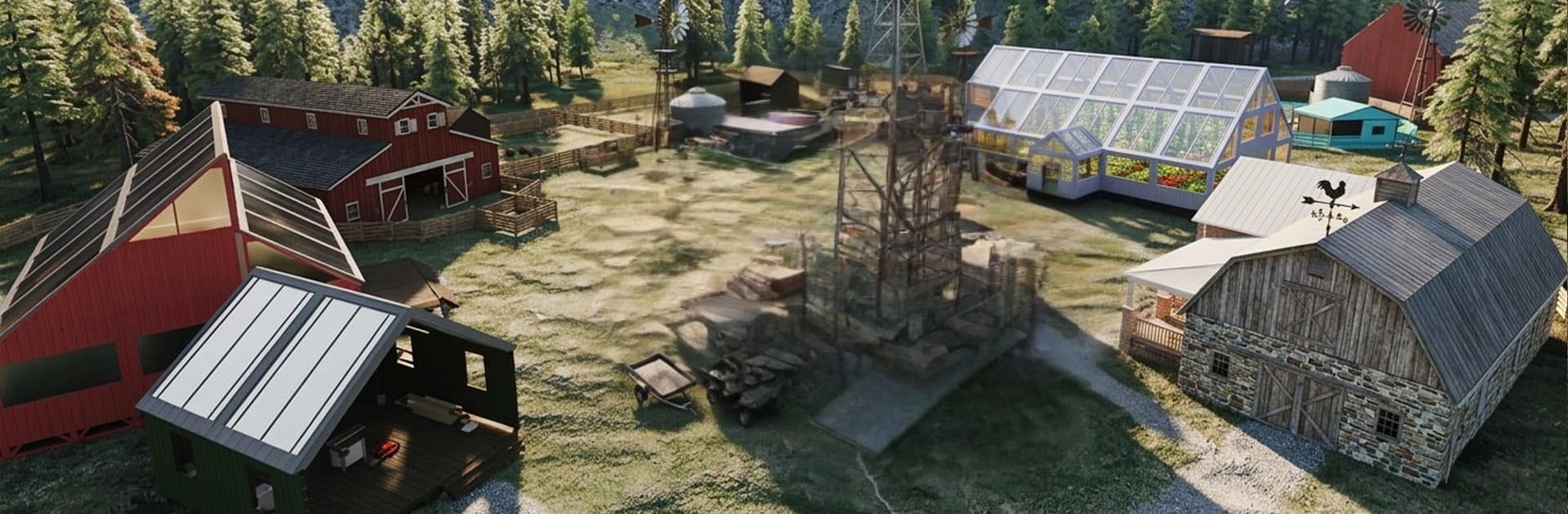
Ranch Life: Animal Farm Sim is a cozy Adventure that hands you the keys to a quiet countryside ranch. Start with a modest patch of land, then turn it into a warm, bustling homestead by growing crops, caring for animals, and improving your buildings. It’s a laid-back farming sim with satisfying routines and plenty of little goals to chase at your own pace.

Game Features

  • Animal Care
    Feed and look after cows, chickens, sheep, goats, and horses. Keep pens tidy, keep bellies full, and watch the ranch feel alive as your herd thrives.

  • Plant, Grow, Harvest
    Set up fields for wheat, corn, fruits, and vegetables. Plan your plots, time your harvests, and keep the pantry stocked with fresh produce.

  • Build and Expand
    Upgrade barns, coops, stables, and work areas to boost productivity. Add new structures as your land grows from a humble start into a full-fledged ranch.

  • Relaxing Country Pace
    Unwind with gentle tasks, peaceful visuals, and a slow-and-steady loop that’s perfect for short breaks or long, mellow sessions.

  • Smart Resource Management
    Balance animal feed, storage space, and crop cycles so everything runs smoothly without wasting a minute or a bushel.

  • Layout Your Way
    Arrange buildings, paths, and fences to shape a ranch that feels personal—neat and tidy or charmingly rustic, your call.

  • Bigger-Screen Option
    Prefer a roomier view and comfy controls? Ranch Life: Animal Farm Sim plays nicely on PC with BlueStacks for an easygoing desktop setup.

Start your journey now. Download the game on BlueStacks, invite your friends, and march on a new adventure.


Game Features

Enhancements

  • Macros
  • Multi Instance
  • Multi Instance Sync
  • Script
  • Enhancements
Macros

Macros

Automate the predictable in Ranch Life: Animal Farm Sim and transform your gameplay with Macros. Get access to inventive Macros in the BlueStacks Macro Community
Multi Instance

Multi Instance

Play Ranch Life: Animal Farm Sim on one window. And chat with your friend on the other. Press CTRL + Shift + 8 to open the Multi-Instance Manager. And start creating fresh instances or clone an existing one.
Multi Instance Sync

Multi Instance Sync

Play Ranch Life: Animal Farm Sim with the power of Multi-Instance Sync. Replicate what you are doing on the main instance on all other instances. Level up faster, play more.
Script

Script

Script your way to gaming glory in Ranch Life: Animal Farm Sim with BlueStacks Script. Write and run a set of commands to automate repeated tasks. Trigger the command by assigning it to any key.
Read More

How to Download and Play Ranch Life: Animal Farm Sim on PC or Mac

  • Download and install BlueStacks on your PC or Mac

  • Complete Google sign-in to access the Play Store, or do it later

  • Look for Ranch Life: Animal Farm Sim in the search bar at the top right corner

  • Click to install Ranch Life: Animal Farm Sim from the search results

  • Complete Google sign-in (if you skipped step 2) to install Ranch Life: Animal Farm Sim

  • Click the Ranch Life: Animal Farm Sim icon on the home screen to start playing

video
Watch Video

Minimum System Requirements

With BlueStacks 5, you can get started on a PC that fulfills the following requirements.

  • Operating System

    Microsoft Windows 7 or above, macOS 11 (Big Sur) or above

  • Processor

    Intel, AMD or Apple Silicon Processor

  • RAM

    at least 4GB

  • HDD

    10GB Free Disk Space

Note:

* You must be an Administrator on your PC. Up to date graphics drivers from Microsoft or the chipset vendor.

Ranch Life: Animal Farm Sim - FAQs

  • How to play Ranch Life: Animal Farm Sim on Windows PC & Mac?

    Play Ranch Life: Animal Farm Sim on your PC or Mac by following these simple steps.

    • Click on 'Play Ranch Life: Animal Farm Sim on PC’ to download BlueStacks
    • Install it and log-in to Google Play Store
    • Launch and play the game.
  • Why is BlueStacks the fastest and safest platform to play games on PC?

    BlueStacks respects your privacy and is always safe and secure to use. It does not carry any malware, spyware, or any sort of additional software that could harm your PC.

    It is engineered to optimize speed and performance for a seamless gaming experience.

  • What are Ranch Life: Animal Farm Sim PC requirements?

    Minimum requirement to run Ranch Life: Animal Farm Sim on your PC

    • OS: Microsoft Windows 7 or above MacOS 11 (Big Sur) or above
    • Processor: Intel, AMD or Apple Silicon Processor
    • RAM: Your PC must have at least 4GB of RAM. (Note that having 4GB or more disk space is not a substitute for RAM)
    • HDD: 10GB Free Disk Space.
    • You must be an Administrator on your PC.