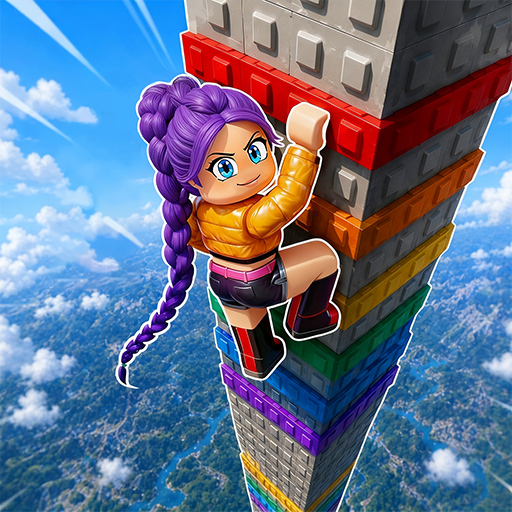
School boy Escape Challenge 3d

School boy Escape Challenge 3d

Adventure

| Apex Interactive Studios

Play on PC with BlueStacks or from our cloud

  • Overview
  • Game Features
  • How to Play

Page Modified On: August 10, 2026

Play School boy Escape Challenge 3d on PC or Mac

School boy Escape Challenge 3d brings the Adventure genre to life, and throws up exciting challenges for gamers. Developed by Apex Interactive Studios, this Android game is best experienced on BlueStacks, the World’s #1 app player for PC and Mac users.

About the Game

School boy Escape Challenge 3d is an Adventure puzzler where a quick-thinking kid keeps landing in locked rooms and tight spots—and it’s on you to get him out. Each scene is a little mystery: rummage around, connect the dots, and figure out the one path that opens the door to freedom. It’s light on fluff and big on brainwork, perfect when you want something clever without the clutter.

Game Features

  • Tricky Escapes: Slip out of places like classrooms and detention rooms by spotting what others might miss and turning small clues into a full exit plan.
  • Smart Puzzles: Codes, patterns, and logic challenges keep your brain engaged, asking you to think a step ahead rather than just tap around.
  • Search Everything: Every corner might hide a hint, key, or detail that ties the whole solution together—curiosity is rewarded.
  • Steady Difficulty: Levels start simple and get tougher, gradually testing your creativity and problem-solving without feeling unfair.
  • Mystery + Strategy: It’s not just about finding items; it’s about using them in the right order and reading the room like a detective.
  • Sharpen Your Focus: The game trains attention to detail, nudging you to notice color cues, shapes, and odd placements that others overlook.
  • Clean, No-Fuss Flow: Jump in, solve a room, move on—quick sessions that still feel satisfying.
  • Flexible Play: Prefer a bigger screen and precise controls? It runs smoothly on BlueStacks, so you can puzzle things out on your PC if you like.

Ready to top the leaderboard? We bet you do. Let precise controls and sharp visuals optimized on BlueStacks lead you to victory.


Game Features

Enhancements

  • Macros
  • Multi Instance
  • Multi Instance Sync
  • Script
  • Enhancements
Macros

Macros

Automate the predictable in School boy Escape Challenge 3d and transform your gameplay with Macros. Get access to inventive Macros in the BlueStacks Macro Community
Multi Instance

Multi Instance

Play School boy Escape Challenge 3d on one window. And chat with your friend on the other. Press CTRL + Shift + 8 to open the Multi-Instance Manager. And start creating fresh instances or clone an existing one.
Multi Instance Sync

Multi Instance Sync

Play School boy Escape Challenge 3d with the power of Multi-Instance Sync. Replicate what you are doing on the main instance on all other instances. Level up faster, play more.
Script

Script

Script your way to gaming glory in School boy Escape Challenge 3d with BlueStacks Script. Write and run a set of commands to automate repeated tasks. Trigger the command by assigning it to any key.
Read More

How to Download and Play School boy Escape Challenge 3d on PC or Mac

  • Download and install BlueStacks on your PC or Mac

  • Complete Google sign-in to access the Play Store, or do it later

  • Look for School boy Escape Challenge 3d in the search bar at the top right corner

  • Click to install School boy Escape Challenge 3d from the search results

  • Complete Google sign-in (if you skipped step 2) to install School boy Escape Challenge 3d

  • Click the School boy Escape Challenge 3d icon on the home screen to start playing

video
Watch Video

Minimum System Requirements

With BlueStacks 5, you can get started on a PC that fulfills the following requirements.

  • Operating System

    Microsoft Windows 7 or above, macOS 11 (Big Sur) or above

  • Processor

    Intel, AMD or Apple Silicon Processor

  • RAM

    at least 4GB

  • HDD

    10GB Free Disk Space

Note:

* You must be an Administrator on your PC. Up to date graphics drivers from Microsoft or the chipset vendor.

School boy Escape Challenge 3d - FAQs

  • How to play School boy Escape Challenge 3d on Windows PC & Mac?

    Play School boy Escape Challenge 3d on your PC or Mac by following these simple steps.

    • Click on 'Play School boy Escape Challenge 3d on PC’ to download BlueStacks
    • Install it and log-in to Google Play Store
    • Launch and play the game.
  • Why is BlueStacks the fastest and safest platform to play games on PC?

    BlueStacks respects your privacy and is always safe and secure to use. It does not carry any malware, spyware, or any sort of additional software that could harm your PC.

    It is engineered to optimize speed and performance for a seamless gaming experience.

  • What are School boy Escape Challenge 3d PC requirements?

    Minimum requirement to run School boy Escape Challenge 3d on your PC

    • OS: Microsoft Windows 7 or above MacOS 11 (Big Sur) or above
    • Processor: Intel, AMD or Apple Silicon Processor
    • RAM: Your PC must have at least 4GB of RAM. (Note that having 4GB or more disk space is not a substitute for RAM)
    • HDD: 10GB Free Disk Space.
    • You must be an Administrator on your PC.