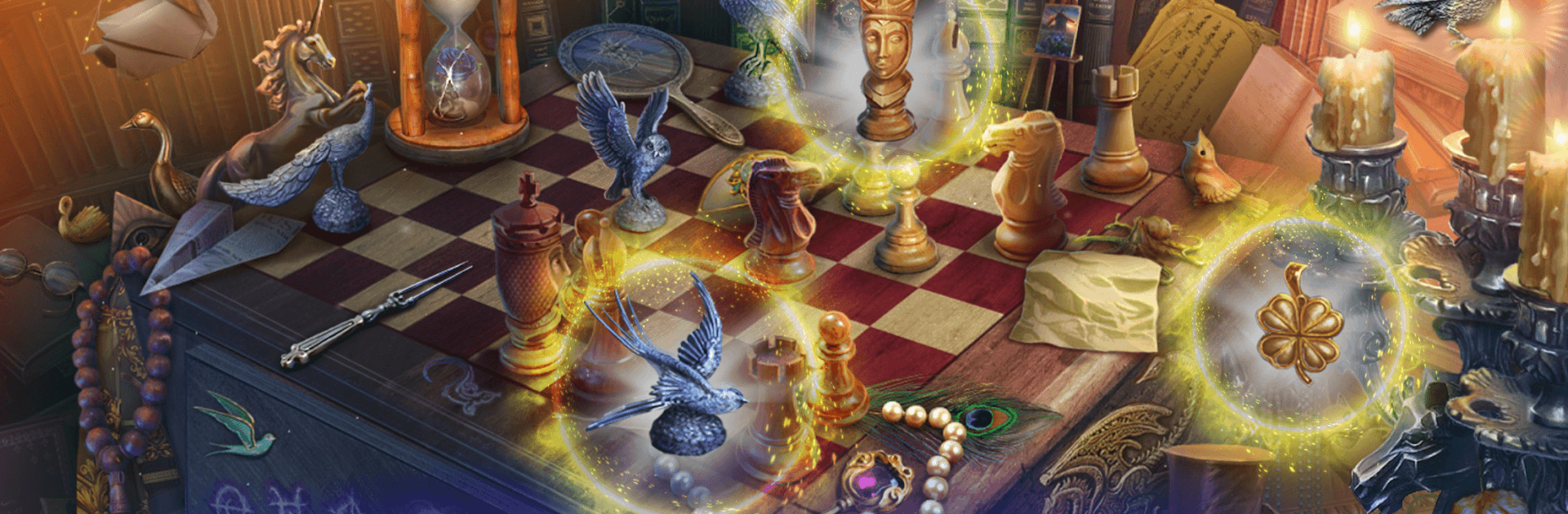
The Blue Chamber Mystery (F2P)

The Blue Chamber Mystery (F2P)

Adventure

| Friendly Fox Games

Play on PC with BlueStacks or from our cloud

  • Overview
  • Game Features
  • How to Play

Page Modified On: July 14, 2026

Play The Blue Chamber Mystery (F2P) on PC or Mac

Play The Blue Chamber Mystery (F2P) by Friendly Fox Games on PC or Mac with BlueStacks. Use a bigger screen, mouse and keyboard controls, and smoother performance while you play.

About the Game

The Blue Chamber Mystery (F2P) is an Adventure built around a missing person, a haunted painting, and a castle that seems to remember everything. You play as Alex, arriving at Bird’s Nest Castle to visit his sister—only to find she’s vanished and something isn’t right with the art on the walls. Expect a moody hidden-object journey packed with clever puzzles, strange folklore, and secrets tucked into every room.

Game Features

  • Eerie Castle Setting: Roam more than forty atmospheric locations—from blue-lit corridors to forgotten wings—each one stuffed with clues and curious details.
  • Hidden-Object Scenes: Scan richly drawn scenes to spot crucial items, assemble tools, and unlock new routes through the estate.
  • Smart Puzzles & Mini-Games: Tackle logic challenges, brain teasers, and escape‑room style mechanisms that reward observation and a bit of experimentation.
  • Twisting Mystery: Follow rumors of an old curse and a painting that refuses to stay still, piecing together what really happened to Alex’s sister.
  • Choices That Matter: Make key decisions at pivotal moments and see how they nudge the story toward different outcomes.
  • Explore at Your Pace: Play the main story for free; if a puzzle stalls you, optional hints are available so you can keep moving.
  • Satisfying Progression: Unlock new areas, connect notes and artifacts, and stitch together the castle’s dark history one discovery at a time.
  • Play Your Way: Enjoy on mobile, or use BlueStacks on PC if you prefer a bigger screen and comfy controls.

Get ready for a buttery smooth, high-performance gaming action only on BlueStacks.

Game Features

Enhancements

  • Macros
  • Multi Instance
  • Multi Instance Sync
  • Script
  • Enhancements
Macros

Macros

Automate the predictable in The Blue Chamber Mystery (F2P) and transform your gameplay with Macros. Get access to inventive Macros in the BlueStacks Macro Community
Multi Instance

Multi Instance

Play The Blue Chamber Mystery (F2P) on one window. And chat with your friend on the other. Press CTRL + Shift + 8 to open the Multi-Instance Manager. And start creating fresh instances or clone an existing one.
Multi Instance Sync

Multi Instance Sync

Play The Blue Chamber Mystery (F2P) with the power of Multi-Instance Sync. Replicate what you are doing on the main instance on all other instances. Level up faster, play more.
Script

Script

Script your way to gaming glory in The Blue Chamber Mystery (F2P) with BlueStacks Script. Write and run a set of commands to automate repeated tasks. Trigger the command by assigning it to any key.
Read More

How to Download and Play The Blue Chamber Mystery (F2P) on PC or Mac

  • Download and install BlueStacks on your PC or Mac

  • Complete Google sign-in to access the Play Store, or do it later

  • Look for The Blue Chamber Mystery (F2P) in the search bar at the top right corner

  • Click to install The Blue Chamber Mystery (F2P) from the search results

  • Complete Google sign-in (if you skipped step 2) to install The Blue Chamber Mystery (F2P)

  • Click the The Blue Chamber Mystery (F2P) icon on the home screen to start playing

video
Watch Video

Minimum System Requirements

With BlueStacks 5, you can get started on a PC that fulfills the following requirements.

  • Operating System

    Microsoft Windows 7 or above, macOS 11 (Big Sur) or above

  • Processor

    Intel, AMD or Apple Silicon Processor

  • RAM

    at least 4GB

  • HDD

    10GB Free Disk Space

Note:

* You must be an Administrator on your PC. Up to date graphics drivers from Microsoft or the chipset vendor.

The Blue Chamber Mystery (F2P) - FAQs

  • How to play The Blue Chamber Mystery (F2P) on Windows PC & Mac?

    Play The Blue Chamber Mystery (F2P) on your PC or Mac by following these simple steps.

    • Click on 'Play The Blue Chamber Mystery (F2P) on PC’ to download BlueStacks
    • Install it and log-in to Google Play Store
    • Launch and play the game.
  • Why is BlueStacks the fastest and safest platform to play games on PC?

    BlueStacks respects your privacy and is always safe and secure to use. It does not carry any malware, spyware, or any sort of additional software that could harm your PC.

    It is engineered to optimize speed and performance for a seamless gaming experience.

  • What are The Blue Chamber Mystery (F2P) PC requirements?

    Minimum requirement to run The Blue Chamber Mystery (F2P) on your PC

    • OS: Microsoft Windows 7 or above MacOS 11 (Big Sur) or above
    • Processor: Intel, AMD or Apple Silicon Processor
    • RAM: Your PC must have at least 4GB of RAM. (Note that having 4GB or more disk space is not a substitute for RAM)
    • HDD: 10GB Free Disk Space.
    • You must be an Administrator on your PC.