Holein 2: Hole Eat Bricks

Holein 2: Hole Eat Bricks

Arcade

| "Inkos" io games

Play on PC with BlueStacks or from our cloud

  • Overview
  • Game Features
  • How to Play

Page Modified On: June 09, 2026

Play Holein 2: Hole Eat Bricks on PC or Mac

Explore a whole new adventure with Holein 2: Hole Eat Bricks, a Arcade game created by “Inkos” io games. Experience great gameplay with BlueStacks, the most popular gaming platform to play Android games on your PC or Mac.

About the Game

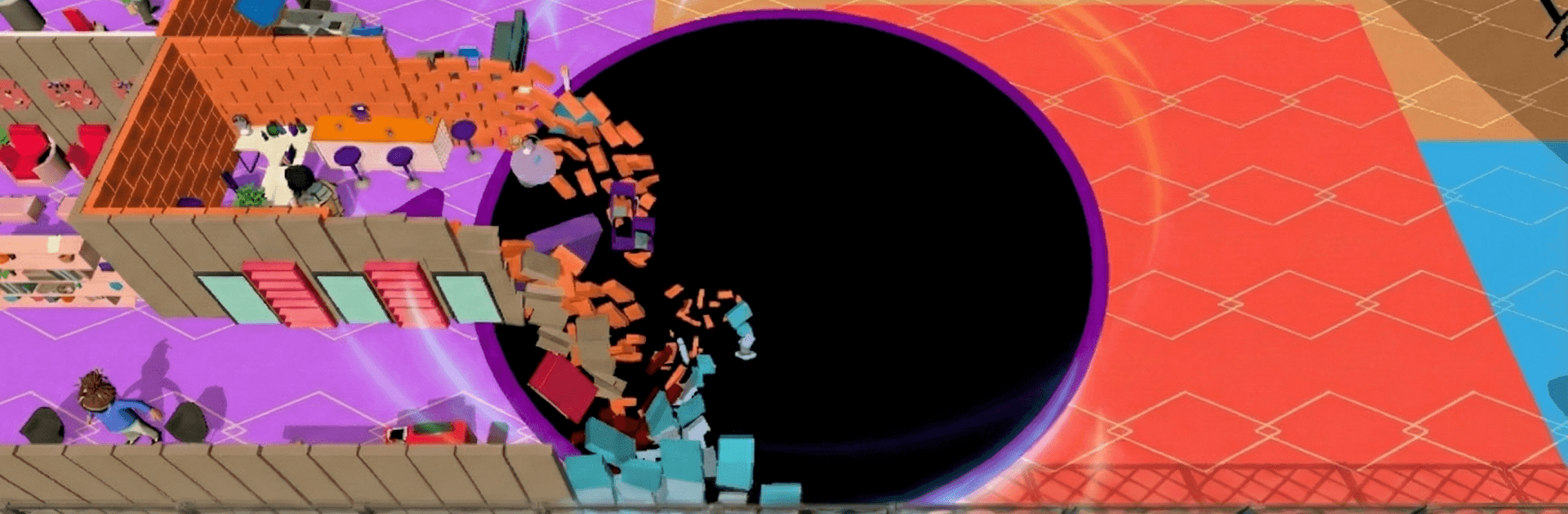
Holein 2: Hole Eat Bricks is a snappy Arcade game where you steer a hungry void around indoor spaces and turn chaos into points. Rooms aren’t just scenery—they’re playgrounds packed with furniture, props, and brick walls begging to be busted. Grow your hole, carve new paths, and outsmart rivals in fast, satisfying rounds. Prefer a bigger screen? It plays great on PC with BlueStacks.

Game Features

  • Indoor Mayhem
    Explore museums, hotels, malls, and showrooms packed with stuff to swallow, from sofas to statues—and plenty of moving targets.

  • Physics-Driven Destruction
    Smash brick walls and watch them shatter realistically. Every piece becomes food, and every new opening is a shortcut to more loot.

  • Goals and Progression
    Each location splits into levels with different objectives. Knock them out, collect gears, and open fresh areas with new challenges.

  • Modes for Every Mood
    Jump into Classic for high scores, Solo for time-limited targets, Endless to clear the room fast, or Elimination where the slowest gets booted. Special twists include mines, maze-like layouts, blackout rooms, and boss encounters.

  • Smart AI Competition
    Play entirely offline against opponents that behave like real players—aggressive when it counts and sneaky when you least expect it.

  • Boosters That Matter
    Pop a Speed burst, pull items in with a Magnet, grow on the spot with a Size boost, trigger an Earthquake to make instant bricks, drop a Clone to help hoover, or Freeze enemies.

  • Skins With Perks
    Pick looks that actually change gameplay: permanent magnet effects, higher speed, larger base size, bonus XP, or extra booster time. Build a style that fits how you like to play.

  • Pick-Up-and-Play
    Perfect for quick sessions or long streaks, fully offline, with plenty to chase even after you’ve seen every room.

Start playing Holein 2: Hole Eat Bricks on BlueStacks and get a smoother, more comfortable PC or Mac setup.


Game Features

Enhancements

  • Macros
  • Multi Instance
  • Multi Instance Sync
  • Script
  • Enhancements
Macros

Macros

Automate the predictable in Holein 2: Hole Eat Bricks and transform your gameplay with Macros. Get access to inventive Macros in the BlueStacks Macro Community
Multi Instance

Multi Instance

Play Holein 2: Hole Eat Bricks on one window. And chat with your friend on the other. Press CTRL + Shift + 8 to open the Multi-Instance Manager. And start creating fresh instances or clone an existing one.
Multi Instance Sync

Multi Instance Sync

Play Holein 2: Hole Eat Bricks with the power of Multi-Instance Sync. Replicate what you are doing on the main instance on all other instances. Level up faster, play more.
Script

Script

Script your way to gaming glory in Holein 2: Hole Eat Bricks with BlueStacks Script. Write and run a set of commands to automate repeated tasks. Trigger the command by assigning it to any key.
Read More

How to Download and Play Holein 2: Hole Eat Bricks on PC or Mac

  • Download and install BlueStacks on your PC or Mac

  • Complete Google sign-in to access the Play Store, or do it later

  • Look for Holein 2: Hole Eat Bricks in the search bar at the top right corner

  • Click to install Holein 2: Hole Eat Bricks from the search results

  • Complete Google sign-in (if you skipped step 2) to install Holein 2: Hole Eat Bricks

  • Click the Holein 2: Hole Eat Bricks icon on the home screen to start playing

video
Watch Video

Minimum System Requirements

With BlueStacks 5, you can get started on a PC that fulfills the following requirements.

  • Operating System

    Microsoft Windows 7 or above, macOS 11 (Big Sur) or above

  • Processor

    Intel, AMD or Apple Silicon Processor

  • RAM

    at least 4GB

  • HDD

    10GB Free Disk Space

Note:

* You must be an Administrator on your PC. Up to date graphics drivers from Microsoft or the chipset vendor.

Holein 2: Hole Eat Bricks - FAQs

  • How to play Holein 2: Hole Eat Bricks on Windows PC & Mac?

    Play Holein 2: Hole Eat Bricks on your PC or Mac by following these simple steps.

    • Click on 'Play Holein 2: Hole Eat Bricks on PC’ to download BlueStacks
    • Install it and log-in to Google Play Store
    • Launch and play the game.
  • Why is BlueStacks the fastest and safest platform to play games on PC?

    BlueStacks respects your privacy and is always safe and secure to use. It does not carry any malware, spyware, or any sort of additional software that could harm your PC.

    It is engineered to optimize speed and performance for a seamless gaming experience.

  • What are Holein 2: Hole Eat Bricks PC requirements?

    Minimum requirement to run Holein 2: Hole Eat Bricks on your PC

    • OS: Microsoft Windows 7 or above MacOS 11 (Big Sur) or above
    • Processor: Intel, AMD or Apple Silicon Processor
    • RAM: Your PC must have at least 4GB of RAM. (Note that having 4GB or more disk space is not a substitute for RAM)
    • HDD: 10GB Free Disk Space.
    • You must be an Administrator on your PC.