Specimen Zero - Online horror

Specimen Zero - Online horror

Arcade

| Café Studio Games

Play on PC with BlueStacks or from our cloud

  • Overview
  • Game Features
  • How to Play

Page Modified On: April 08, 2026

Play Specimen Zero - Online horror on PC or Mac

From the innovators and creators at Café Studio Games, Specimen Zero – Online horror is another fun addition to the World of Arcade games. Go beyond your mobile screen and play it bigger and better on your PC or Mac. An immersive experience awaits you.

About the Game

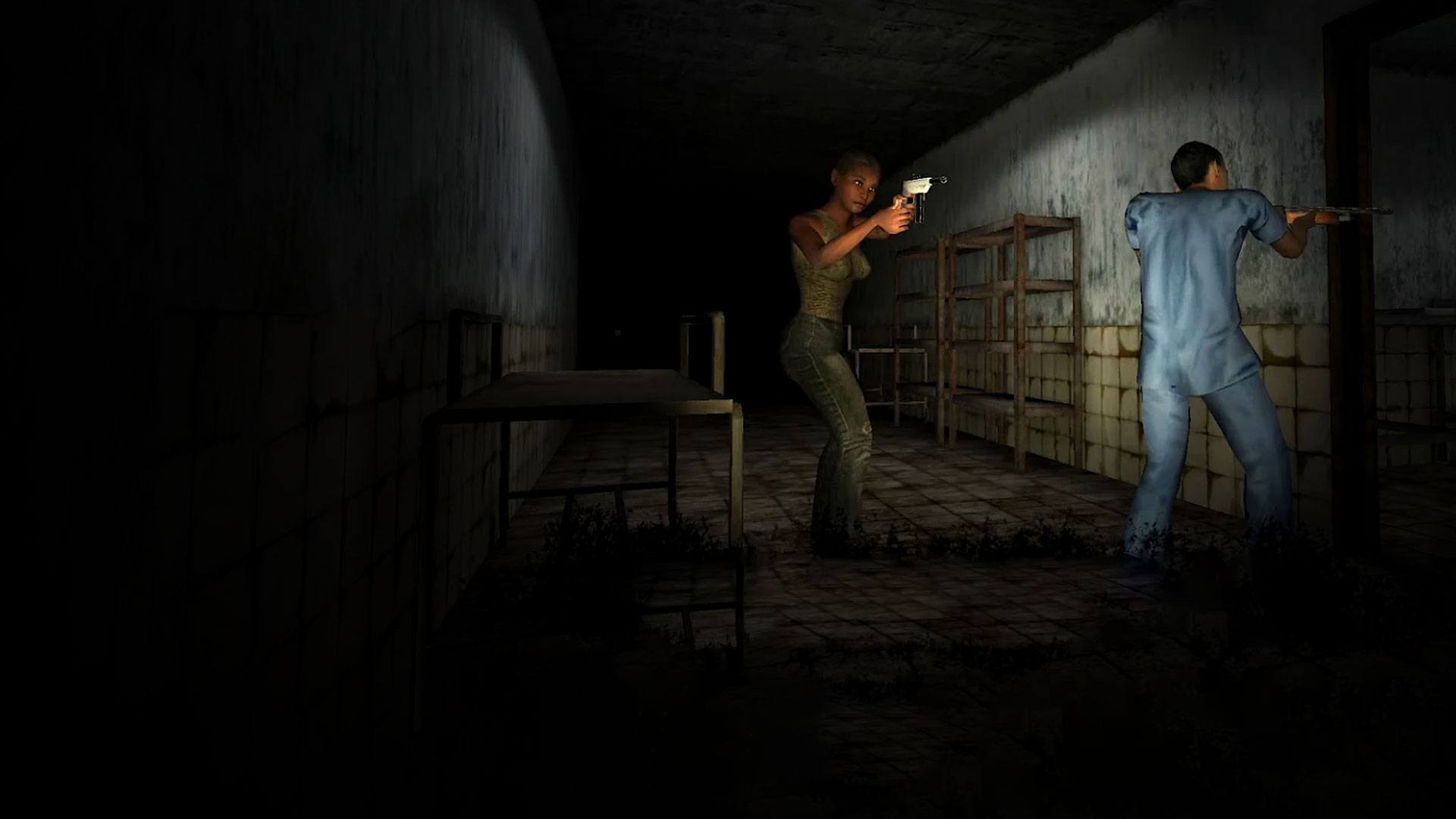
Specimen Zero – Online horror drops you into a place you definitely don’t remember choosing. You wake up, the lights flicker, and something out there is listening for you. This Arcade scare-fest from Café Studio Games is all about sneaking, scavenging, and keeping your cool—whether you’re playing solo or teaming up with friends.

Game Features

  • Terrifying cat-and-mouse: The creature hunts by sound and sight. Move slow, watch your light, and think twice before sprinting down that hallway.
  • Huge, connected map: Hospitals, labs, locked wings, back rooms—the layout winds together with shortcuts and dead ends that reward careful exploration.
  • Puzzles with purpose: Find keys, codes, and tools, then piece together how they fit. Every item you pocket can open a new path—or save your skin.
  • Online co-op with friends: Team up to split tasks, call out clues, or distract the monster while someone else sneaks past. It’s way less lonely, but no less tense.
  • Stealth-first gameplay: Hide, peek, and plan your routes. Doors, closets, and corners become your best friends when things get loud.
  • Sound that matters: Footsteps, rattles, distant growls—audio cues are your guide. Headphones make it easier to tell where danger’s coming from.
  • Play your way: Tackle the nightmare alone for a purist challenge or jump into multiplayer when you want backup.
  • Subtle PC boost with BlueStacks: Prefer a bigger screen and customizable controls? Running the game on BlueStacks can help with smooth aiming and hearing those tiny audio details.
  • Made with care: Crafted by Café Studio Games, it focuses on tight tension, smart scares, and that “one more try” feeling.

Start your journey now. Download the game on BlueStacks, invite your friends, and march on a new adventure.


Game Features

Game controls

  • Movement

Enhancements

  • Macros
  • Multi Instance
  • Multi Instance Sync
  • Script
  • Game controls
  • Enhancements
Movement
Macros

Macros

Automate the predictable in Specimen Zero - Online horror and transform your gameplay with Macros. Get access to inventive Macros in the BlueStacks Macro Community
Multi Instance

Multi Instance

Play Specimen Zero - Online horror on one window. And chat with your friend on the other. Press CTRL + Shift + 8 to open the Multi-Instance Manager. And start creating fresh instances or clone an existing one.
Multi Instance Sync

Multi Instance Sync

Play Specimen Zero - Online horror with the power of Multi-Instance Sync. Replicate what you are doing on the main instance on all other instances. Level up faster, play more.
Script

Script

Script your way to gaming glory in Specimen Zero - Online horror with BlueStacks Script. Write and run a set of commands to automate repeated tasks. Trigger the command by assigning it to any key.
Read More

How to Download and Play Specimen Zero - Online horror on PC or Mac

  • Download and install BlueStacks on your PC or Mac

  • Complete Google sign-in to access the Play Store, or do it later

  • Look for Specimen Zero - Online horror in the search bar at the top right corner

  • Click to install Specimen Zero - Online horror from the search results

  • Complete Google sign-in (if you skipped step 2) to install Specimen Zero - Online horror

  • Click the Specimen Zero - Online horror icon on the home screen to start playing

video
Watch Video

Minimum System Requirements

With BlueStacks 5, you can get started on a PC that fulfills the following requirements.

  • Operating System

    Microsoft Windows 7 or above, macOS 11 (Big Sur) or above

  • Processor

    Intel, AMD or Apple Silicon Processor

  • RAM

    at least 4GB

  • HDD

    10GB Free Disk Space

Note:

* You must be an Administrator on your PC. Up to date graphics drivers from Microsoft or the chipset vendor.

Specimen Zero - Online horror - FAQs

  • How to play Specimen Zero - Online horror on Windows PC & Mac?

    Play Specimen Zero - Online horror on your PC or Mac by following these simple steps.

    • Click on 'Play Specimen Zero - Online horror on PC’ to download BlueStacks
    • Install it and log-in to Google Play Store
    • Launch and play the game.
  • Why is BlueStacks the fastest and safest platform to play games on PC?

    BlueStacks respects your privacy and is always safe and secure to use. It does not carry any malware, spyware, or any sort of additional software that could harm your PC.

    It is engineered to optimize speed and performance for a seamless gaming experience.

  • What are Specimen Zero - Online horror PC requirements?

    Minimum requirement to run Specimen Zero - Online horror on your PC

    • OS: Microsoft Windows 7 or above MacOS 11 (Big Sur) or above
    • Processor: Intel, AMD or Apple Silicon Processor
    • RAM: Your PC must have at least 4GB of RAM. (Note that having 4GB or more disk space is not a substitute for RAM)
    • HDD: 10GB Free Disk Space.
    • You must be an Administrator on your PC.