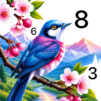
Craft Color By Number Game

Craft Color By Number Game

Board

| Art Coloring Group

Play on PC with BlueStacks or from our cloud

  • Overview
  • Game Features
  • How to Play

Page Modified On: July 14, 2026

Play Craft Color By Number Game on PC or Mac

Craft Color By Number Game brings the Board genre to life, and throws up exciting challenges for gamers. Developed by Art Coloring Group, this Android game is best experienced on BlueStacks, the World’s #1 app player for PC and Mac users.

About the Game

Craft Color By Number Game is all about slow, soothing coloring with a handmade twist. Instead of flat fills, each tap adds layers and textures that feel stitched, molded, or folded—like a tiny craft project coming to life. It’s a calm, cozy Board experience where you color by numbers, watch depth appear, and end up with art that looks wonderfully tactile.

Game Features

  • Textured, handcrafted look: Colors stack into layers that feel like felt, paper, clay, thread, and more—giving every picture a warm, crafted vibe.
  • Easy paint-by-number flow: Tap the numbered spots, fill them in, and relax. No drawing skills needed, just a comfy rhythm and a bit of patience.
  • Craft-inspired designs: Find pages influenced by embroidery, relief work, clay modeling, felt art, quilling, paper collage, even shell-style details.
  • A finish that feels complete: Each piece looks like a decorative keepsake—something you’ll actually want to save.
  • Themes you’ll want to color: Cozy animals and birds, blooms and landscapes, quaint cottages and castles, comfort food spreads, and gentle fantasy scenes with dragons and fairies.
  • Smooth controls and helpers: Zoom in for tiny spaces, use handy tools to spot the last little bits, and enjoy a polished, no-fuss interface.
  • Save and share with ease: Keep your favorites or show them off once every detail is filled.
  • Relax on your schedule: Perfect for short breaks, winding down at night, or quiet weekend sessions when you just want to zone out.
  • Comfortable on any screen: Play on your phone—or use BlueStacks if you’d like a roomier view while you color.

Get ready for a buttery smooth, high-performance gaming action only on BlueStacks.

Game Features

Enhancements

  • Macros
  • Multi Instance
  • Multi Instance Sync
  • Script
  • Enhancements
Macros

Macros

Automate the predictable in Craft Color By Number Game and transform your gameplay with Macros. Get access to inventive Macros in the BlueStacks Macro Community
Multi Instance

Multi Instance

Play Craft Color By Number Game on one window. And chat with your friend on the other. Press CTRL + Shift + 8 to open the Multi-Instance Manager. And start creating fresh instances or clone an existing one.
Multi Instance Sync

Multi Instance Sync

Play Craft Color By Number Game with the power of Multi-Instance Sync. Replicate what you are doing on the main instance on all other instances. Level up faster, play more.
Script

Script

Script your way to gaming glory in Craft Color By Number Game with BlueStacks Script. Write and run a set of commands to automate repeated tasks. Trigger the command by assigning it to any key.
Read More

How to Download and Play Craft Color By Number Game on PC or Mac

  • Download and install BlueStacks on your PC or Mac

  • Complete Google sign-in to access the Play Store, or do it later

  • Look for Craft Color By Number Game in the search bar at the top right corner

  • Click to install Craft Color By Number Game from the search results

  • Complete Google sign-in (if you skipped step 2) to install Craft Color By Number Game

  • Click the Craft Color By Number Game icon on the home screen to start playing

video
Watch Video

Minimum System Requirements

With BlueStacks 5, you can get started on a PC that fulfills the following requirements.

  • Operating System

    Microsoft Windows 7 or above, macOS 11 (Big Sur) or above

  • Processor

    Intel, AMD or Apple Silicon Processor

  • RAM

    at least 4GB

  • HDD

    10GB Free Disk Space

Note:

* You must be an Administrator on your PC. Up to date graphics drivers from Microsoft or the chipset vendor.

Craft Color By Number Game - FAQs

  • How to play Craft Color By Number Game on Windows PC & Mac?

    Play Craft Color By Number Game on your PC or Mac by following these simple steps.

    • Click on 'Play Craft Color By Number Game on PC’ to download BlueStacks
    • Install it and log-in to Google Play Store
    • Launch and play the game.
  • Why is BlueStacks the fastest and safest platform to play games on PC?

    BlueStacks respects your privacy and is always safe and secure to use. It does not carry any malware, spyware, or any sort of additional software that could harm your PC.

    It is engineered to optimize speed and performance for a seamless gaming experience.

  • What are Craft Color By Number Game PC requirements?

    Minimum requirement to run Craft Color By Number Game on your PC

    • OS: Microsoft Windows 7 or above MacOS 11 (Big Sur) or above
    • Processor: Intel, AMD or Apple Silicon Processor
    • RAM: Your PC must have at least 4GB of RAM. (Note that having 4GB or more disk space is not a substitute for RAM)
    • HDD: 10GB Free Disk Space.
    • You must be an Administrator on your PC.