Abyssal Soul - Card Roguelike

Abyssal Soul - Card Roguelike

Card

| ChillyRoom

Play on PC with BlueStacks or from our cloud

Click here to Pre-Register for Abyssal Soul - Card Roguelike
  • Overview
  • Features
  • How to Play

Page Modified On: June 04, 2026

Play Abyssal Soul - Card Roguelike on PC or Mac

Bring your A-game to Abyssal Soul – Card Roguelike, the Card game sensation from ChillyRoom. Give your gameplay the much-needed boost with precise game controls, high FPS graphics, and top-tier features on your PC or Mac with BlueStacks.

About the Game

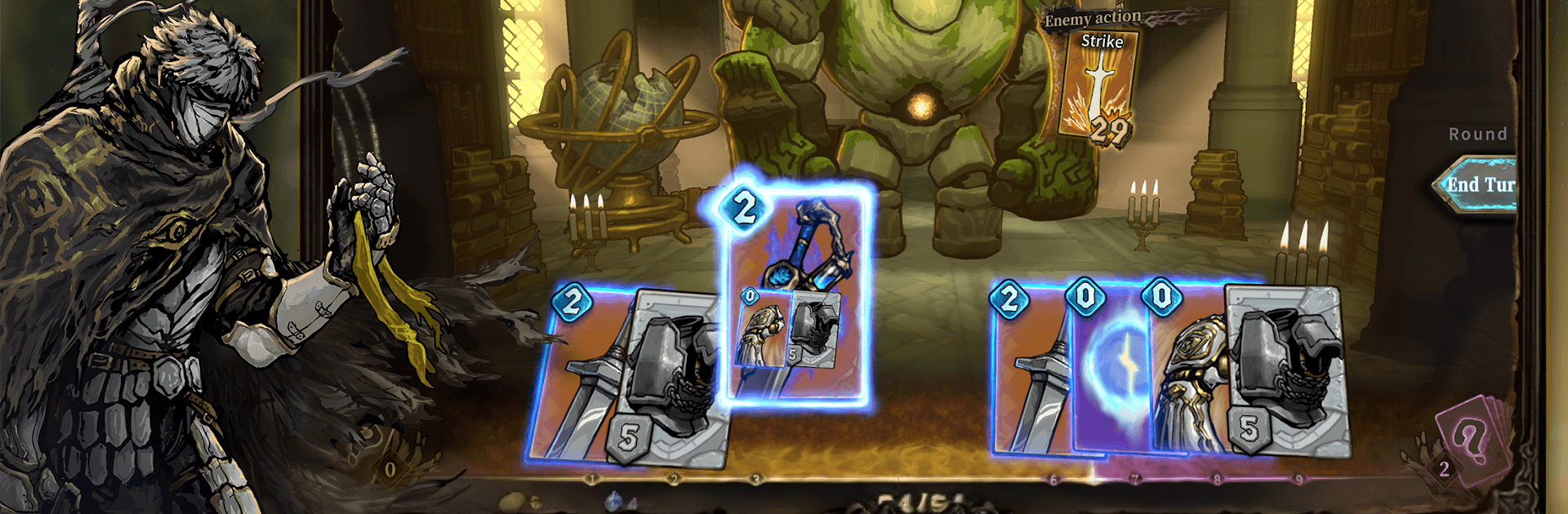
Abyssal Soul – Card Roguelike is a turn-based Card adventure where every move has a cost—literally. Its twisty combat asks you to play cards in just the right order, because each cast burns the ones behind it. Plan your route through shifting dreamscapes, tune your deck between fights, and decide what you’re willing to sacrifice to survive.

Game Features

  • Sequential card combat: Playing a card consumes later cards as the price, so order isn’t just important—it’s everything. Shuffle your hand on the fly, time your damage windows, and manage resources with care.

  • Read the enemy: You can preview an opponent’s upcoming sequence, letting you respond with cool-headed counters instead of guesswork. No timers, no rush—just clean, turn-based strategy.

  • Deep deck-building: Build out wild synergies with cards, blessings, runes, and amulets. With over 500 cards, 120+ blessings, 48 runes, and 103 amulets, there’s always a new combo to chase and a fresh run to explore.

  • Classes with personality: Four classes and fifteen characters shake up how you play—shield-savvy warriors, melody-slinging musicians, wuxia-inspired duelists, and elemental sorcerers. Each brings its own card pool, talents, and starting loadout.

  • Route choices and events: Pick paths, weigh risks, and face strange dream anomalies. Shops, elites, and story events push you to gamble or play it safe.

  • Hand-drawn dark fantasy: A moody blend of classical fantasy and Lovecraftian nightmares, backed by detailed animations and punchy effects.

  • Play how you like: Touch controls feel great on mobile, and BlueStacks is there if you want keyboard and mouse on a bigger screen.

Start playing Abyssal Soul – Card Roguelike on BlueStacks and get a smoother, more comfortable PC or Mac setup.


Features

  • Macros

    Automate the predictable in Abyssal Soul - Card Roguelike and transform your gameplay with Macros. Get access to inventive Macros in the BlueStacks Macro Community

  • Multi Instance

    Play Abyssal Soul - Card Roguelike on one window. And chat with your friend on the other. Press CTRL + Shift + 8 to open the Multi-Instance Manager. And start creating fresh instances or clone an existing one.

  • Multi Instance Sync

    Play Abyssal Soul - Card Roguelike with the power of Multi-Instance Sync. Replicate what you are doing on the main instance on all other instances. Level up faster, play more.

  • Script

    Script your way to gaming glory in Abyssal Soul - Card Roguelike with BlueStacks Script. Write and run a set of commands to automate repeated tasks. Trigger the command by assigning it to any key.

How to Download and Play Abyssal Soul - Card Roguelike on PC or Mac

  • Download and install BlueStacks on your PC or Mac

  • Complete Google sign-in to access the Play Store, or do it later

  • Look for Abyssal Soul - Card Roguelike in the search bar at the top right corner

  • Click to install Abyssal Soul - Card Roguelike from the search results

  • Complete Google sign-in (if you skipped step 2) to install Abyssal Soul - Card Roguelike

  • Click the Abyssal Soul - Card Roguelike icon on the home screen to start playing

video
Watch Video

Minimum System Requirements

With BlueStacks 5, you can get started on a PC that fulfills the following requirements.

  • Operating System

    Microsoft Windows 7 or above, macOS 11 (Big Sur) or above

  • Processor

    Intel, AMD or Apple Silicon Processor

  • RAM

    at least 4GB

  • HDD

    10GB Free Disk Space

Note:

* You must be an Administrator on your PC. Up to date graphics drivers from Microsoft or the chipset vendor.

Exclusive Gaming Content. And More.

Get the latest updates on the BlueStacks Blog.

See More
Abyssal Soul - Card Roguelike

Be among the first to play Abyssal Soul - Card Roguelike on PC

Get notified when the Game launches

Abyssal Soul - Card Roguelike - FAQs

  • How to play Abyssal Soul - Card Roguelike on Windows PC & Mac?

    Play Abyssal Soul - Card Roguelike on your PC or Mac by following these simple steps.

    • Click on 'Play Abyssal Soul - Card Roguelike on PC’ to download BlueStacks
    • Install it and log-in to Google Play Store
    • Launch and play the game.
  • Why is BlueStacks the fastest and safest platform to play games on PC?

    BlueStacks respects your privacy and is always safe and secure to use. It does not carry any malware, spyware, or any sort of additional software that could harm your PC.

    It is engineered to optimize speed and performance for a seamless gaming experience.

  • What are Abyssal Soul - Card Roguelike PC requirements?

    Minimum requirement to run Abyssal Soul - Card Roguelike on your PC

    • OS: Microsoft Windows 7 or above MacOS 11 (Big Sur) or above
    • Processor: Intel, AMD or Apple Silicon Processor
    • RAM: Your PC must have at least 4GB of RAM. (Note that having 4GB or more disk space is not a substitute for RAM)
    • HDD: 10GB Free Disk Space.
    • You must be an Administrator on your PC.