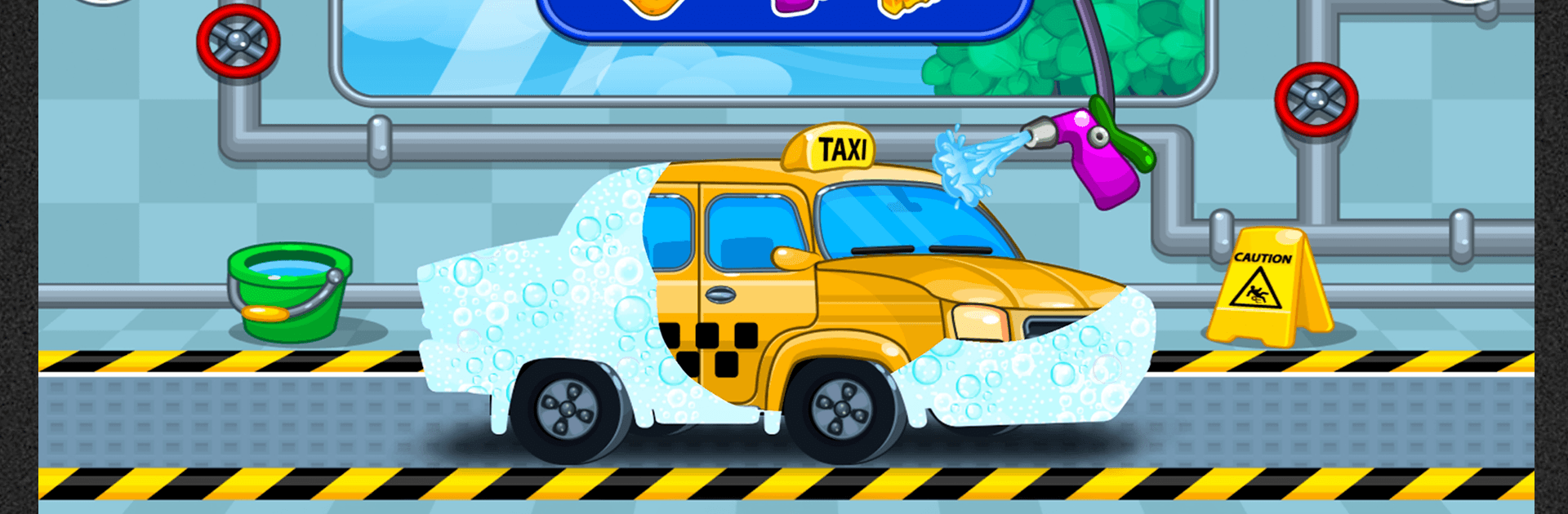
Car wash
Car wash

Car wash

Casual

| Y-Group games

Play on PC with BlueStacks or from our cloud

  • Overview
  • Game Features
  • How to Play

Page Modified On: October 13, 2026

Play Car wash on PC or Mac

Step into the World of Car wash, a thrilling Casual game from the house of Y-Group games. Play this Android game on BlueStacks App Player and experience immersive gaming on PC or Mac.

About the Game
Car wash is a Casual game that turns a simple chore into a oddly satisfying routine. Pick a vehicle, roll up your sleeves, and make it sparkle—then give it a fresh look with new wheels, paint, and stickers. It’s relaxing, hands-on, and a little bit artsy. Prefer a bigger screen? You can also play on PC with BlueStacks.

Game Features
– Wide range of vehicles: Clean everything from tiny motorcycles to city buses, chunky trucks, and family cars, each with its own shape and grime to tackle.
– Real wash tools: Spray, soak, scrub, and rinse using hoses, brushes, foam cannons, and more to lift off mud, dust, and stubborn stains.
– Step-by-step detailing: Work through a satisfying routine—prewash, scrub, rinse, dry, and polish—until every panel gleams.
– Wheel upgrades: Swap out worn tires for shiny rims and fresh rubber to finish the job with a crisp, tuned look.
– Paint booth options: Respray the body in bold colors or soft tones, then seal the deal with patterns, gradients, or a glossy finish.
– Stickers and art: Go beyond standard paints—add decals or hand-drawn touches to craft a style that’s unmistakably yours.
– Precision that feels good: Calm, focused tasks reward careful moves and attention to detail, great for players who enjoy neat results.
– Simple, friendly controls: Jump in and start cleaning right away, with smooth interactions that make each job feel clean and snappy.

BlueStacks gives you more room to focus on the game and less time adjusting around mobile limitations.


Game Features

Enhancements

  • Macros
  • Multi Instance
  • Script
  • Repeated Tap
  • Enhancements
Macros

Macros

Automate the predictable in Car wash and transform your gameplay with Macros. Get access to inventive Macros in the BlueStacks Macro Community
Multi Instance

Multi Instance

Play Car wash on one window. And chat with your friend on the other. Press CTRL + Shift + 8 to open the Multi-Instance Manager. And start creating fresh instances or clone an existing one.
Script

Script

Script your way to gaming glory in Car wash with BlueStacks Script. Write and run a set of commands to automate repeated tasks. Trigger the command by assigning it to any key.
Repeated Tap

Repeated Tap

BlueStacks lets you master Car wash with useful features like the Repeated Tap. Now you do not have to press the same key repeatedly to initiate an action. Just assign it to one key and you are good to go.
Read More

How to Download and Play Car wash on PC or Mac

  • Download and install BlueStacks on your PC or Mac

  • Complete Google sign-in to access the Play Store, or do it later

  • Look for Car wash in the search bar at the top right corner

  • Click to install Car wash from the search results

  • Complete Google sign-in (if you skipped step 2) to install Car wash

  • Click the Car wash icon on the home screen to start playing

video
Watch Video

Minimum System Requirements

With BlueStacks 5, you can get started on a PC that fulfills the following requirements.

  • Operating System

    Microsoft Windows 7 or above, macOS 11 (Big Sur) or above

  • Processor

    Intel, AMD or Apple Silicon Processor

  • RAM

    at least 4GB

  • HDD

    10GB Free Disk Space

Note:

* You must be an Administrator on your PC. Up to date graphics drivers from Microsoft or the chipset vendor.

Car wash - FAQs

  • How to play Car wash on Windows PC & Mac?

    Play Car wash on your PC or Mac by following these simple steps.

    • Click on 'Play Car wash on PC’ to download BlueStacks
    • Install it and log-in to Google Play Store
    • Launch and play the game.
  • Why is BlueStacks the fastest and safest platform to play games on PC?

    BlueStacks respects your privacy and is always safe and secure to use. It does not carry any malware, spyware, or any sort of additional software that could harm your PC.

    It is engineered to optimize speed and performance for a seamless gaming experience.

  • What are Car wash PC requirements?

    Minimum requirement to run Car wash on your PC

    • OS: Microsoft Windows 7 or above MacOS 11 (Big Sur) or above
    • Processor: Intel, AMD or Apple Silicon Processor
    • RAM: Your PC must have at least 4GB of RAM. (Note that having 4GB or more disk space is not a substitute for RAM)
    • HDD: 10GB Free Disk Space.
    • You must be an Administrator on your PC.