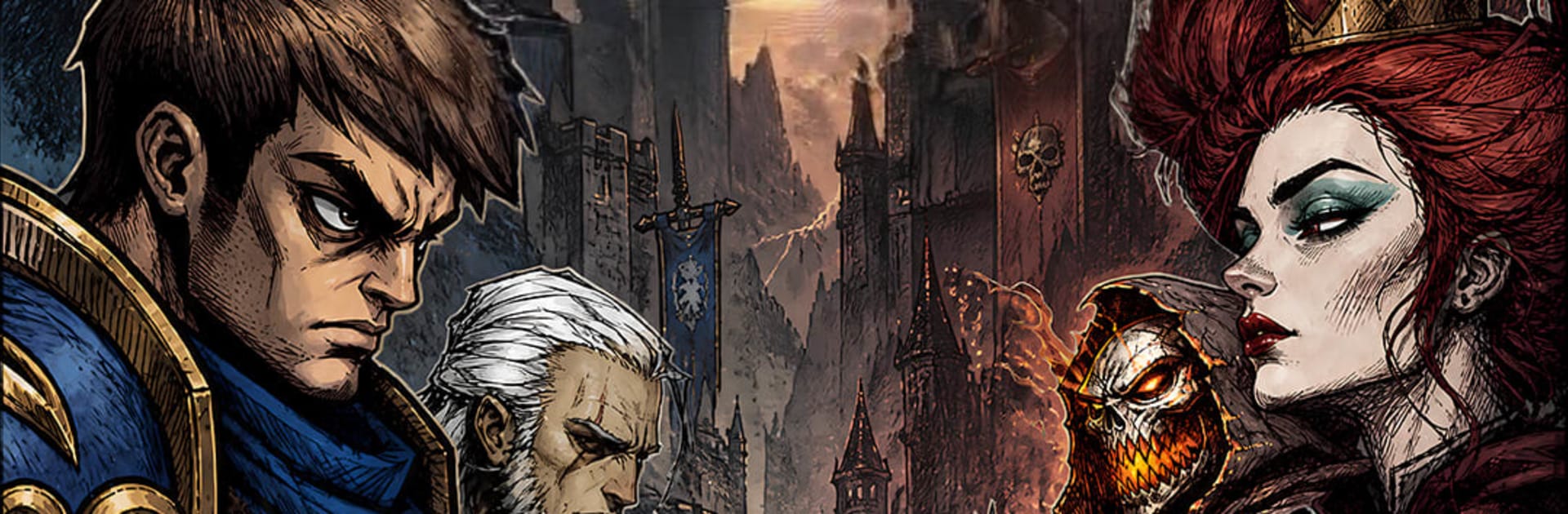
Don't Die: SurvivalAutoBattler

Don't Die: SurvivalAutoBattler

Casual

| HK Adma Tech Limited

Play on PC with BlueStacks or from our cloud

  • Overview
  • Game Features
  • How to Play

Page Modified On: August 15, 2026

Play Don't Die: SurvivalAutoBattler on PC or Mac

Explore a whole new adventure with Don’t Die: SurvivalAutoBattler, a Casual game created by HK Adma Tech Limited. Experience great gameplay with BlueStacks, the most popular gaming platform to play Android games on your PC or Mac.

About the Game

Don’t Die: SurvivalAutoBattler is a Casual tactics game where you try to outlast everyone else in a shadowy, chessboard-style arena. You’ll draft a team of distinct heroes, place them smartly, and let the auto-battles play out while your strategy does the heavy lifting. It’s easy to start, tough to master, and feels great on a bigger display with BlueStacks.

Game Features

  • Build a standout squad: Assemble a crew that fits your style, from legends like Jhin, Odin, and the Pirate King to supportive backliners and bruising front guards. Every pick shapes your path to the final round.

  • Five classes, real synergy: Warriors, Mages, Hunters, Assassins, and Supports each bring perks that stack in clever ways. Mix and match to unlock powerful combos and flip tough matchups.

  • Quick, tactical clashes: Battles are snappy and readable, so positioning, timing, and upgrades truly matter. A single tile shift or reroll can swing the entire fight.

  • Modes for any mood: Tackle the Twilight Ember PvE route to stock up on resources and test new ideas, or jump into ranked play and chase a higher spot on the global boards.

  • Moody dark fantasy style: A brooding world, striking hero designs, and punchy skill effects turn every ultimate and knockout into a moment.

  • Progress that feels good: Gather materials, strengthen your roster, and refine formations run after run until your comp clicks.

  • Play comfortably: Prefer a keyboard-and-mouse setup and smooth performance? BlueStacks handles it nicely without getting in the way of your strategy.

Start playing Don’t Die: SurvivalAutoBattler on BlueStacks and get a smoother, more comfortable PC or Mac setup.


Game Features

Enhancements

  • Macros
  • Multi Instance
  • Script
  • Repeated Tap
  • Enhancements
Macros

Macros

Automate the predictable in Don't Die: SurvivalAutoBattler and transform your gameplay with Macros. Get access to inventive Macros in the BlueStacks Macro Community
Multi Instance

Multi Instance

Play Don't Die: SurvivalAutoBattler on one window. And chat with your friend on the other. Press CTRL + Shift + 8 to open the Multi-Instance Manager. And start creating fresh instances or clone an existing one.
Script

Script

Script your way to gaming glory in Don't Die: SurvivalAutoBattler with BlueStacks Script. Write and run a set of commands to automate repeated tasks. Trigger the command by assigning it to any key.
Repeated Tap

Repeated Tap

BlueStacks lets you master Don't Die: SurvivalAutoBattler with useful features like the Repeated Tap. Now you do not have to press the same key repeatedly to initiate an action. Just assign it to one key and you are good to go.
Read More

How to Download and Play Don't Die: SurvivalAutoBattler on PC or Mac

  • Download and install BlueStacks on your PC or Mac

  • Complete Google sign-in to access the Play Store, or do it later

  • Look for Don't Die: SurvivalAutoBattler in the search bar at the top right corner

  • Click to install Don't Die: SurvivalAutoBattler from the search results

  • Complete Google sign-in (if you skipped step 2) to install Don't Die: SurvivalAutoBattler

  • Click the Don't Die: SurvivalAutoBattler icon on the home screen to start playing

video
Watch Video

Minimum System Requirements

With BlueStacks 5, you can get started on a PC that fulfills the following requirements.

  • Operating System

    Microsoft Windows 7 or above, macOS 11 (Big Sur) or above

  • Processor

    Intel, AMD or Apple Silicon Processor

  • RAM

    at least 4GB

  • HDD

    10GB Free Disk Space

Note:

* You must be an Administrator on your PC. Up to date graphics drivers from Microsoft or the chipset vendor.

Don't Die: SurvivalAutoBattler - FAQs

  • How to play Don't Die: SurvivalAutoBattler on Windows PC & Mac?

    Play Don't Die: SurvivalAutoBattler on your PC or Mac by following these simple steps.

    • Click on 'Play Don't Die: SurvivalAutoBattler on PC’ to download BlueStacks
    • Install it and log-in to Google Play Store
    • Launch and play the game.
  • Why is BlueStacks the fastest and safest platform to play games on PC?

    BlueStacks respects your privacy and is always safe and secure to use. It does not carry any malware, spyware, or any sort of additional software that could harm your PC.

    It is engineered to optimize speed and performance for a seamless gaming experience.

  • What are Don't Die: SurvivalAutoBattler PC requirements?

    Minimum requirement to run Don't Die: SurvivalAutoBattler on your PC

    • OS: Microsoft Windows 7 or above MacOS 11 (Big Sur) or above
    • Processor: Intel, AMD or Apple Silicon Processor
    • RAM: Your PC must have at least 4GB of RAM. (Note that having 4GB or more disk space is not a substitute for RAM)
    • HDD: 10GB Free Disk Space.
    • You must be an Administrator on your PC.