Minishoot' Adventures

Minishoot' Adventures

Casual

| IndieArk

Play on PC with BlueStacks or from our cloud

Click here to Pre-Register for Minishoot' Adventures
  • Overview
  • Features
  • How to Play

Page Modified On: May 04, 2026

Play Minishoot' Adventures on PC or Mac

Bring your A-game to Minishoot’ Adventures, the Casual game sensation from IndieArk. Give your gameplay the much-needed boost with precise game controls, high FPS graphics, and top-tier features on your PC or Mac with BlueStacks.

About the Game

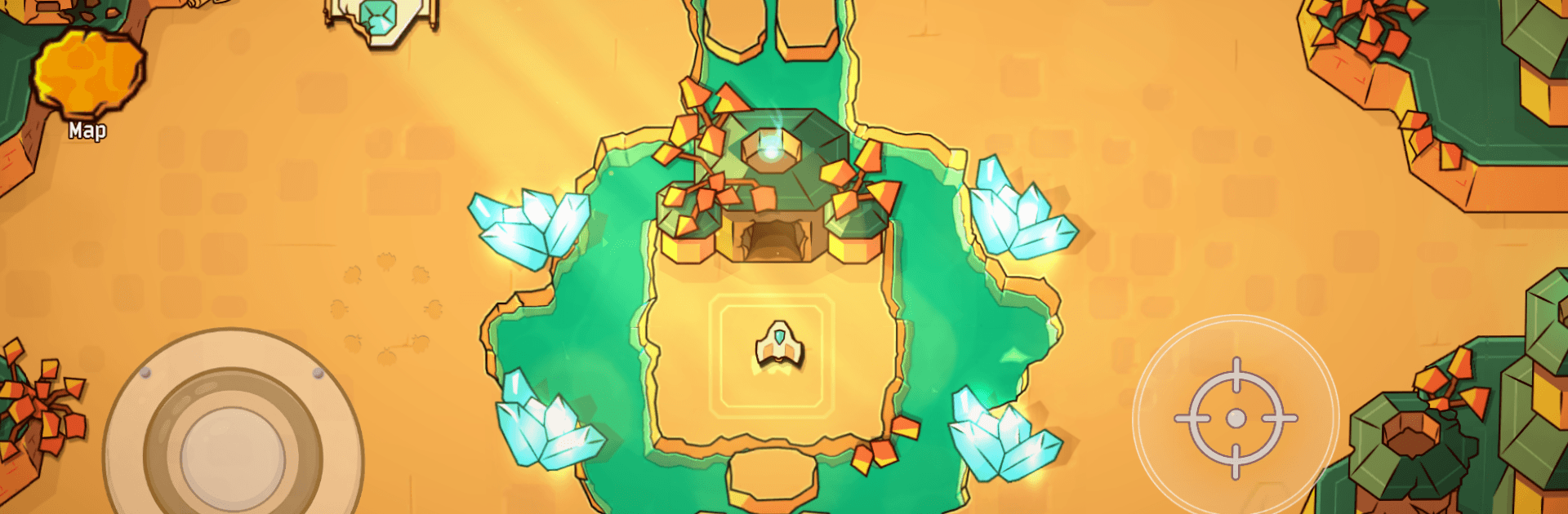
Minishoot’ Adventures from IndieArk is a punchy Casual shooter where you pilot a tiny ship through a big, mysterious world. It’s all about movement, timing, and curiosity—no fluff, just tight action and smart exploration. Expect fast bursts of combat, a sense of discovery around every corner, and that “one more run” feeling.

Game Features

  • Old-school shooter, modern freedom: Glide through a connected map, pick your path, and tackle challenges in the order you’re brave enough to try.
  • A ship that’s a joy to fly: Snappy controls, slick dodges, and satisfying shots make every encounter feel skill-first and responsive.
  • Hand-crafted places to get lost in: From glowing caverns to tricky ruins, each area is built with secrets, shortcuts, and little “oh wow” moments.
  • Metroidvania progression: Find upgrades that change how you explore—new abilities open fresh routes and hidden rooms you couldn’t reach before.
  • Boss fights that hit hard: Distinct, pattern-heavy battles deliver that bullet-hell rush. Learn the tells, weave through the chaos, and enjoy the payoff.
  • Puzzles that play nice with action: Environmental tricks and light brainteasers break up the firefights without slowing the pace.
  • Minimal chatter, maximum play: You learn by doing. The game teaches through encounters, not long tutorials or walls of text.
  • Smooth on PC with BlueStacks: Prefer keyboard or gamepad on a bigger screen? It plays great there, too, with sharp performance and precise inputs.

Start your journey now. Download the game on BlueStacks, invite your friends, and march on a new adventure.


Features

  • Macros

    Automate the predictable in Minishoot' Adventures and transform your gameplay with Macros. Get access to inventive Macros in the BlueStacks Macro Community

  • Multi Instance

    Play Minishoot' Adventures on one window. And chat with your friend on the other. Press CTRL + Shift + 8 to open the Multi-Instance Manager. And start creating fresh instances or clone an existing one.

  • Script

    Script your way to gaming glory in Minishoot' Adventures with BlueStacks Script. Write and run a set of commands to automate repeated tasks. Trigger the command by assigning it to any key.

  • Repeated Tap

    BlueStacks lets you master Minishoot' Adventures with useful features like the Repeated Tap. Now you do not have to press the same key repeatedly to initiate an action. Just assign it to one key and you are good to go.

How to Download and Play Minishoot' Adventures on PC or Mac

  • Download and install BlueStacks on your PC or Mac

  • Complete Google sign-in to access the Play Store, or do it later

  • Look for Minishoot' Adventures in the search bar at the top right corner

  • Click to install Minishoot' Adventures from the search results

  • Complete Google sign-in (if you skipped step 2) to install Minishoot' Adventures

  • Click the Minishoot' Adventures icon on the home screen to start playing

video
Watch Video

Minimum System Requirements

With BlueStacks 5, you can get started on a PC that fulfills the following requirements.

  • Operating System

    Microsoft Windows 7 or above, macOS 11 (Big Sur) or above

  • Processor

    Intel, AMD or Apple Silicon Processor

  • RAM

    at least 4GB

  • HDD

    10GB Free Disk Space

Note:

* You must be an Administrator on your PC. Up to date graphics drivers from Microsoft or the chipset vendor.

Exclusive Gaming Content. And More.

Get the latest updates on the BlueStacks Blog.

See More
Minishoot' Adventures

Be among the first to play Minishoot' Adventures on PC

Get notified when the Game launches

Minishoot' Adventures - FAQs

  • How to play Minishoot' Adventures on Windows PC & Mac?

    Play Minishoot' Adventures on your PC or Mac by following these simple steps.

    • Click on 'Play Minishoot' Adventures on PC’ to download BlueStacks
    • Install it and log-in to Google Play Store
    • Launch and play the game.
  • Why is BlueStacks the fastest and safest platform to play games on PC?

    BlueStacks respects your privacy and is always safe and secure to use. It does not carry any malware, spyware, or any sort of additional software that could harm your PC.

    It is engineered to optimize speed and performance for a seamless gaming experience.

  • What are Minishoot' Adventures PC requirements?

    Minimum requirement to run Minishoot' Adventures on your PC

    • OS: Microsoft Windows 7 or above MacOS 11 (Big Sur) or above
    • Processor: Intel, AMD or Apple Silicon Processor
    • RAM: Your PC must have at least 4GB of RAM. (Note that having 4GB or more disk space is not a substitute for RAM)
    • HDD: 10GB Free Disk Space.
    • You must be an Administrator on your PC.