
MathCraft
MathCraft

MathCraft

Educational

| Woongjin Thinkbig Edutech labs

Play on PC with BlueStacks or from our cloud

  • Overview
  • Tips & Tricks
  • Game Features
  • How to Play

Page Modified On: October 23, 2026

Play MathCraft on PC or Mac

Bring your A-game to MathCraft, the Educational game sensation from Woongjin Thinkbig Edutech labs. Give your gameplay the much-needed boost with precise game controls, high FPS graphics, and top-tier features on your PC or Mac with BlueStacks.

About the Game

MathCraft blends arcade shooting with brain-boosting math inside a battered starship full of weird, goopy threats. You play as code name D, teaming up with the pint-sized helper MiniThink to rescue survivors, piece together what went wrong near Venomas, and make it out in one piece. It’s an Educational adventure that turns quick problem-solving into your ammo—also runs smoothly on PC with BlueStacks if you prefer a bigger view.

Game Features

  • Story-led survival: Board the ruined ship as D, partner with MiniThink, and track the source of those slimey lifeforms while saving whoever’s left.
  • Solve-to-attack gameplay: Answer fast math prompts to power your shots, open blocked routes, and trigger clutch abilities at the perfect moment.
  • Adaptive questions: A built-in learning AI adjusts difficulty to your level so practice feels natural and never heavy-handed.
  • Friendly aim assist: Targeting snaps to enemies, keeping chaos manageable while leaving room for timing, positioning, and smart choices.
  • Items that matter: Scoop up gadgets, buffs, and oddball tech that reshape your loadout and open fresh tactics from run to run.
  • Skins your way: Earn gold, unlock skins, and style your hero from visor to boots—subtle, flashy, or downright strange.
  • Meaningful upgrades: Invest in health, damage, reload speed, and special perks to build a play style that actually feels like yours.
  • Rescue and rewards: Find survivors during missions to gain resources, story crumbs, and handy bonuses that nudge you further each attempt.

Get ready for a buttery smooth, high-performance gaming action only on BlueStacks.
Game Features

Enhancements

  • Macros
  • Multi Instance
  • Multi Instance Sync
  • Script
  • Enhancements
Macros

Macros

Automate the predictable in MathCraft and transform your gameplay with Macros. Get access to inventive Macros in the BlueStacks Macro Community
Multi Instance

Multi Instance

Play MathCraft on one window. And chat with your friend on the other. Press CTRL + Shift + 8 to open the Multi-Instance Manager. And start creating fresh instances or clone an existing one.
Multi Instance Sync

Multi Instance Sync

Play MathCraft with the power of Multi-Instance Sync. Replicate what you are doing on the main instance on all other instances. Level up faster, play more.
Script

Script

Script your way to gaming glory in MathCraft with BlueStacks Script. Write and run a set of commands to automate repeated tasks. Trigger the command by assigning it to any key.
Read More

How to Download and Play MathCraft on PC or Mac

  • Download and install BlueStacks on your PC or Mac

  • Complete Google sign-in to access the Play Store, or do it later

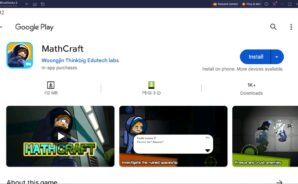
  • Look for MathCraft in the search bar at the top right corner

  • Click to install MathCraft from the search results

  • Complete Google sign-in (if you skipped step 2) to install MathCraft

  • Click the MathCraft icon on the home screen to start playing

video
Watch Video

Minimum System Requirements

With BlueStacks 5, you can get started on a PC that fulfills the following requirements.

  • Operating System

    Microsoft Windows 7 or above, macOS 11 (Big Sur) or above

  • Processor

    Intel, AMD or Apple Silicon Processor

  • RAM

    at least 4GB

  • HDD

    10GB Free Disk Space

Note:

* You must be an Administrator on your PC. Up to date graphics drivers from Microsoft or the chipset vendor.

MathCraft - FAQs

  • How to play MathCraft on Windows PC & Mac?

    Play MathCraft on your PC or Mac by following these simple steps.

    • Click on 'Play MathCraft on PC’ to download BlueStacks
    • Install it and log-in to Google Play Store
    • Launch and play the game.
  • Why is BlueStacks the fastest and safest platform to play games on PC?

    BlueStacks respects your privacy and is always safe and secure to use. It does not carry any malware, spyware, or any sort of additional software that could harm your PC.

    It is engineered to optimize speed and performance for a seamless gaming experience.

  • What are MathCraft PC requirements?

    Minimum requirement to run MathCraft on your PC

    • OS: Microsoft Windows 7 or above MacOS 11 (Big Sur) or above
    • Processor: Intel, AMD or Apple Silicon Processor
    • RAM: Your PC must have at least 4GB of RAM. (Note that having 4GB or more disk space is not a substitute for RAM)
    • HDD: 10GB Free Disk Space.
    • You must be an Administrator on your PC.