ScratchJr
ScratchJr

ScratchJr

Educational

| Scratch Foundation

Play on PC with BlueStacks or from our cloud

  • Overview
  • How to Download

Page Modified On: April 13, 2026

Run ScratchJr on PC or Mac

Let BlueStacks turn your PC, Mac, or laptop into the perfect home for ScratchJr, a fun Education app from Scratch Foundation.

About the App

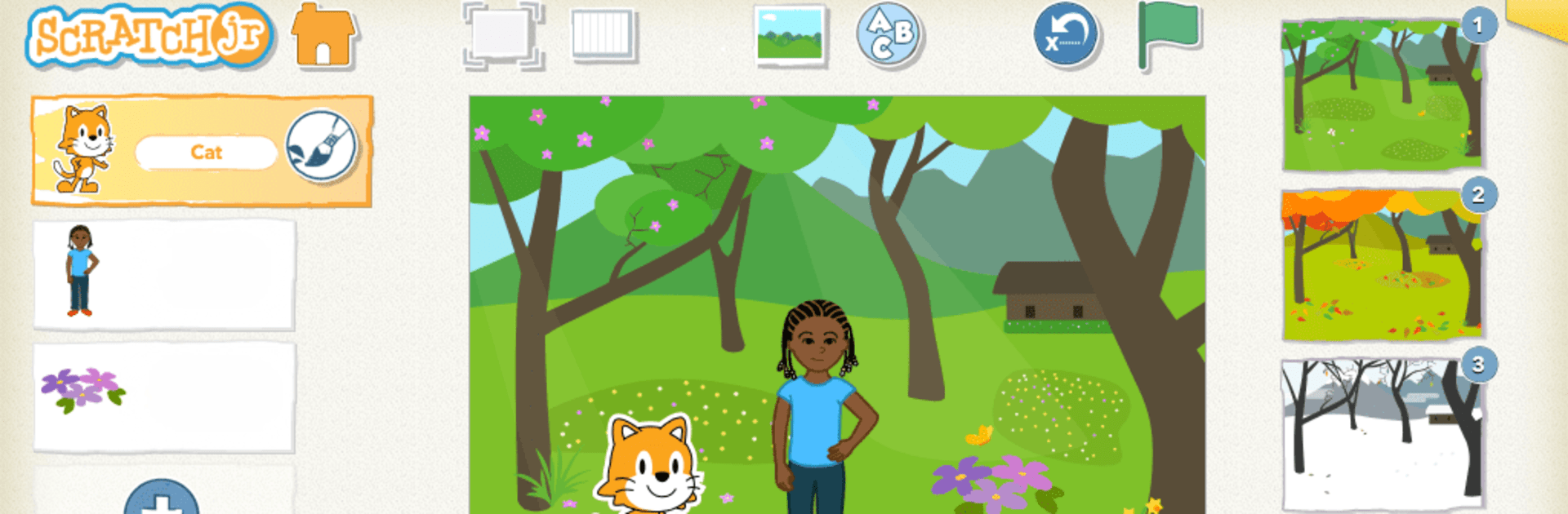
ScratchJr makes coding feel like play for young kids. With simple, colorful blocks, children 5 and up can build their own mini-games and interactive stories—then watch their characters move, dance, and speak. Created by Scratch Foundation, this Education app gives early learners a friendly space to tinker, imagine, and create.

App Features

  • Tap-and-snap coding: Kids drag picture blocks together to control what happens on screen—think moving, turning, appearing, and reacting—without any text-based code.
  • Create your own characters: Use the built-in paint editor to draw from scratch or tweak existing characters with new colors, shapes, and details.
  • Add voice and photos: Record narration and sound effects, or drop in photos to make projects personal and extra fun.
  • Build interactive stories: Arrange scenes, switch backgrounds, and set up simple actions so characters can talk, move, and respond as the story unfolds.
  • Designed for early learners: Big buttons, clear icons, and a clean layout keep things approachable for kids who are just starting to explore technology.
  • Learn by making: As children experiment, they practice sequencing, problem-solving, and early math and language skills—without feeling like they’re doing “homework.”
  • Inspired by Scratch: Based on the well-loved Scratch project, reimagined with an interface and tools that make sense for younger creators.
  • Made for tablets: Works best on tablets that are 7 inches or larger. Prefer using a computer? You can run it on your PC or Mac with BlueStacks for a bigger canvas.

BlueStacks brings your apps to life on a bigger screen—seamless and straightforward.

How to Download and Run ScratchJr on PC or Mac

  • Download and install BlueStacks on your PC or Mac

  • Complete Google sign-in to access the Play Store, or do it later

  • Look for ScratchJr in the search bar at the top right corner

  • Click to install ScratchJr from the search results

  • Complete Google sign-in (if you skipped step 2) to install ScratchJr

  • Click the ScratchJr icon on the home screen to start playing

video
Watch Video

Minimum System Requirements

With BlueStacks 5, you can get started on a PC that fulfills the following requirements.

  • Operating System

    Microsoft Windows 7 or above, macOS 11 (Big Sur) or above

  • Processor

    Intel, AMD or Apple Silicon Processor

  • RAM

    at least 4GB

  • HDD

    10GB Free Disk Space

Note:

* You must be an Administrator on your PC. Up to date graphics drivers from Microsoft or the chipset vendor.

ScratchJr - FAQs

  • How to Run ScratchJr on Windows PC & Mac?

    Run ScratchJr on your PC or Mac by following these simple steps.

    • Click on ‘Download ScratchJr on PC’ to download BlueStacks
    • Install it and log-in to Google Play Store
    • Launch and run the app.
  • Why is BlueStacks the fastest and safest platform to play games on PC?

    BlueStacks respects your privacy and is always safe and secure to use. It does not carry any malware, spyware, or any sort of additional software that could harm your PC.

    It is engineered to optimize speed and performance for a seamless gaming experience.

  • What are ScratchJr PC requirements?

    Minimum requirement to run ScratchJr on your PC

    • OS: Microsoft Windows 7 and above:
    • Processor: Intel or AMD Processor:
    • RAM: Your PC must have at least 2GB of RAM. (Note that having 2GB or more disk space is not a substitute for RAM):
    • HDD: 5GB Free Disk Space.
    • You must be an Administrator on your PC.