A Dance of Fire and Ice

A Dance of Fire and Ice

Music

| 7th Beat Games

BlueStacks Verified

Play on PC with BlueStacks or from our cloud

  • Overview
  • Game Features
  • How to Play

Page Modified On: October 07, 2026

Play A Dance of Fire and Ice on PC or Mac

A Dance of Fire and Ice by 7th Beat Games has plenty to keep you busy. BlueStacks lets you play it on PC or Mac with more screen space, better control, and fewer mobile limits.

About the Game

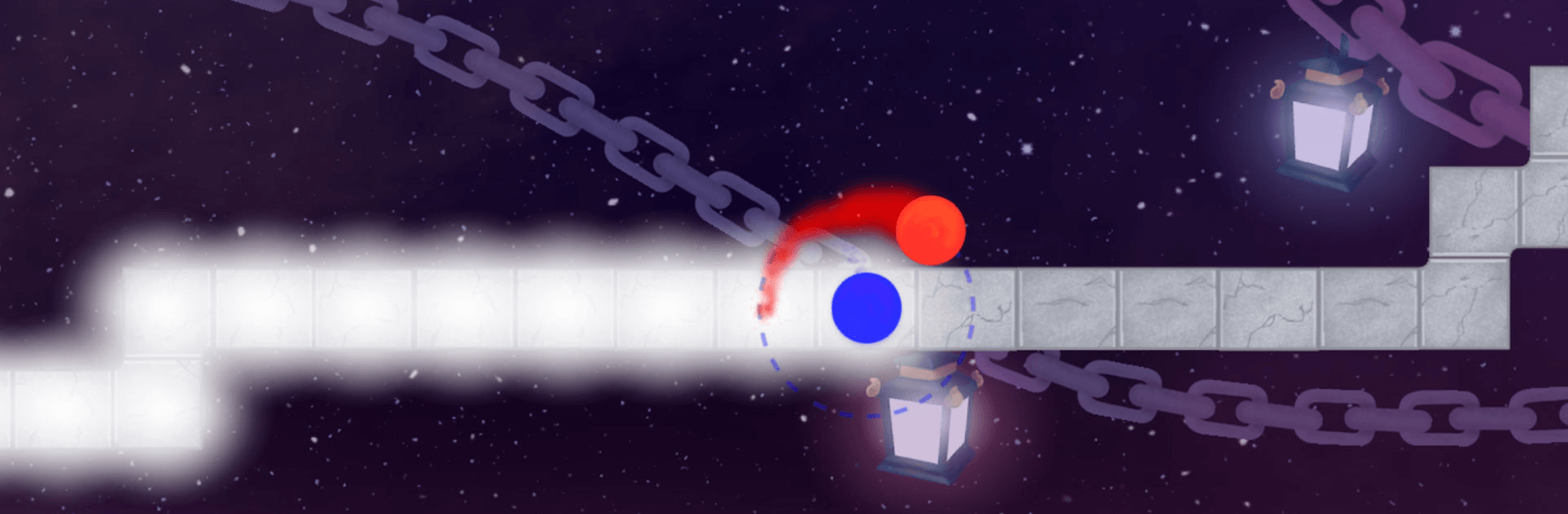
A Dance of Fire and Ice turns keeping a steady beat into a surprisingly tense, oddly soothing challenge. With a single tap, you guide two tiny planets that take turns stepping along winding tracks, and the only thing that matters is timing. It’s pure Music energy with zero fluff—and it also feels great on BlueStacks if you like a bigger view and crisp inputs.

Game Features

  • One-Button Precision: Control everything with one tap as the twin orbs alternate steps; miss the beat and the track snaps shut.
  • 20 Worlds, 20 Rhythms: Each world plays with geometry—triangles, squares, octagons—and turns their shapes into distinct timing patterns.
  • Mini Lessons, Real Bosses: Brief tutorials teach the groove, then a full-length boss track checks whether your timing really holds up.
  • Hand-Drawn Vibes: Travel through unique, illustrated fantasy backdrops that pulse and shift to match each world’s rhythm.
  • Speed Trials & Extras: Post-game modes bring time attacks and blisteringly fast bonus stages for when you’re feeling brave.
  • Ongoing New Tracks: Fresh levels arrive over time, keeping the track list growing and your tapping muscles busy.
  • Calibrate Your Feel: Use auto or manual calibration to sync inputs; trust your ears, because visuals can trick you.
  • Fair but Tough: No note spam here—the challenge is all about consistency, focus, and locking into a clean, steady tempo.

Get ready for a buttery smooth, high-performance gaming action only on BlueStacks.

Game Features

Enhancements

  • Macros
  • Multi Instance
  • Multi Instance Sync
  • Script
  • Enhancements
Macros

Macros

Automate the predictable in A Dance of Fire and Ice and transform your gameplay with Macros. Get access to inventive Macros in the BlueStacks Macro Community
Multi Instance

Multi Instance

Play A Dance of Fire and Ice on one window. And chat with your friend on the other. Press CTRL + Shift + 8 to open the Multi-Instance Manager. And start creating fresh instances or clone an existing one.
Multi Instance Sync

Multi Instance Sync

Play A Dance of Fire and Ice with the power of Multi-Instance Sync. Replicate what you are doing on the main instance on all other instances. Level up faster, play more.
Script

Script

Script your way to gaming glory in A Dance of Fire and Ice with BlueStacks Script. Write and run a set of commands to automate repeated tasks. Trigger the command by assigning it to any key.
Read More

How to Download and Play A Dance of Fire and Ice on PC or Mac

  • Download and install BlueStacks on your PC or Mac

  • Complete Google sign-in to access the Play Store, or do it later

  • Look for A Dance of Fire and Ice in the search bar at the top right corner

  • Click to install A Dance of Fire and Ice from the search results

  • Complete Google sign-in (if you skipped step 2) to install A Dance of Fire and Ice

  • Click the A Dance of Fire and Ice icon on the home screen to start playing

video
Watch Video

Minimum System Requirements

With BlueStacks 5, you can get started on a PC that fulfills the following requirements.

  • Operating System

    Microsoft Windows 7 or above, macOS 11 (Big Sur) or above

  • Processor

    Intel, AMD or Apple Silicon Processor

  • RAM

    at least 4GB

  • HDD

    10GB Free Disk Space

Note:

* You must be an Administrator on your PC. Up to date graphics drivers from Microsoft or the chipset vendor.

A Dance of Fire and Ice - FAQs

  • How to play A Dance of Fire and Ice on Windows PC & Mac?

    Play A Dance of Fire and Ice on your PC or Mac by following these simple steps.

    • Click on 'Play A Dance of Fire and Ice on PC’ to download BlueStacks
    • Install it and log-in to Google Play Store
    • Launch and play the game.
  • Why is BlueStacks the fastest and safest platform to play games on PC?

    BlueStacks respects your privacy and is always safe and secure to use. It does not carry any malware, spyware, or any sort of additional software that could harm your PC.

    It is engineered to optimize speed and performance for a seamless gaming experience.

  • What are A Dance of Fire and Ice PC requirements?

    Minimum requirement to run A Dance of Fire and Ice on your PC

    • OS: Microsoft Windows 7 or above MacOS 11 (Big Sur) or above
    • Processor: Intel, AMD or Apple Silicon Processor
    • RAM: Your PC must have at least 4GB of RAM. (Note that having 4GB or more disk space is not a substitute for RAM)
    • HDD: 10GB Free Disk Space.
    • You must be an Administrator on your PC.