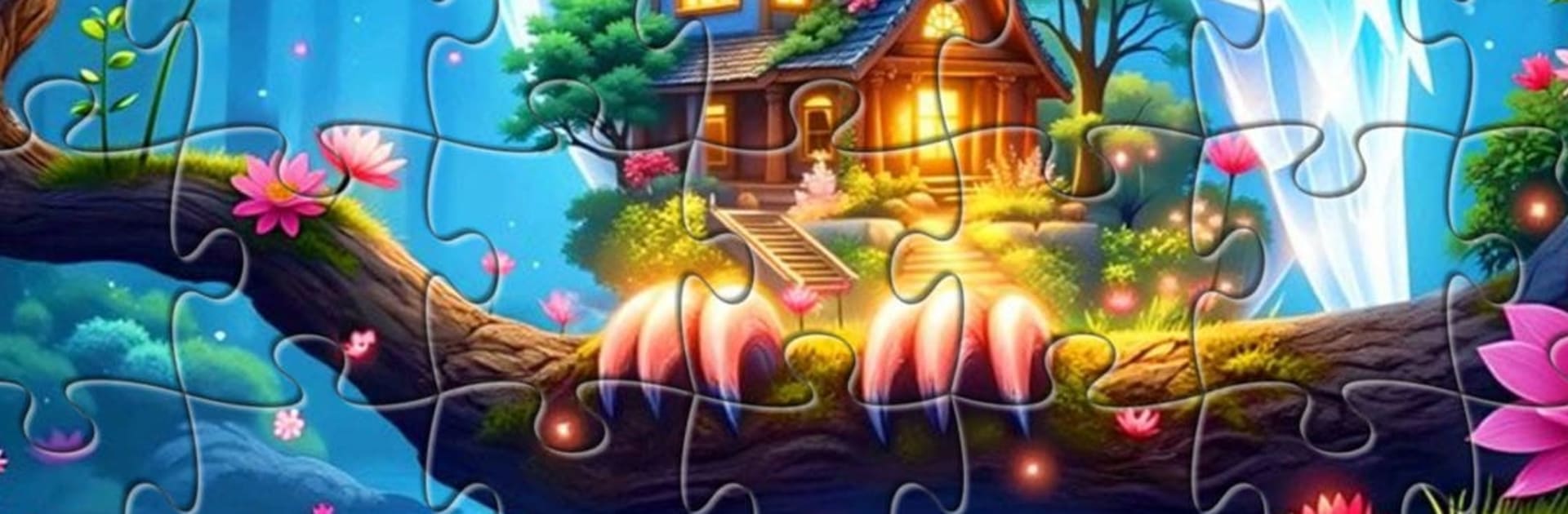
Magical Crystal-Jigsaw Puzzles

Magical Crystal-Jigsaw Puzzles

Puzzle

| LoveColoring Game

Play on PC with BlueStacks or from our cloud

  • Overview
  • Game Features
  • How to Play

Page Modified On: August 20, 2026

Play Magical Crystal-Jigsaw Puzzles on PC or Mac

Explore a whole new adventure with Magical Crystal-Jigsaw Puzzles, a Puzzle game created by LoveColoring Game. Experience great gameplay with BlueStacks, the most popular gaming platform to play Android games on your PC or Mac.

About the Game

Magical Crystal-Jigsaw Puzzles is a chill Puzzle experience where every piece clicks into a world of shimmering color and glassy glow. It’s made for grown-ups who want a quiet break—something calm, pretty, and unhurried—whether you’ve got a spare minute or a cozy evening. Prefer a larger display? It plays smoothly on BlueStacks without stealing the spotlight.

Game Features

  • Crystal-inspired art: From amethyst and quartz to glowing geodes, every image is built with translucent facets and soft light for a gentle, eye-friendly look.
  • Zero-pressure play: No countdowns or leaderboards—take your time, breathe, and enjoy the satisfying click of each piece at your own pace.
  • Flexible difficulty: Adjust how complex the board feels so beginners can relax and seasoned fans still get something pleasantly absorbing.
  • Dreamy themes: Wander through crystal forests and beaches, meditative mandalas, whimsical skies and creatures, tiny worlds inside crystal balls, and serene coastal scenes.
  • Calming atmosphere: Soft colors, subtle glow, and minimal clutter create a soothing space that helps you unwind and stay present.
  • Smooth, intuitive controls: Drag pieces with precision, enjoy clean snapping, and keep the workspace tidy so the artwork really shines.
  • Great for quick breaks or long sessions: Pop in for a few minutes or settle in for a cozy night—either way, it fits neatly into a daily wind-down.
  • Shareable artwork: Show off your finished images to friends who appreciate something beautiful and relaxing.

BlueStacks gives you more room to focus on the game and less time adjusting around mobile limitations.


Game Features

Enhancements

  • Macros
  • Multi Instance
  • Multi Instance Sync
  • Script
  • Enhancements
Macros

Macros

Automate the predictable in Magical Crystal-Jigsaw Puzzles and transform your gameplay with Macros. Get access to inventive Macros in the BlueStacks Macro Community
Multi Instance

Multi Instance

Play Magical Crystal-Jigsaw Puzzles on one window. And chat with your friend on the other. Press CTRL + Shift + 8 to open the Multi-Instance Manager. And start creating fresh instances or clone an existing one.
Multi Instance Sync

Multi Instance Sync

Play Magical Crystal-Jigsaw Puzzles with the power of Multi-Instance Sync. Replicate what you are doing on the main instance on all other instances. Level up faster, play more.
Script

Script

Script your way to gaming glory in Magical Crystal-Jigsaw Puzzles with BlueStacks Script. Write and run a set of commands to automate repeated tasks. Trigger the command by assigning it to any key.
Read More

How to Download and Play Magical Crystal-Jigsaw Puzzles on PC or Mac

  • Download and install BlueStacks on your PC or Mac

  • Complete Google sign-in to access the Play Store, or do it later

  • Look for Magical Crystal-Jigsaw Puzzles in the search bar at the top right corner

  • Click to install Magical Crystal-Jigsaw Puzzles from the search results

  • Complete Google sign-in (if you skipped step 2) to install Magical Crystal-Jigsaw Puzzles

  • Click the Magical Crystal-Jigsaw Puzzles icon on the home screen to start playing

video
Watch Video

Minimum System Requirements

With BlueStacks 5, you can get started on a PC that fulfills the following requirements.

  • Operating System

    Microsoft Windows 7 or above, macOS 11 (Big Sur) or above

  • Processor

    Intel, AMD or Apple Silicon Processor

  • RAM

    at least 4GB

  • HDD

    10GB Free Disk Space

Note:

* You must be an Administrator on your PC. Up to date graphics drivers from Microsoft or the chipset vendor.

Magical Crystal-Jigsaw Puzzles - FAQs

  • How to play Magical Crystal-Jigsaw Puzzles on Windows PC & Mac?

    Play Magical Crystal-Jigsaw Puzzles on your PC or Mac by following these simple steps.

    • Click on 'Play Magical Crystal-Jigsaw Puzzles on PC’ to download BlueStacks
    • Install it and log-in to Google Play Store
    • Launch and play the game.
  • Why is BlueStacks the fastest and safest platform to play games on PC?

    BlueStacks respects your privacy and is always safe and secure to use. It does not carry any malware, spyware, or any sort of additional software that could harm your PC.

    It is engineered to optimize speed and performance for a seamless gaming experience.

  • What are Magical Crystal-Jigsaw Puzzles PC requirements?

    Minimum requirement to run Magical Crystal-Jigsaw Puzzles on your PC

    • OS: Microsoft Windows 7 or above MacOS 11 (Big Sur) or above
    • Processor: Intel, AMD or Apple Silicon Processor
    • RAM: Your PC must have at least 4GB of RAM. (Note that having 4GB or more disk space is not a substitute for RAM)
    • HDD: 10GB Free Disk Space.
    • You must be an Administrator on your PC.