People Flow
People Flow

People Flow

Puzzle

| Rollic Games

Play on PC with BlueStacks or from our cloud

  • Overview
  • Game Features
  • How to Play

Page Modified On: October 16, 2026

Play People Flow on PC or Mac

Explore a whole new adventure with People Flow, a Puzzle game created by Rollic Games. Experience great gameplay with BlueStacks, the most popular gaming platform to play Android games on your PC or Mac.

About the Game

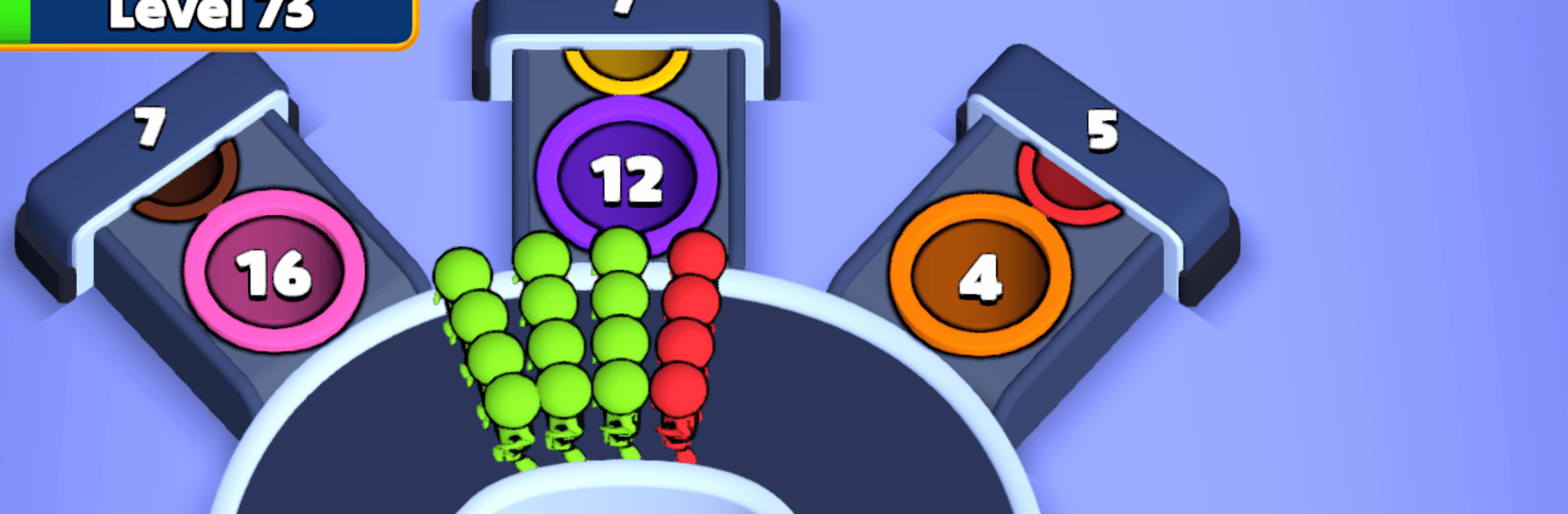
People Flow is a quick-thinking Puzzle that puts your timing and color-matching instincts to work. Streams of characters roll in from different lanes, and you decide when to send them onto a busy runway so they hop into matching-colored slots. Keep the flow smooth, clear every spot, and don’t let the strip clog up. Want a wider view while you play? It runs nicely on BlueStacks too.

Game Features

  • One-touch flow control: Press and hold to launch characters, setting the pace of the action with simple, precise timing.
  • Color-matching runway: Match each runner to the right-colored slot to keep the track open and the crowd moving.
  • Tight timing challenges: Juggle multiple lanes, read the queue at a glance, and send the right color before things back up.
  • Evolving twists: Expect surprises like hidden colors, frozen lanes and holes, lane barriers, and hole shutters that shake up your rhythm.
  • Locks and keys: Grab keys at the perfect moment to unlock blocked slots, then fill them fast before pressure builds again.
  • Moving blockers: Watch for sweeping or shifting obstacles that force you to adjust routes on the fly.
  • Directional arrows: Arrow heads redirect runners in unexpected ways, rewarding sharp angles and quick reactions.
  • Linked characters: Connected people travel together, so a great send clears multiple slots—while a bad one can jam the works.

Get ready for a buttery smooth, high-performance gaming action only on BlueStacks.

Game Features

Enhancements

  • Macros
  • Multi Instance
  • Multi Instance Sync
  • Script
  • Enhancements
Macros

Macros

Automate the predictable in People Flow and transform your gameplay with Macros. Get access to inventive Macros in the BlueStacks Macro Community
Multi Instance

Multi Instance

Play People Flow on one window. And chat with your friend on the other. Press CTRL + Shift + 8 to open the Multi-Instance Manager. And start creating fresh instances or clone an existing one.
Multi Instance Sync

Multi Instance Sync

Play People Flow with the power of Multi-Instance Sync. Replicate what you are doing on the main instance on all other instances. Level up faster, play more.
Script

Script

Script your way to gaming glory in People Flow with BlueStacks Script. Write and run a set of commands to automate repeated tasks. Trigger the command by assigning it to any key.
Read More

How to Download and Play People Flow on PC or Mac

  • Download and install BlueStacks on your PC or Mac

  • Complete Google sign-in to access the Play Store, or do it later

  • Look for People Flow in the search bar at the top right corner

  • Click to install People Flow from the search results

  • Complete Google sign-in (if you skipped step 2) to install People Flow

  • Click the People Flow icon on the home screen to start playing

video
Watch Video

Minimum System Requirements

With BlueStacks 5, you can get started on a PC that fulfills the following requirements.

  • Operating System

    Microsoft Windows 7 or above, macOS 11 (Big Sur) or above

  • Processor

    Intel, AMD or Apple Silicon Processor

  • RAM

    at least 4GB

  • HDD

    10GB Free Disk Space

Note:

* You must be an Administrator on your PC. Up to date graphics drivers from Microsoft or the chipset vendor.

People Flow - FAQs

  • How to play People Flow on Windows PC & Mac?

    Play People Flow on your PC or Mac by following these simple steps.

    • Click on 'Play People Flow on PC’ to download BlueStacks
    • Install it and log-in to Google Play Store
    • Launch and play the game.
  • Why is BlueStacks the fastest and safest platform to play games on PC?

    BlueStacks respects your privacy and is always safe and secure to use. It does not carry any malware, spyware, or any sort of additional software that could harm your PC.

    It is engineered to optimize speed and performance for a seamless gaming experience.

  • What are People Flow PC requirements?

    Minimum requirement to run People Flow on your PC

    • OS: Microsoft Windows 7 or above MacOS 11 (Big Sur) or above
    • Processor: Intel, AMD or Apple Silicon Processor
    • RAM: Your PC must have at least 4GB of RAM. (Note that having 4GB or more disk space is not a substitute for RAM)
    • HDD: 10GB Free Disk Space.
    • You must be an Administrator on your PC.