Sticker Sort Puzzle
Sticker Sort Puzzle

Sticker Sort Puzzle

Puzzle

| iKame Games - Zego Studio

Play on PC with BlueStacks or from our cloud

  • Overview
  • Game Features
  • How to Play

Page Modified On: May 25, 2026

Play Sticker Sort Puzzle on PC or Mac

Play Sticker Sort Puzzle by iKame Games – Zego Studio on PC or Mac with BlueStacks. Use a bigger screen, mouse and keyboard controls, and smoother performance while you play.

About the Game

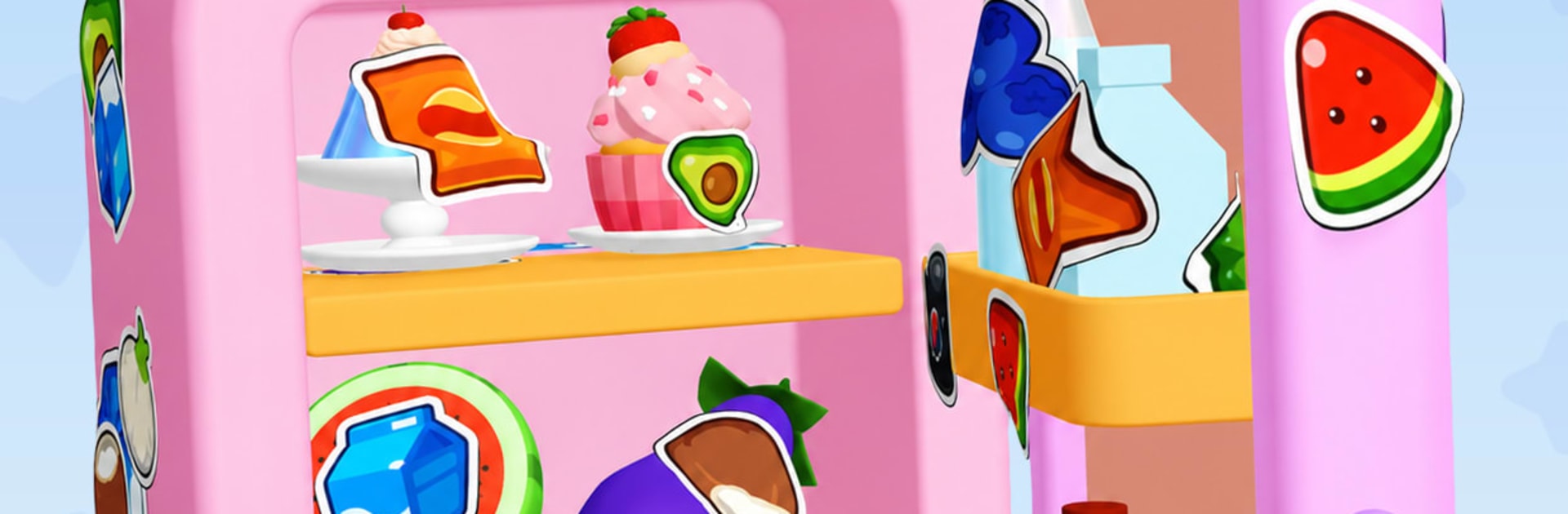
Sticker Sort Puzzle is a tactile Puzzle where you peel layered stickers off quirky 3D objects while figuring out the right order so nothing gets stuck. It mixes chill, ASMR-style peel moments with smart, screw-puzzle logic—spin the object, study how layers overlap, then make your move. No timer breathing down your neck; just you, a surface to clear, and that crisp peel when you nail it.

Game Features

  • Satisfying Peel Audio: Every lift and pull lands with a clean, crisp rip that hits those ASMR vibes.
  • Unscrew-Style Strategy: Layers interlock like parts on a screw puzzle; choose the right edge to free first or you’ll jam the stack.
  • Full 3D Control: Rotate and zoom from every angle to spot hidden overlaps before committing to a move.
  • No Timer, No Stress: Take your time, rethink a step, and solve at your own pace—no rushing required.
  • Fresh Objects to Clean Up: TVs, fridges, laptops, rubber ducks, tiny houses—each one turns into a brand-new sticker canvas.
  • Challenge That Builds: Early stages teach the basics; later ones weave layers tightly for a serious brain-tease.
  • Collectible Sets: Unlock rare sticker themes and grow a digital sticker book as you clear tougher puzzles.
  • Regular New Levels: New designs roll in, so the next “just one more” moment is always around the corner.
  • BlueStacks Friendly: Prefer a bigger screen and precise control on PC? It plays comfortably on BlueStacks without changing the laid-back feel.

Get ready for a buttery smooth, high-performance gaming action only on BlueStacks.

Game Features

Enhancements

  • Macros
  • Multi Instance
  • Multi Instance Sync
  • Script
  • Enhancements
Macros

Macros

Automate the predictable in Sticker Sort Puzzle and transform your gameplay with Macros. Get access to inventive Macros in the BlueStacks Macro Community
Multi Instance

Multi Instance

Play Sticker Sort Puzzle on one window. And chat with your friend on the other. Press CTRL + Shift + 8 to open the Multi-Instance Manager. And start creating fresh instances or clone an existing one.
Multi Instance Sync

Multi Instance Sync

Play Sticker Sort Puzzle with the power of Multi-Instance Sync. Replicate what you are doing on the main instance on all other instances. Level up faster, play more.
Script

Script

Script your way to gaming glory in Sticker Sort Puzzle with BlueStacks Script. Write and run a set of commands to automate repeated tasks. Trigger the command by assigning it to any key.
Read More

How to Download and Play Sticker Sort Puzzle on PC or Mac

  • Download and install BlueStacks on your PC or Mac

  • Complete Google sign-in to access the Play Store, or do it later

  • Look for Sticker Sort Puzzle in the search bar at the top right corner

  • Click to install Sticker Sort Puzzle from the search results

  • Complete Google sign-in (if you skipped step 2) to install Sticker Sort Puzzle

  • Click the Sticker Sort Puzzle icon on the home screen to start playing

video
Watch Video

Minimum System Requirements

With BlueStacks 5, you can get started on a PC that fulfills the following requirements.

  • Operating System

    Microsoft Windows 7 or above, macOS 11 (Big Sur) or above

  • Processor

    Intel, AMD or Apple Silicon Processor

  • RAM

    at least 4GB

  • HDD

    10GB Free Disk Space

Note:

* You must be an Administrator on your PC. Up to date graphics drivers from Microsoft or the chipset vendor.

Sticker Sort Puzzle - FAQs

  • How to play Sticker Sort Puzzle on Windows PC & Mac?

    Play Sticker Sort Puzzle on your PC or Mac by following these simple steps.

    • Click on 'Play Sticker Sort Puzzle on PC’ to download BlueStacks
    • Install it and log-in to Google Play Store
    • Launch and play the game.
  • Why is BlueStacks the fastest and safest platform to play games on PC?

    BlueStacks respects your privacy and is always safe and secure to use. It does not carry any malware, spyware, or any sort of additional software that could harm your PC.

    It is engineered to optimize speed and performance for a seamless gaming experience.

  • What are Sticker Sort Puzzle PC requirements?

    Minimum requirement to run Sticker Sort Puzzle on your PC

    • OS: Microsoft Windows 7 or above MacOS 11 (Big Sur) or above
    • Processor: Intel, AMD or Apple Silicon Processor
    • RAM: Your PC must have at least 4GB of RAM. (Note that having 4GB or more disk space is not a substitute for RAM)
    • HDD: 10GB Free Disk Space.
    • You must be an Administrator on your PC.