
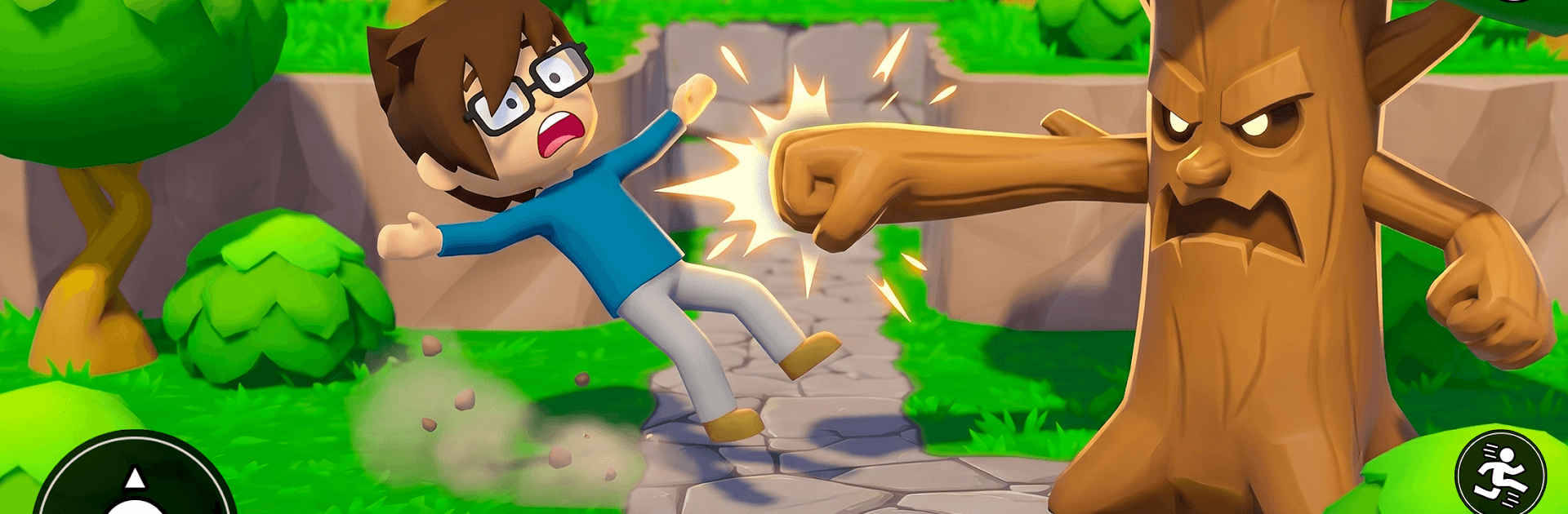
Trees Hate You
Trees Hate You

Trees Hate You

Puzzle

| Gametix

Play on PC with BlueStacks or from our cloud

  • Overview
  • Game Features
  • How to Play

Page Modified On: May 18, 2026

Play Trees Hate You on PC or Mac

Explore a whole new adventure with Trees Hate You, a Puzzle game created by Gametix. Experience great gameplay with BlueStacks, the most popular gaming platform to play Android games on your PC or Mac.

About the Game

Trees Hate You is a Puzzle game from Gametix where the forest isn’t just scenery—it’s out to get you. The moment you step into this eerie woodland, the terrain shifts, trees close in, and every move matters. It’s a clever mix of path-planning and survival tension: read the patterns, slip through openings, and keep your nerves steady while the woods try to box you in.

Game Features

  • Living, hostile forest: Trees inch, pivot, and react to your footsteps, turning the landscape into a moving obstacle you’ve got to outthink.
  • Movement-as-strategy: Every step changes the board. Plan routes carefully, time your advances, and use pauses to reset your approach.
  • Shifting paths and secrets: Hidden passages and temporary openings appear as trunks slide and branches rotate—watch closely or you’ll miss your chance.
  • Constant, creeping pressure: The forest tightens its grip the longer you linger, pushing you to balance caution with bold moves.
  • Short runs, big suspense: Sessions are compact but intense, perfect for chasing a longer survival streak or mastering a tricky route.
  • Clean, focused challenge: No clutter—just you, the woods, and the puzzle they create, wrapped in a calm-but-unnerving vibe.
  • Optional big-screen play: Want a wider view of the chaos? Trees Hate You also feels great on PC with BlueStacks when you’d rather play at your desk.

Ready to top the leaderboard? We bet you do. Let precise controls and sharp visuals optimized on BlueStacks lead you to victory.


Game Features

Enhancements

  • Macros
  • Multi Instance
  • Multi Instance Sync
  • Script
  • Enhancements
Macros

Macros

Automate the predictable in Trees Hate You and transform your gameplay with Macros. Get access to inventive Macros in the BlueStacks Macro Community
Multi Instance

Multi Instance

Play Trees Hate You on one window. And chat with your friend on the other. Press CTRL + Shift + 8 to open the Multi-Instance Manager. And start creating fresh instances or clone an existing one.
Multi Instance Sync

Multi Instance Sync

Play Trees Hate You with the power of Multi-Instance Sync. Replicate what you are doing on the main instance on all other instances. Level up faster, play more.
Script

Script

Script your way to gaming glory in Trees Hate You with BlueStacks Script. Write and run a set of commands to automate repeated tasks. Trigger the command by assigning it to any key.
Read More

How to Download and Play Trees Hate You on PC or Mac

  • Download and install BlueStacks on your PC or Mac

  • Complete Google sign-in to access the Play Store, or do it later

  • Look for Trees Hate You in the search bar at the top right corner

  • Click to install Trees Hate You from the search results

  • Complete Google sign-in (if you skipped step 2) to install Trees Hate You

  • Click the Trees Hate You icon on the home screen to start playing

video
Watch Video

Minimum System Requirements

With BlueStacks 5, you can get started on a PC that fulfills the following requirements.

  • Operating System

    Microsoft Windows 7 or above, macOS 11 (Big Sur) or above

  • Processor

    Intel, AMD or Apple Silicon Processor

  • RAM

    at least 4GB

  • HDD

    10GB Free Disk Space

Note:

* You must be an Administrator on your PC. Up to date graphics drivers from Microsoft or the chipset vendor.

Trees Hate You - FAQs

  • How to play Trees Hate You on Windows PC & Mac?

    Play Trees Hate You on your PC or Mac by following these simple steps.

    • Click on 'Play Trees Hate You on PC’ to download BlueStacks
    • Install it and log-in to Google Play Store
    • Launch and play the game.
  • Why is BlueStacks the fastest and safest platform to play games on PC?

    BlueStacks respects your privacy and is always safe and secure to use. It does not carry any malware, spyware, or any sort of additional software that could harm your PC.

    It is engineered to optimize speed and performance for a seamless gaming experience.

  • What are Trees Hate You PC requirements?

    Minimum requirement to run Trees Hate You on your PC

    • OS: Microsoft Windows 7 or above MacOS 11 (Big Sur) or above
    • Processor: Intel, AMD or Apple Silicon Processor
    • RAM: Your PC must have at least 4GB of RAM. (Note that having 4GB or more disk space is not a substitute for RAM)
    • HDD: 10GB Free Disk Space.
    • You must be an Administrator on your PC.







