Drive Zone: Car Simulator Game

Drive Zone: Car Simulator Game

Racing

| Jet Games FZ-LLC

Play on PC with BlueStacks or from our cloud

  • Overview
  • Game Features
  • How to Play

Page Modified On: November 25, 2025

Play Drive Zone: Car Simulator Game on PC or Mac

Drive Zone: Car Simulator Game brings the Racing genre to life, and throws up exciting challenges for gamers. Developed by Jet Games FZ-LLC, this Android game is best experienced on BlueStacks, the World’s #1 app player for PC and Mac users.

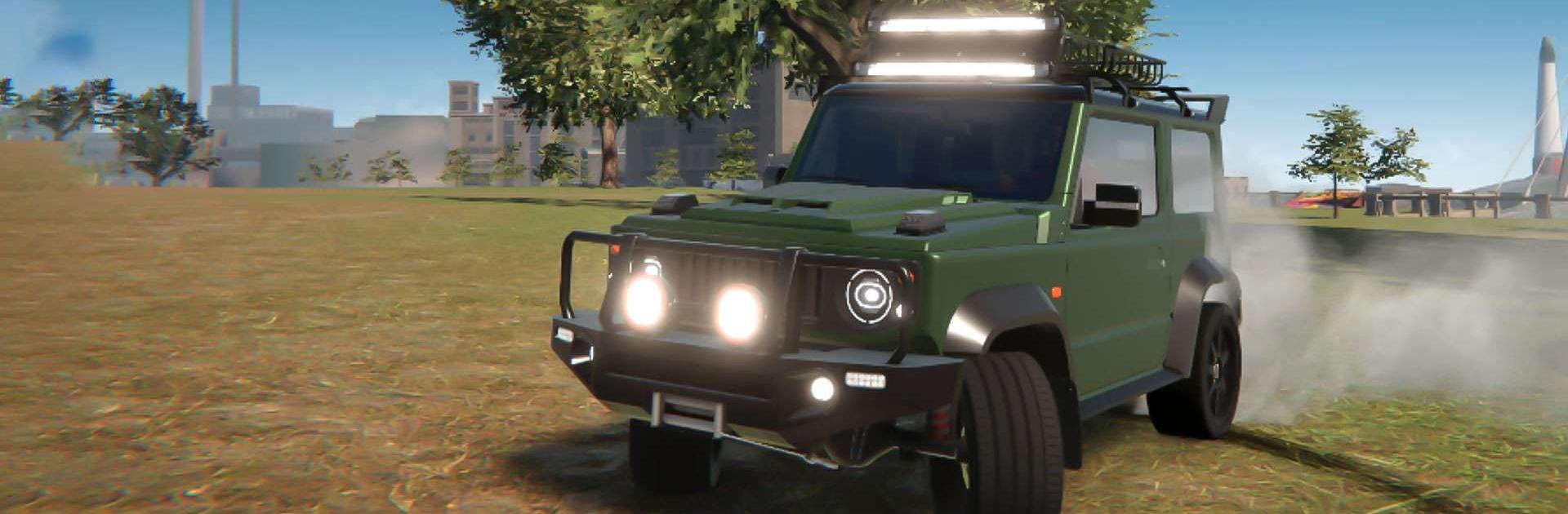
Drive Zone: Car Simulator Game feels like a big open playground for cars. The map is a resort coast that stretches 20 by 20 km, so there is city traffic style streets, a race track, a desert airfield, long highways, a port and beach roads to cruise. Up to 32 players can roll around the same world, which makes random meets and quick races happen a lot. What stands out is how many ways there are to earn and mess with cars. It is not only street, drag, and drift races. Stunts and clean drifts pay too, and there is a player market where cars and paint jobs can be traded or flipped for in game currency and rare items.

The garage is deep. There are more than 50 cars from old classics to hypercars, and every one can take plenty of body kits, rims, spoilers, and full-on liveries. The vinyl editor lets a player actually draw a skin from scratch, plus suspension and camber tweaks change both look and grip. Engines and gearboxes can be tuned so races do not feel like just pressing go. Interiors are modeled with working doors, hood, and trunk, and the cockpit view sells the speed without needing gimmicks. Graphics are sharp with settings to scale up or down, and the performance holds even when the city gets busy. On PC with BlueStacks, the bigger screen makes spotting hidden bonuses way easier, and keyboard or a controller gives steadier drifts. Modes cover drift point battles, straight races to the finish, skill tests with silly jumps, and a driving school that teaches fundamentals and hands out rewards. For anyone who enjoys cruising with friends, tinkering with setups, and then taking that build online, this scratches the itch without getting in the way.

Make your gaming sessions memorable with precise controls that give you an edge in close combats and visuals that pop up, bringing every character to life.

Game Features

Enhancements

  • Macros
  • Multi Instance
  • Multi Instance Sync
  • Script
  • Enhancements
Macros

Macros

Automate the predictable in Drive Zone: Car Simulator Game and transform your gameplay with Macros. Get access to inventive Macros in the BlueStacks Macro Community
Multi Instance

Multi Instance

Play Drive Zone: Car Simulator Game on one window. And chat with your friend on the other. Press CTRL + Shift + 8 to open the Multi-Instance Manager. And start creating fresh instances or clone an existing one.
Multi Instance Sync

Multi Instance Sync

Play Drive Zone: Car Simulator Game with the power of Multi-Instance Sync. Replicate what you are doing on the main instance on all other instances. Level up faster, play more.
Script

Script

Script your way to gaming glory in Drive Zone: Car Simulator Game with BlueStacks Script. Write and run a set of commands to automate repeated tasks. Trigger the command by assigning it to any key.
Read More

How to Download and Play Drive Zone: Car Simulator Game on PC or Mac

  • Download and install BlueStacks on your PC or Mac

  • Complete Google sign-in to access the Play Store, or do it later

  • Look for Drive Zone: Car Simulator Game in the search bar at the top right corner

  • Click to install Drive Zone: Car Simulator Game from the search results

  • Complete Google sign-in (if you skipped step 2) to install Drive Zone: Car Simulator Game

  • Click the Drive Zone: Car Simulator Game icon on the home screen to start playing

video
Watch Video

Minimum System Requirements

With BlueStacks 5, you can get started on a PC that fulfills the following requirements.

  • Operating System

    Microsoft Windows 7 or above, macOS 11 (Big Sur) or above

  • Processor

    Intel, AMD or Apple Silicon Processor

  • RAM

    at least 4GB

  • HDD

    10GB Free Disk Space

Note:

* You must be an Administrator on your PC. Up to date graphics drivers from Microsoft or the chipset vendor.

Drive Zone: Car Simulator Game - FAQs

  • How to play Drive Zone: Car Simulator Game on Windows PC & Mac?

    Play Drive Zone: Car Simulator Game on your PC or Mac by following these simple steps.

    • Click on 'Play Drive Zone: Car Simulator Game on PC’ to download BlueStacks
    • Install it and log-in to Google Play Store
    • Launch and play the game.
  • Why is BlueStacks the fastest and safest platform to play games on PC?

    BlueStacks respects your privacy and is always safe and secure to use. It does not carry any malware, spyware, or any sort of additional software that could harm your PC.

    It is engineered to optimize speed and performance for a seamless gaming experience.

  • What are Drive Zone: Car Simulator Game PC requirements?

    Minimum requirement to run Drive Zone: Car Simulator Game on your PC

    • OS: Microsoft Windows 7 or above MacOS 11 (Big Sur) or above
    • Processor: Intel, AMD or Apple Silicon Processor
    • RAM: Your PC must have at least 4GB of RAM. (Note that having 4GB or more disk space is not a substitute for RAM)
    • HDD: 10GB Free Disk Space.
    • You must be an Administrator on your PC.