Mystic Motors: Car Racing Game

Mystic Motors: Car Racing Game

Racing

| TEC VENTURES

Play on PC with BlueStacks or from our cloud

  • Overview
  • Game Features
  • How to Play

Page Modified On: February 24, 2026

Play Mystic Motors: Car Racing Game on PC or Mac

From the innovators and creators at TEC VENTURES, Mystic Motors: Car Racing Game is another fun addition to the World of Racing games. Go beyond your mobile screen and play it bigger and better on your PC or Mac. An immersive experience awaits you.

About the Game

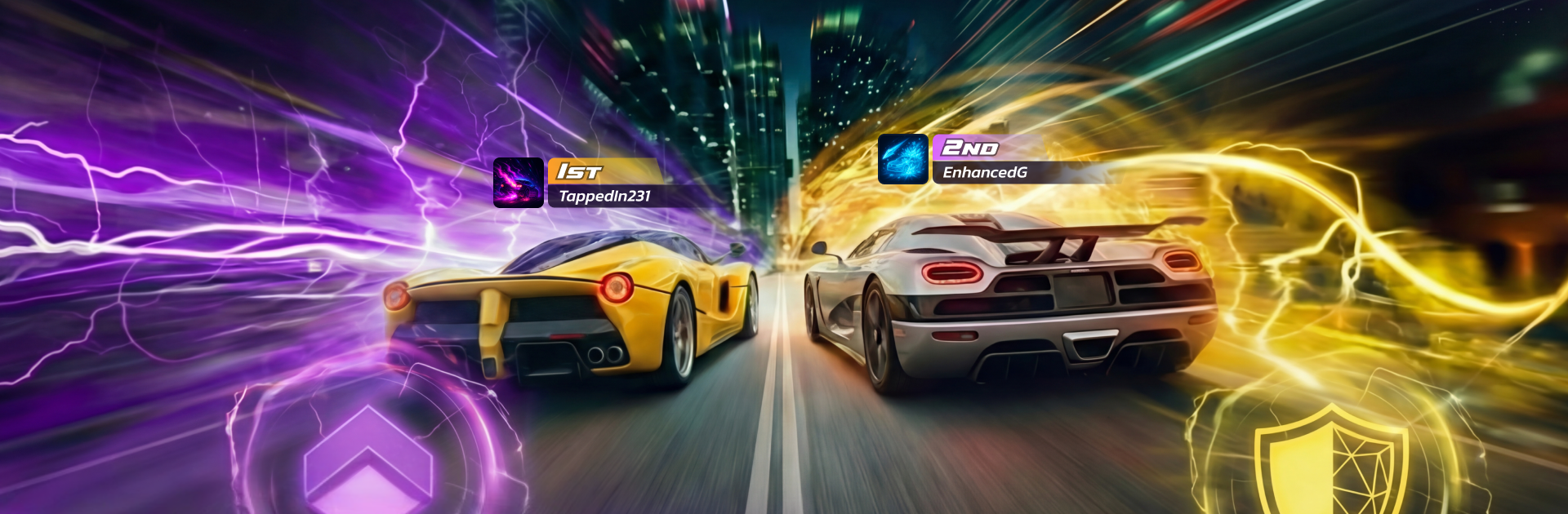
Mystic Motors: Car Racing Game from TEC VENTURES throws a wild twist into the Racing genre by blending tight driving with straight-up sorcery. You’re managing drifts and drafting lines while firing off shields, speed surges, and attack spells in matches that feel equal parts racer and arena battle. Want a bigger view and steady inputs? It runs smoothly on PC with BlueStacks, too.

Game Features

  • Spell-fueled racing: Pair sharp driving with a loadout of offensive, defensive, and utility spells to outthink rivals, time your boosts, and counter incoming attacks.
  • Real-time PvP and ranks: Go head-to-head with players around the world, earn trophies, climb global leagues, and chase seasonal rewards in time-limited events.
  • Build your machine: Mix chassis, wheels, spoilers, and decals, then tune performance with engine, armor, and speed upgrades for a ride that matches your style.
  • Custom spell loadouts: Create setups for aggression, control, or survival, and unlock rarer magic as you rise through the leagues.
  • Satisfying drift control: Nail the entry, ride the slide, and blast out of corners; precision matters when spells and speed collide.
  • Squads and team play: Join a clan, coordinate strategies, push for team leaderboards, and knock out group goals together.
  • Progress that feels good: Earn gold and gems, clear daily challenges and clan quests, and uncover secret tracks and hidden parts as you progress.
  • Big rewards, bigger toys: Win races to collect rare items and new cars that open up fresh builds and tactics.
  • Polished presentation: Crisp 3D visuals, punchy effects, and crunchy engine audio make every spell cast and collision feel impactful.
  • Races that stay unpredictable: Track layouts, hazards, and magic choices constantly shake up the action, so each run plays out differently.

Ready to top the leaderboard? We bet you do. Let precise controls and sharp visuals optimized on BlueStacks lead you to victory.


Game Features

Enhancements

  • Macros
  • Multi Instance
  • Multi Instance Sync
  • Script
  • Enhancements
Macros

Macros

Automate the predictable in Mystic Motors: Car Racing Game and transform your gameplay with Macros. Get access to inventive Macros in the BlueStacks Macro Community
Multi Instance

Multi Instance

Play Mystic Motors: Car Racing Game on one window. And chat with your friend on the other. Press CTRL + Shift + 8 to open the Multi-Instance Manager. And start creating fresh instances or clone an existing one.
Multi Instance Sync

Multi Instance Sync

Play Mystic Motors: Car Racing Game with the power of Multi-Instance Sync. Replicate what you are doing on the main instance on all other instances. Level up faster, play more.
Script

Script

Script your way to gaming glory in Mystic Motors: Car Racing Game with BlueStacks Script. Write and run a set of commands to automate repeated tasks. Trigger the command by assigning it to any key.
Read More

How to Download and Play Mystic Motors: Car Racing Game on PC or Mac

  • Download and install BlueStacks on your PC or Mac

  • Complete Google sign-in to access the Play Store, or do it later

  • Look for Mystic Motors: Car Racing Game in the search bar at the top right corner

  • Click to install Mystic Motors: Car Racing Game from the search results

  • Complete Google sign-in (if you skipped step 2) to install Mystic Motors: Car Racing Game

  • Click the Mystic Motors: Car Racing Game icon on the home screen to start playing

video
Watch Video

Minimum System Requirements

With BlueStacks 5, you can get started on a PC that fulfills the following requirements.

  • Operating System

    Microsoft Windows 7 or above, macOS 11 (Big Sur) or above

  • Processor

    Intel, AMD or Apple Silicon Processor

  • RAM

    at least 4GB

  • HDD

    10GB Free Disk Space

Note:

* You must be an Administrator on your PC. Up to date graphics drivers from Microsoft or the chipset vendor.

Mystic Motors: Car Racing Game - FAQs

  • How to play Mystic Motors: Car Racing Game on Windows PC & Mac?

    Play Mystic Motors: Car Racing Game on your PC or Mac by following these simple steps.

    • Click on 'Play Mystic Motors: Car Racing Game on PC’ to download BlueStacks
    • Install it and log-in to Google Play Store
    • Launch and play the game.
  • Why is BlueStacks the fastest and safest platform to play games on PC?

    BlueStacks respects your privacy and is always safe and secure to use. It does not carry any malware, spyware, or any sort of additional software that could harm your PC.

    It is engineered to optimize speed and performance for a seamless gaming experience.

  • What are Mystic Motors: Car Racing Game PC requirements?

    Minimum requirement to run Mystic Motors: Car Racing Game on your PC

    • OS: Microsoft Windows 7 or above MacOS 11 (Big Sur) or above
    • Processor: Intel, AMD or Apple Silicon Processor
    • RAM: Your PC must have at least 4GB of RAM. (Note that having 4GB or more disk space is not a substitute for RAM)
    • HDD: 10GB Free Disk Space.
    • You must be an Administrator on your PC.